

This post describes how to mute or unmute Sound when using Ubuntu Linux.
When the Sound coming out of your computer is too loud, Ubuntu Linux allows you to quickly mute the volume from the system menu on the top bar and in the Ubuntu Linux settings app.
Although one can adjust the sound volume in Ubuntu Linux, sometimes, one may want to mute or completely turn off the sound from their computer.
Toggling the sound device mute option is the quickest way; the steps below will show you how.
In Ubuntu Linux, you can adjust or mute the sound volume from the system menu on the top bar. Activate the system menu by clicking the right side of the top bar where the Wi-Fi, Speaker, and/or Battery icons are.
How to mute the sound volume in Ubuntu Linux
As mentioned above, Ubuntu Linux allows you to quickly mute the Sound volume from your computer from the system menu.
The system menu is on the right side of the top bar, where the Wi-Fi, Speaker, and/or Battery icons are.

Once you click on the system menu, the panel should open. You can use the slider to adjust the volume on your PC.
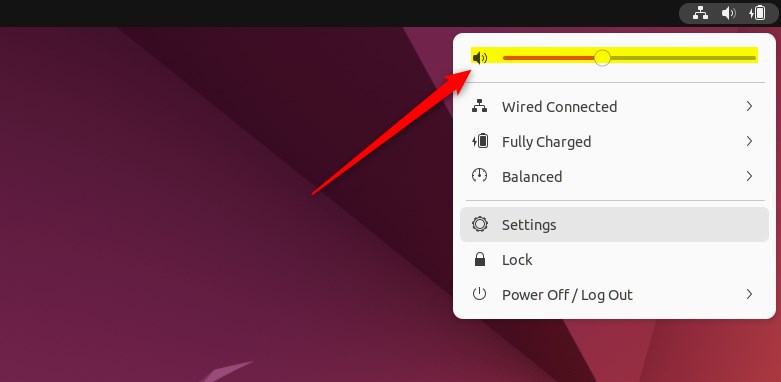
Bring the slider left to lower the volume and right to increase it.
You can also bring the slider to the far left to mute the sound from your computer. The speaker should have a little x in front of the icon when the speaker is muted or off.
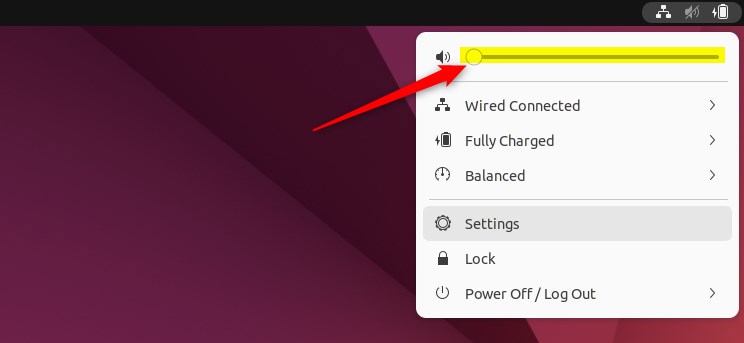
How to unmute Sound in Ubuntu Linux
If you wish to unmute, click the speaker icon again or move the slider to the right to unmute and increase the sound volume.
How to mute or unmute from the Ubuntu Linux settings app
One can also use the Ubuntu Linux settings app to adjust the volume. Below is how to access the Ubuntu Linux settings app.
Ubuntu Linux has a centralized location for the majority of its settings. From system configurations to creating new users and updating, all can be done from the System Settings panel.
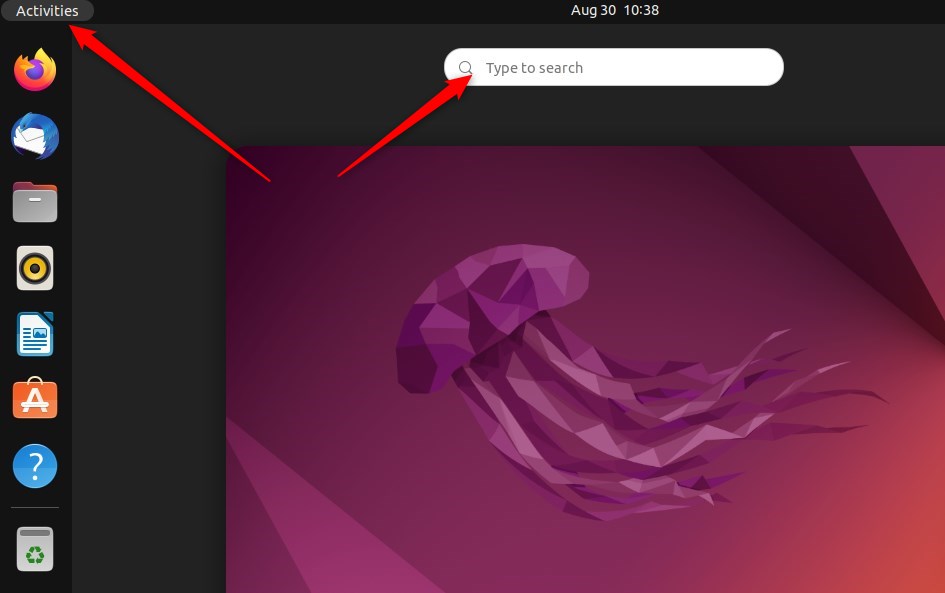
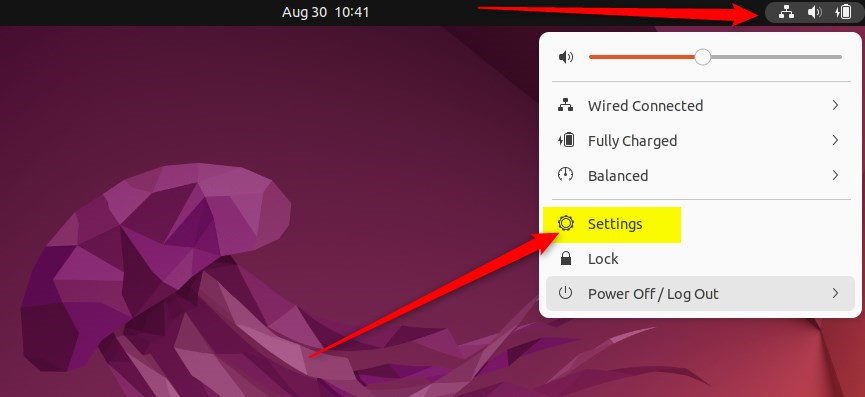
Alternatively, click on the System menu at the top-right corner of the top bar on your desktop.
On the System menu, select Settings, as highlighted below.
In the Settings app, click on a Sound tile to open the panel.
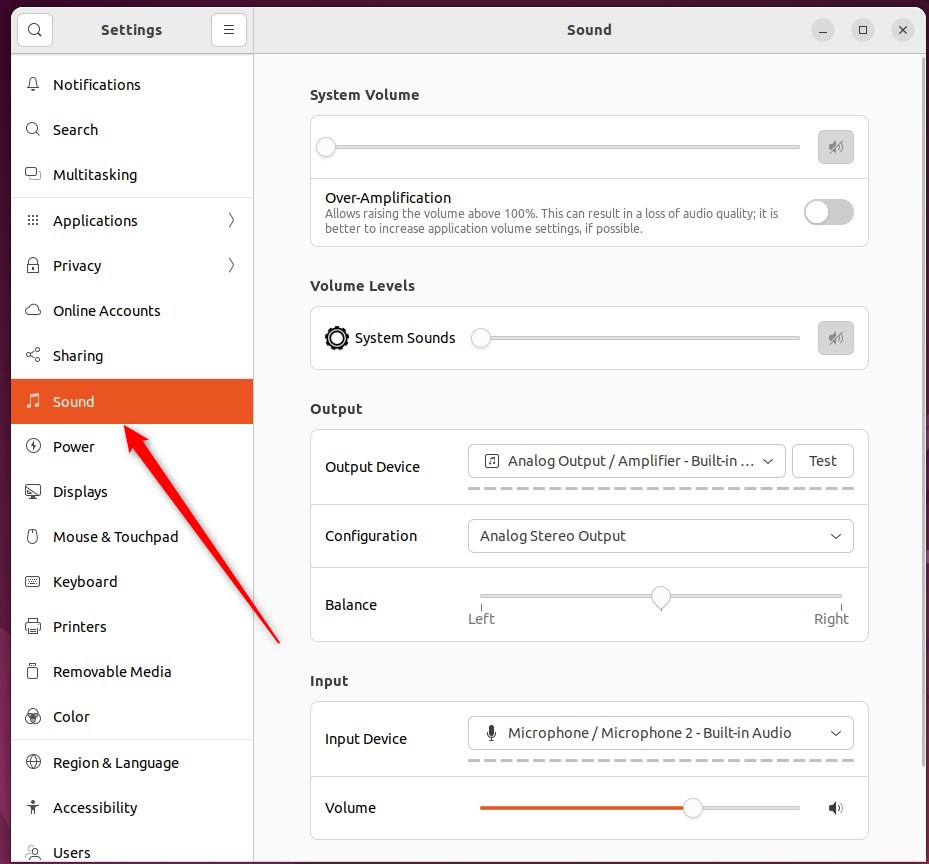
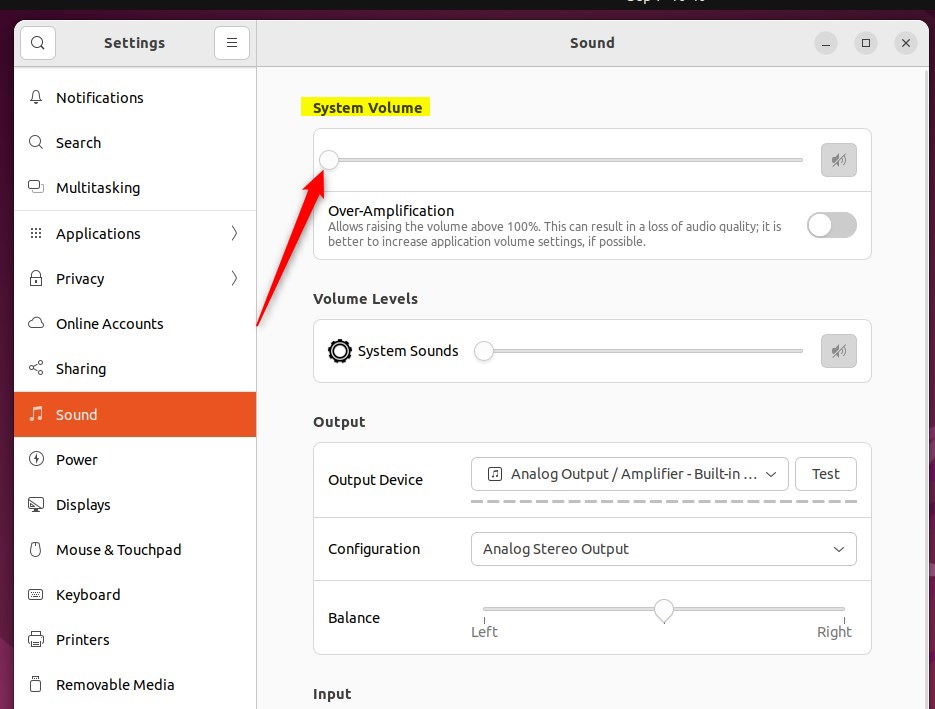
In the System Settings -> Sound panel, under System Volume, use the slider to change the volume on your computer.
Some keyboards have keys that let you control the volume. They are often near the “F” keys at the top. For example, laptop keyboards usually use the “F” keys. Hold down the Fn key on your keyboard to use them.
That should do it!
Conclusion:
- Muting or unmuting the sound volume in Ubuntu Linux can be easily done from the system menu on the top bar.
- Users can adjust the volume using the slider and quickly mute or unmute the sound by accessing the system menu.
- Alternatively, the Ubuntu Linux settings app provides another option to adjust the sound volume and control system settings.
- With the availability of keyboard shortcuts for volume control, users have convenient alternatives to manage sound output on their computers.


Leave a Reply to How to Change Headphone in Ubuntu Linux – Geek Rewind Cancel reply