How to Install Insomnia on Ubuntu 24.04

Installing Insomnia on Ubuntu 24.04 gives you a dedicated desktop workspace to build, test, and debug APIs (code connections that let different software programs talk to each other). The setup process takes just a few minutes through the terminal.
You add the official software source from the developers directly to your system to download the app. This method ensures your REST and GraphQL client stays up to date with the latest features.
Install Insomnia on Ubuntu 24.04 by adding its APT repository and then installing the package. First, run curl -1sLf ‘https://packages.konghq.com/public/insomnia/setup.deb.sh’ | sudo -E distro=ubuntu codename=focal bash. Then, update your package list with sudo apt update and install Insomnia with sudo apt install insomnia.
Prepare Ubuntu
Before installing Insomnia, gather a few prerequisite packages (additional software the application depends on).
Execute the following command to install them.
sudo apt update && sudo apt upgrade
sudo apt install apt-transport-https
Add Insomnia repository
With your system package list updated, add the official Insomnia repository so your machine knows where to fetch the software.
Use the command below.
curl -1sLf
  'https://packages.konghq.com/public/insomnia/setup.deb.sh'
  | sudo -E distro=ubuntu codename=focal bash
Install Insomnia
You can install Insomnia on Ubuntu 24.04 using the apt package manager by opening your terminal and running the apt update and apt install commands. This method gets the latest version directly from your system software sources so you can start testing APIs right away.
Launch Insomnia, a free API design and testing tool, from the Ubuntu 24.04 command line by typing insomnia and pressing Enter. This action opens the application immediately so you can start designing and testing requests.
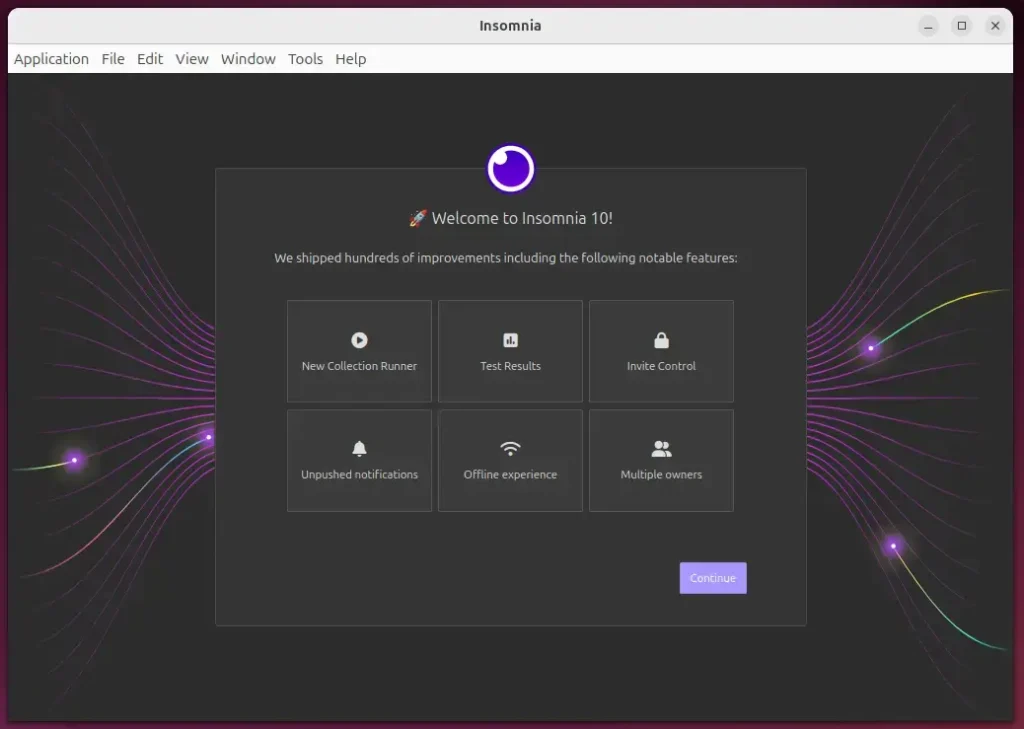
Open the application by navigating through the desktop Activities menu. Click "Activities" in the top-left corner of the screen, select "Show Applications" to view all installed programs, and click "Insomnia" to start the program.
Install Insomnia via Snap
You can install Insomnia on Ubuntu 24.04 using the Snap package manager if you want a fast setup. First check that snapd is installed on your system, and then run the snap install command to download and set up the app automatically.
First, verify that the Snap package manager is present on your system. If not, execute this command.
sudo apt install snapd
Next, pull and install Insomnia via Snap.
sudo snap install insomnia
Once installation finishes, search for Insomnia using the Dock on the left sidebar.
Terminal users can also start the application with the command below.
sudo snap run insomnia
Remove the application using the command below if needed.
sudo snap remove insomnia
That completes the setup process.
Conclusion:
Ubuntu 24.04 gives you multiple ways to install Insomnia depending on your workflow preferences. Here's a quick recap of what we covered:
- Powerful Tool: Insomnia is an effective REST API client that simplifies API design, testing, and debugging.
- User-Friendly Interface: Its clean design enhances productivity by making request management intuitive.
- Support for Multiple Protocols: Besides REST, Insomnia supports GraphQL and other protocols.
- Environment Management: You can handle environment variables directly within the application, streamlining workflow.
- Installation Options: Insomnia can be installed via standard package management or the Snap package manager, whichever suits your preference.
Insomnia serves as a valuable addition to any developer's toolkit. Enjoy leveraging its features for your API development needs!
Was this guide helpful?

About the Author
Richard
Tech Writer, IT Professional
Richard is a writer at Geek Rewind who turns complex IT tasks into clear, step-by-step guides. He draws on years of hands-on experience in system administration and enterprise IT operations, focusing on Windows, Linux and WordPress: the problems people actually run into, and the fixes that work. His server and WordPress guides come from systems he runs himself. Richard builds and maintains the platform behind Geek Rewind, from its Ubuntu servers and Nginx configuration to its custom WordPress plugins. Many new tutorials start with readers' questions, and he's always glad to answer them in the comments.




No comments yet — be the first to share your thoughts!