How to Install Apache CouchDB on Ubuntu 24.04


Apache CouchDB on Ubuntu 24.04 is an open-source NoSQL database (a program that stores your information in flexible JSON documents instead of strict rows and tables). Installing version 3.3.2 on your Ubuntu system gives you a reliable way to store, manage, and sync your app data across multiple servers at the same time.
Getting the software running takes a few steps using the terminal (a text-based command window) to add official software sources and download the package. Once you finish the setup, you have a solid database engine that handles changing data types easily without needing a complex schema design.
Install Apache CouchDB on Ubuntu 24.04 by adding its repository and using apt. First, install curl and other prerequisites, then add the CouchDB GPG key and repository. Finally, run ‘sudo apt install couchdb’ and follow the prompts for configuration.
Import and add CouchDB key and repository
Import and add the CouchDB key and repository to your system to install CouchDB Ubuntu 24.04 safely from the official source. You must download the official GPG key and add the software repository to your package manager sources list using terminal commands before you can download and run the database software on your server.
To begin, please install the following packages to help you set up CouchDB.
sudo apt update
sudo apt install curl apt-transport-https gnupg
Next, import the repository GPG key.
curl https://couchdb.apache.org/repo/keys.asc | gpg --dearmor | sudo tee /usr/share/keyrings/couchdb-archive-keyring.gpg >/dev/null 2>&1
source /etc/os-release
Then, add the repository.
echo "deb [signed-by=/usr/share/keyrings/couchdb-archive-keyring.gpg] https://apache.jfrog.io/artifactory/couchdb-deb/ noble main"
    | sudo tee /etc/apt/sources.list.d/couchdb.list >/dev/null
Finally, update and install CouchDB.
sudo apt update
sudo apt install couchdb
The installer will prompt you to choose between installing CouchDB in clustered or standalone mode. Clustering involves multiple servers collaborating as a single, distributed data store.
We will install CouchDB in a standalone mode on a single server.
 ┌─────────┤ Configuring couchdb ├─────────┐
 │ General type of CouchDB configuration:  │
 │                                         │
 │               standalone                │
 │               clustered                 │
 │               none                      │
 │                                         │
 │                                         │
 │                 <Ok>                    │
 │                                         │
 └─────────────────────────────────────────┘
For a single-server setup, you can leave the default IP address [127.0.0.1].
Setting the admin password on the next screen secures CouchDB and exits the insecure "admin party" mode. This password protects your CouchDB installation.
Complete the installation.
Verify CouchDB installation
Verify your CouchDB installation on Ubuntu 24.04 by sending an HTTP request to the local database server using the curl command line tool. If you successfully install CouchDB Ubuntu 24.04, the server responds with a JSON-formatted welcome message containing the version number and status details.
curl http://127.0.0.1:5984/
The command will output something similar to the one below.
{
  "couchdb":"Welcome",
  "version":"3.1.0",
  "git_sha":"ff0feea20",
  "uuid":"4589130c33b0dae4c166330463542ad4",
  "features":[
    "access-ready",
    "partitioned",
    "pluggable-storage-engines",
    "reshard",
    "scheduler"
  ],
  "vendor":{
    "name":"The Apache Software Foundation"
  }
}
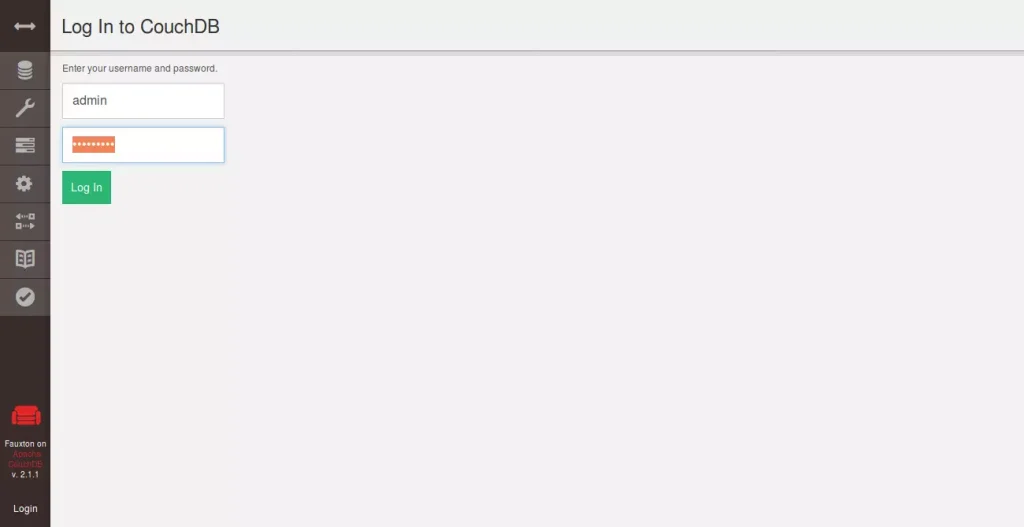
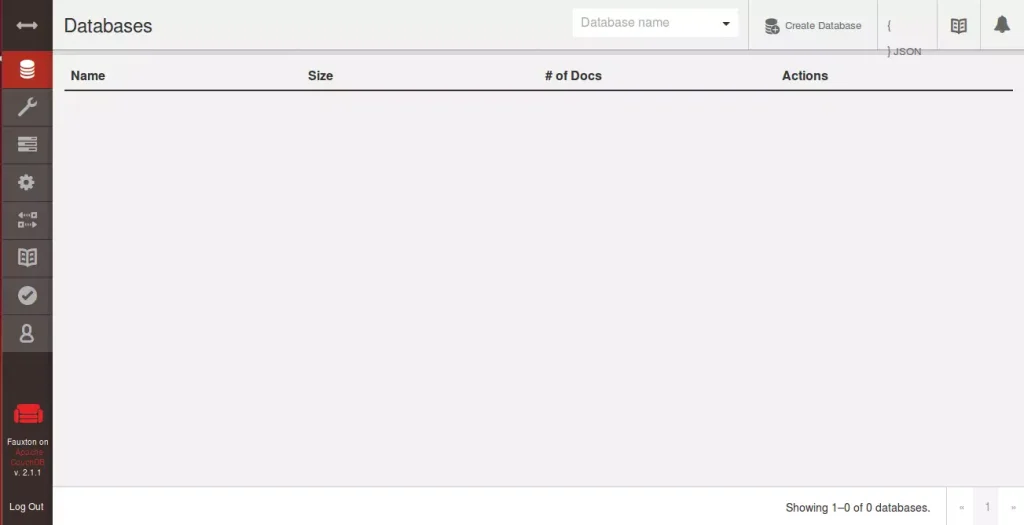
To test in the GUI, you can access the CouchDB web-based interface using the server hostname or IP address.
http://127.0.0.1:5984/_utils/
Type in the admin username and password.
That should do it!
Conclusion:
Installing Apache CouchDB on Ubuntu 24.04 provides a robust and flexible NoSQL database solution suitable for various applications. Key takeaways include:
- User-Friendly: CouchDB's schema-free JSON document format allows for easy data manipulation.
- Multi-Master Replication: Enhances data availability by allowing changes on any node in the system.
- Standalone Setup: Ideal for single server environments, providing a simple configuration process.
- Admin Security: Setting an admin password during installation is crucial to secure your CouchDB instance.
- Web Interface Access: Easy access to CouchDB management through the web-based interface for monitoring and administration.
Following the installation steps outlined above, you’ll have a functional CouchDB database ready to handle your flexible data storage needs.
Was this guide helpful?

About the Author
Richard
Tech Writer, IT Professional
Richard is a writer at Geek Rewind who turns complex IT tasks into clear, step-by-step guides. He draws on years of hands-on experience in system administration and enterprise IT operations, focusing on Windows, Linux and WordPress: the problems people actually run into, and the fixes that work. His server and WordPress guides come from systems he runs himself. Richard builds and maintains the platform behind Geek Rewind, from its Ubuntu servers and Nginx configuration to its custom WordPress plugins. Many new tutorials start with readers' questions, and he's always glad to answer them in the comments.




No comments yet — be the first to share your thoughts!