How to Exclude Websites in Windows 11 Recall Snapshots

You can exclude specific websites from Windows 11 Recall snapshots to protect your privacy.
Windows Recall captures screenshots of your PC activity, creating a searchable history, but you can prevent it from saving images of sensitive sites. This helps maintain the privacy of your browsing data.
By default, Recall may capture activity from popular browsers like Microsoft Edge, Chrome, Firefox, and Opera. You can manage which sites are excluded directly within Windows 11 settings.
Adding a website to your exclusion list ensures that Windows 11 stops taking snapshots of that particular page, keeping your sensitive information private.
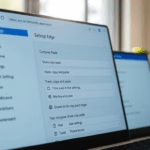
Open Settings, go to Privacy & security, then Recall & snapshots. Under “Filter lists,” click “Add website” and enter the web address you want to exclude. This prevents Windows from saving snapshots of that specific page.
Can I block myself from visiting certain websites?
You can block yourself from visiting certain websites using a browser extension called Block Site.
Was this guide helpful?

About the Author
Richard
Tech Writer, IT Professional
Richard, a writer for Geek Rewind, is a tech enthusiast who loves breaking down complex IT topics into simple, easy-to-understand ideas. With years of hands-on experience in system administration and enterprise IT operations, he’s developed a knack for offering practical tips and solutions. Richard aims to make technology more accessible and actionable. He's deeply committed to the Geek Rewind community, always ready to answer questions and engage in discussions.


[…] in control of Recall and snapshots. You can choose which apps and websites you want to exclude from being saved as […]