How to Disable Edge Swipe in Windows 11

You can disable Edge swipe gestures in Windows 11 to stop unintended menu pop-ups on your touchscreen.
Edge swipes are specific touchscreen actions where you pull a finger from the screen’s border to reveal system menus. Swiping from the left edge opens the Widgets panel, and swiping from the right edge brings up the Notification Center.
These gestures are useful, but they can easily interrupt your workflow if triggered by mistake, especially when using a stylus. Disabling them means your Windows 11 touchscreen will only register intentional taps and drags.
Disable edge swipe in Windows 11 by going to Settings > Bluetooth & devices > Touch and toggling off gestures, or by using the Local Group Policy Editor or Registry Editor to modify the “Allow Edge swipe” setting. These methods prevent accidental menu openings from screen edges.
Disable via Windows Settings
You can often manage gestures through the Windows 11 settings menu to disable edge swipe.
Touchpad vs. Touchscreen
It’s important to know the difference between your touchpad and touchscreen when you want to disable edge swipe.
Disable Edge Swipe using Group Policy
You can disable edge swipe in Windows 11 using the Group Policy Editor if you have administrator rights.
- Open the Local Group Policy Editor by searching for “Edit group policy” in the Start menu.
windows 11 edit group policy - In the left menu, go to this path:
Computer Configuration\Administrative Templates\Windows Components\Edge UI - On the right side, double-click
Allow Edge swipe.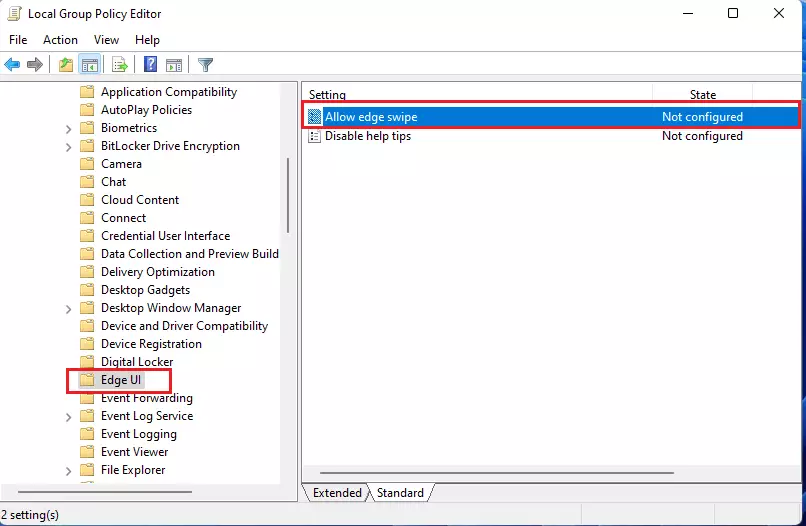
windows 11 disable or enable screen edge swipe - To turn it off, select Disabled. To turn it on, select Enabled.
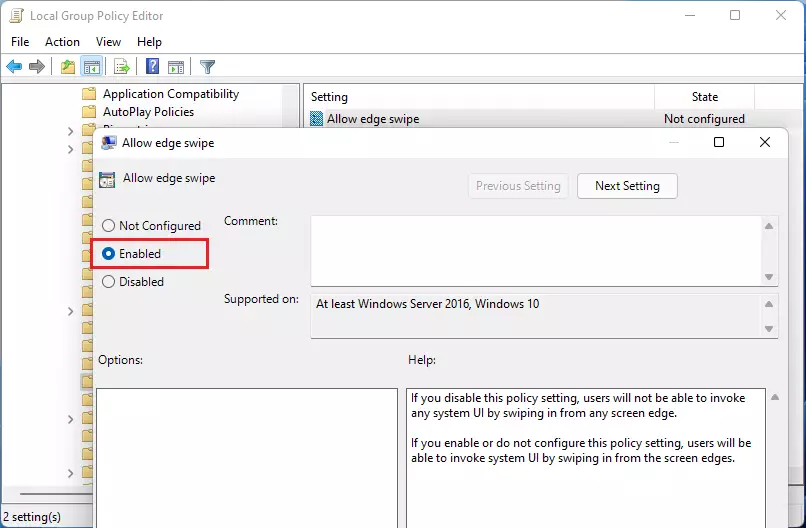
windows 11 enable allow edge swipe - Click OK and close the editor.
Disable Edge Swipe using the Registry
Disabling edge swipe in Windows 11 through the Registry is possible, but you’ll need administrator access and should back up your system first.
- Press the Windows key + R on your keyboard.
- Type
regeditin the box and press Enter.
run windows registry - Go to this folder path:
HKEY_LOCAL_MACHINE\SOFTWARE\Policies\Microsoft\Windows\EdgeUI - Find the
AllowEdgeSwipevalue. Double-click it and set it to0to turn it off.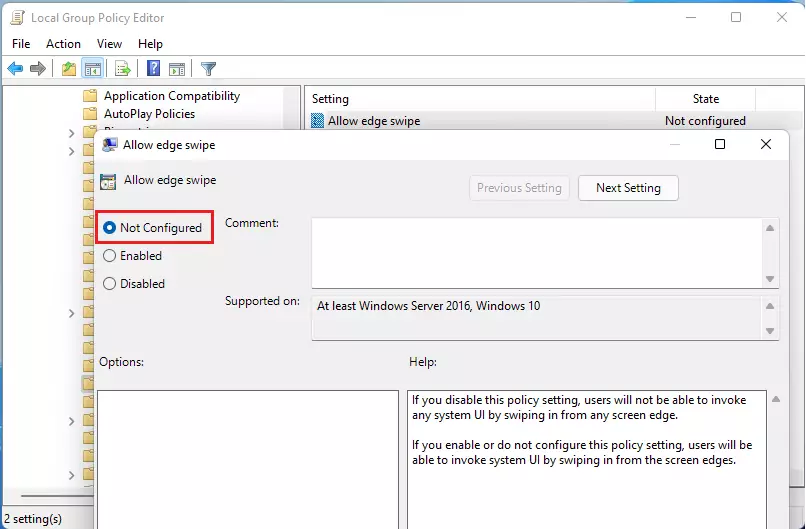
windows 11 disable allow edge swipe - Finally, restart Windows Explorer, or restart your PC to save your changes.
Troubleshooting Persistent Gestures
If your edge swipe gestures keep re-enabling after an update, you can troubleshoot by checking drivers and reapplying policy settings.
Summary
You can turn off the edge swipe feature in Windows 11 using standard settings, Group Policy, or the Registry if it’s causing accidental menu openings.
Can I disable edge swipe without editing the registry?
Yes. You can use the Local Group Policy Editor if you are on Windows Pro, or adjust settings within the Windows 11 Touchpad and Touch menus. These methods are safer and do not require modifying the system registry directly, making them better for everyday users.
Does disabling edge swipe affect other multi-touch gestures?
No. Disabling the edge swipe feature specifically targets the swipe-in gestures from the screen borders. Standard multi-touch gestures like pinch-to-zoom, two-finger scrolling, and tap-to-click will continue to function normally on both your touchpad and your touchscreen display.
Was this guide helpful?

About the Author
Richard
Tech Writer, IT Professional
Richard, a writer for Geek Rewind, is a tech enthusiast who loves breaking down complex IT topics into simple, easy-to-understand ideas. With years of hands-on experience in system administration and enterprise IT operations, he’s developed a knack for offering practical tips and solutions. Richard aims to make technology more accessible and actionable. He's deeply committed to the Geek Rewind community, always ready to answer questions and engage in discussions.




I’m on Windows 11 21H2 22000.739 and the registry entry doesn’t exist (anymore?)
I’ve tried searching the registry for it, but to no avail, and all articles I can find on Google seem to reference this same solution.
This doesn’t work. The key is there and set to 0 but didn’t stop the left edge swipe.
same issue here, did you ever figure it out?
said key is no longer there