

This article explains removing unused bitlocker-recovery-key-in-windows-11/” class=”sal-link” rel=”noopener” target=”_blank” data-sal-id=”2206″>BitLocker Recovery keys from your Microsoft account.
BitLocker helps protect computer data so only authorized users can access it. New files created on a BitLocker-enabled drive will also be protected.
Users can protect external, fixed, and operating system drives using BitLocker. When you enable BitLocker to protect the OS drive, it automatically unlocks the drive at startup using a TPM chip.
During the BitLocker encryption process, you will be asked to store the recovery key so it can be used to restore your device if necessary. The BitLocker recovery key is essential for encrypting your device and protecting your data.
You can back up the BitLocker key to your Microsoft account, USB flash drive, or printout. If you can’t locate the key and can’t revert any configuration changes, you’ll need to reset your device using one of the Windows recovery options.
If you format a device with BitLocker encryption enabled, the key you stored for that drive will no longer be valid. If you don’t need it, you do not need to store it.
Here’s how to remove or delete a BitLocker recovery key from your Microsoft account.
Delete BitLocker recover key from Microsoft account
As mentioned, you can delete unused BitLocker keys from your Microsoft account.
Here’s how to do it.
First, go to the BitLocker keys page in your Microsoft account.
Then, select the recovery key you want to delete, click the More options (three dots) button, and click Delete.
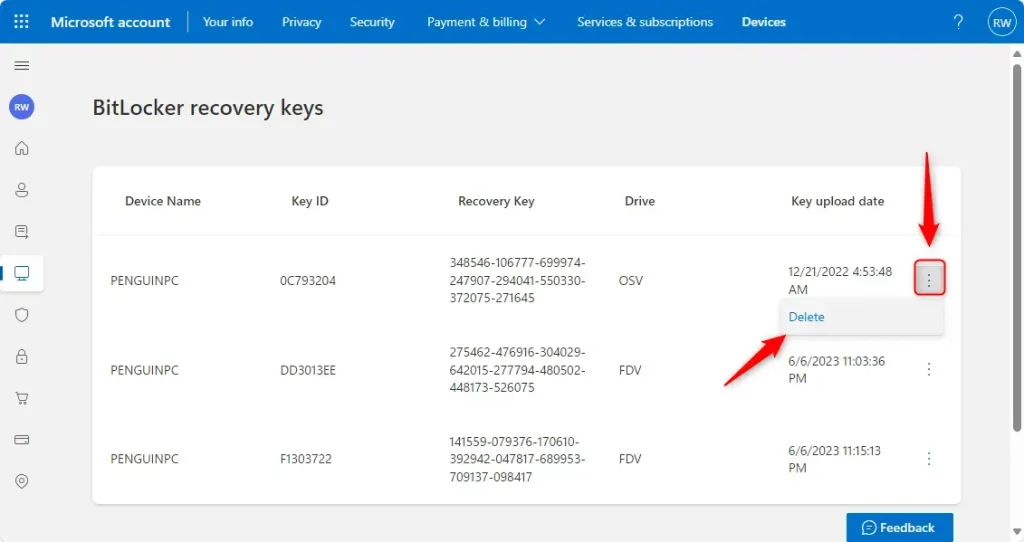
Confirm you want to delete the key and continue.
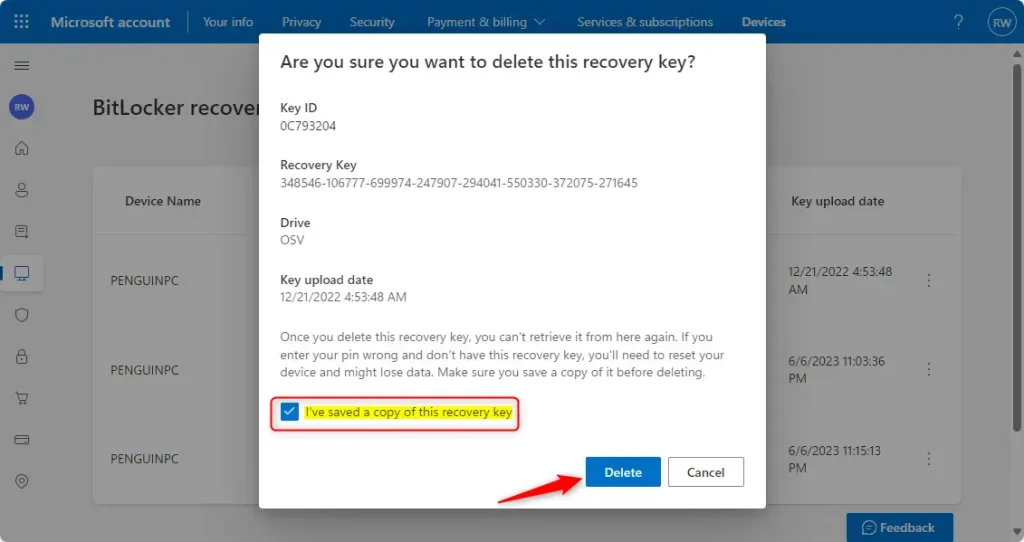
That should do it!
Conclusion:
- Deleting unused BitLocker recovery keys from your Microsoft account ensures security and organization.
- You can easily manage and maintain your BitLocker keys by following the simple steps.
- If you need further assistance or want to share feedback, please use the article’s comments section below.

Leave a Reply