How to Install PhpStorm on Ubuntu 24.04

Installing PhpStorm on Ubuntu 24.04 gives you a dedicated code editor for building PHP websites and apps with smart code hints, testing tools, and git support. You can set up PhpStorm 2024.1 on your desktop in a few minutes using the JetBrains Toolbox App, a Snap package, or a manual download.
PhpStorm provides full support for PHP 8.3 and modern web frameworks to help you write code faster. Choose whichever install method fits your workflow best to get started.
Install PhpStorm on Ubuntu 24.04 using Snap by opening a terminal and running `sudo snap install phpstorm –classic`. You can also use the JetBrains Toolbox App or Flatpak for installation.
Recommended Method: JetBrains Toolbox App
The JetBrains Toolbox App provides a recommended method for installing PhpStorm. This app manages all your JetBrains software in one place. It automatically keeps software updated and handles installations. Download the JetBrains Toolbox App directly from the official JetBrains website.
Prepare Ubuntu
Refresh local package lists and install current system updates before proceeding. Run sudo apt update && sudo apt upgrade -y to update your system. This update process helps prevent problems when you install new programs like PhpStorm.
sudo apt update && sudo apt upgrade -y
Install PhpStorm via Snap
Installing PhpStorm on Ubuntu 24.04 using Snap keeps the application updated automatically in a self-contained package.
Run this command to install it:
sudo snap install phpstorm --classic
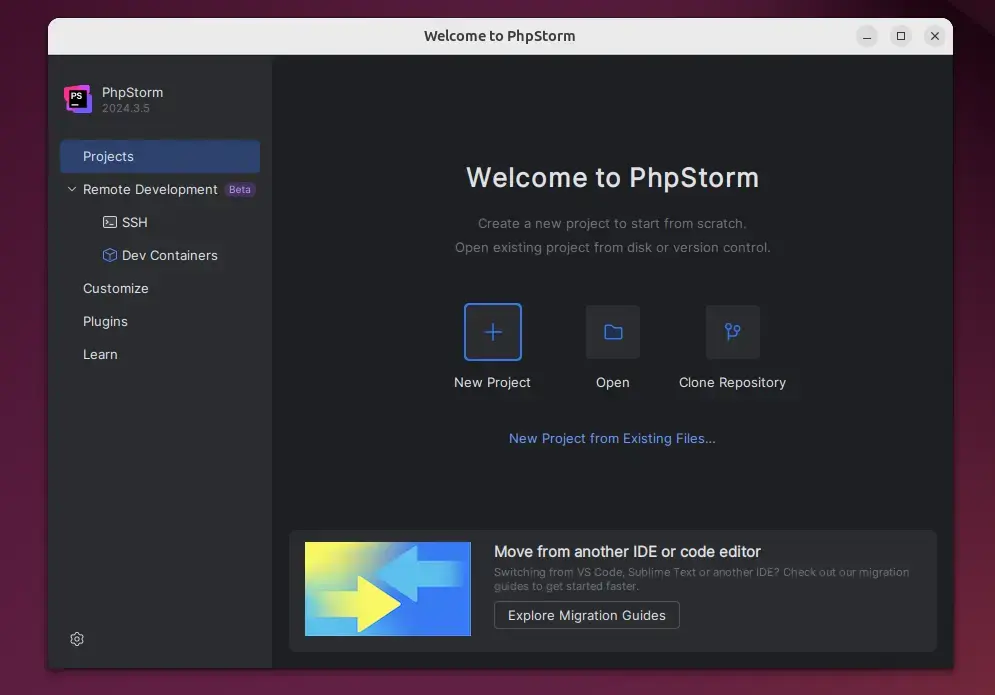
Launch the application from your desktop menu or by typing phpstorm in the terminal.
Manual Installation
Manual PhpStorm installation on Ubuntu 24.04 requires downloading the official archive file from JetBrains. This download method grants complete control over the PhpStorm installation. Check the archive file's checksum after downloading to confirm it downloaded correctly. This verification value typically appears on the JetBrains download page, for example, for version 2023.3.
This ensures the file was not corrupted during the download.
Install PhpStorm via Flatpak
Flatpak installation on Ubuntu 24.04 provides an alternative method for setting up PhpStorm. PhpStorm runs inside its own secure sandbox (an isolated environment that blocks apps from touching the rest of your system). This isolation helps prevent PhpStorm from altering or damaging your system files. Installing PhpStorm using Flatpak requires adding the Flatpak package manager, connecting the Flathub app collection, and running the final setup command.
First, install Flatpak:
sudo apt install flatpak
Add the Flathub repository:
sudo flatpak remote-add --if-not-exists flathub https://flathub.org/repo/flathub.flatpakrepo
Finally, install PhpStorm:
flatpak install flathub com.jetbrains.PhpStorm
Conclusion
- Multiple Methods: You can choose between the Toolbox App, Snap, or Flatpak based on your needs.
- Powerful Tools: PhpStorm offers smart code completion and debugging to make your work easier.
- Framework Ready: It works great with Laravel, Symfony, and modern web tech.
- Trial Access: You get a 30-day free trial to test all features before buying a license.
Toolbox App, Snap, or Flatpak deployments let you get PhpStorm running on Ubuntu 24.04. Smart code completion and debugging tools help you code efficiently. This integrated development environment supports popular frameworks such as Laravel and Symfony, and a 30-day free trial lets you test the software before committing.
Was this guide helpful?

About the Author
Richard
Tech Writer, IT Professional
Richard, a writer for Geek Rewind, is a tech enthusiast who loves breaking down complex IT topics into simple, easy-to-understand ideas. With years of hands-on experience in system administration and enterprise IT operations, he’s developed a knack for offering practical tips and solutions. Richard aims to make technology more accessible and actionable. He's deeply committed to the Geek Rewind community, always ready to answer questions and engage in discussions.



No comments yet — be the first to share your thoughts!