How to Install PhpStorm on Ubuntu 24.04

Installing PhpStorm on Ubuntu 24.04 gives you a dedicated code editor for building PHP websites and apps with smart code hints, testing tools, and git support. You can set up PhpStorm 2024.1 on your desktop in a few minutes using the JetBrains Toolbox App, a Snap package, or a manual download.
PhpStorm provides full support for PHP 8.3 and modern web frameworks to help you write code faster. Choose whichever install method fits your workflow best to get started.
Install PhpStorm on Ubuntu 24.04 using Snap by opening a terminal and running `sudo snap install phpstorm –classic`. You can also use the JetBrains Toolbox App or Flatpak for installation.
Recommended Method: JetBrains Toolbox App
The JetBrains Toolbox App provides a recommended method for installing PhpStorm. This app manages all your JetBrains software in one place. It automatically keeps software updated and handles installations. Download the JetBrains Toolbox App directly from the official JetBrains website.
Prepare Ubuntu
Refresh local package lists and install current system updates before proceeding. Run sudo apt update && sudo apt upgrade -y to update your system. This update process helps prevent problems when you install new programs like PhpStorm.
sudo apt update && sudo apt upgrade -y
Install PhpStorm via Snap
Installing PhpStorm on Ubuntu 24.04 using Snap keeps the application updated automatically in a self-contained package.
Run this command to install it:
sudo snap install phpstorm --classic
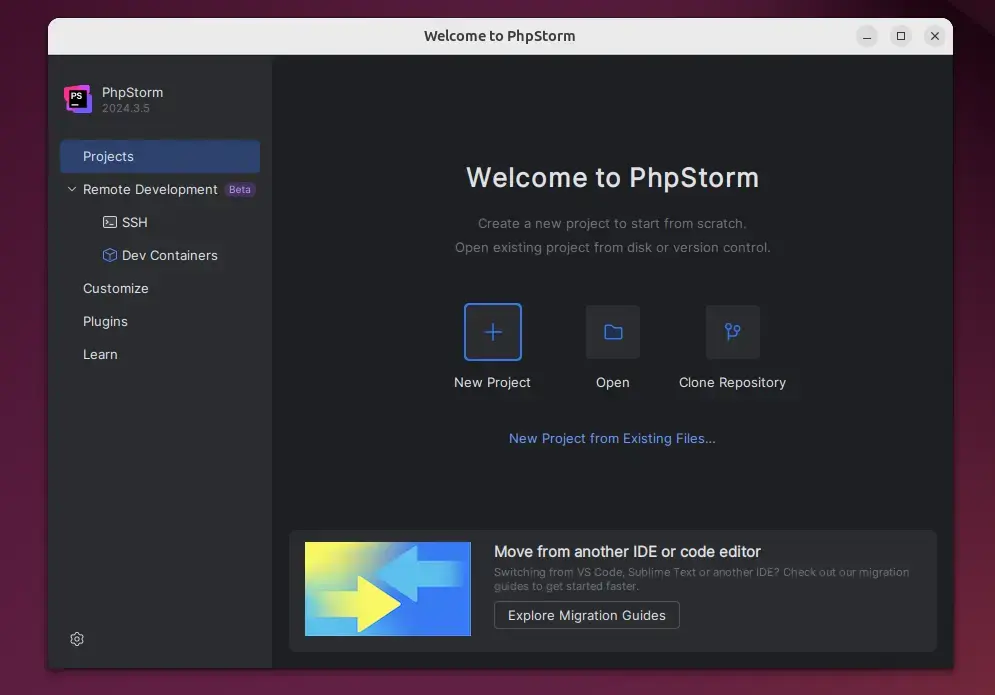
Launch the application from your desktop menu or by typing phpstorm in the terminal.
Manual Installation
Manual installation of PhpStorm on Ubuntu 24.04 lets you set up the PHP integrated development environment using the official tar.gz archive downloaded directly from the JetBrains website. This method gives you total control over where the application files go and which version runs on your machine, though you must handle updates yourself.
This ensures the file was not corrupted during the download.
Install PhpStorm via Flatpak
Installing PhpStorm via Flatpak on Ubuntu 24.04 sets up the application inside a secure sandbox environment that keeps it separate from the rest of your operating system. This package manager method handles dependencies automatically and works well if you already use Flatpak for other software on your computer.
First, install Flatpak:
sudo apt install flatpak
Add the Flathub repository:
sudo flatpak remote-add --if-not-exists flathub https://flathub.org/repo/flathub.flatpakrepo
Finally, install PhpStorm:
flatpak install flathub com.jetbrains.PhpStorm
Conclusion
- Multiple Methods: You can choose between the Toolbox App, Snap, or Flatpak based on your needs.
- Powerful Tools: PhpStorm offers smart code completion and debugging to make your work easier.
- Framework Ready: It works great with Laravel, Symfony, and modern web tech.
- Trial Access: You get a 30-day free trial to test all features before buying a license.
Choosing how to install PhpStorm on Ubuntu 24.04 depends on whether you prefer the automated updates of the Toolbox App and Snap, or the sandboxed security of Flatpak. Each method delivers the full PHP integrated development environment with its smart coding tools, debugging features, and framework support ready for your projects.
Was this guide helpful?

About the Author
Richard
Tech Writer, IT Professional
Richard is a writer at Geek Rewind who turns complex IT tasks into clear, step-by-step guides. He draws on years of hands-on experience in system administration and enterprise IT operations, focusing on Windows, Linux and WordPress: the problems people actually run into, and the fixes that work. His server and WordPress guides come from systems he runs himself. Richard builds and maintains the platform behind Geek Rewind, from its Ubuntu servers and Nginx configuration to its custom WordPress plugins. Many new tutorials start with readers' questions, and he's always glad to answer them in the comments.



No comments yet — be the first to share your thoughts!