How to Install Eclipse Mosquitto MQTT on Ubuntu


Eclipse Mosquitto is an open-source message broker. It routes messages between smart home devices and applications using the MQTT protocol. It runs on Ubuntu 22.04 LTS and uses very little memory, so it works well on small servers and single-board computers.
This tutorial takes you from a fresh install to a broker that requires a login. You only need a terminal and an account that can use sudo.
Add the official Mosquitto PPA, refresh your package lists, and install the broker with sudo add-apt-repository ppa:mosquitto-dev/mosquitto-ppa, sudo apt update, and sudo apt install mosquitto mosquitto-clients. Then enable and start the service with sudo systemctl enable mosquitto and sudo systemctl start mosquitto.
Install Mosquitto packages
The Mosquitto package in Ubuntu’s own repositories can be several versions behind. To get the newest release, add the official Mosquitto PPA first. Then refresh your package lists and install two things: the broker service and the client command-line tools. The client tools let you publish and subscribe from the terminal, which is how you test the broker later.
Run the commands below in order. Wait for each one to finish before you start the next.
- Open a terminal window.
- Run the first command to add the PPA. If it asks you to confirm, press Enter.
- Run the second command to refresh your package lists. You should see the new PPA listed in the output.
- Run the third command to install the broker and the client tools. Answer Y if apt asks for confirmation.
sudo add-apt-repository ppa:mosquitto-dev/mosquitto-ppa
sudo apt update
sudo apt install mosquitto mosquitto-clients
Once the install finishes, check that the service is running:
- Run the commands below in order.
- Read the status output. A healthy broker shows active (running).
- If the output opens in a pager, press q to return to the prompt.
If the service shows failed or inactive, the cause is usually a typo in a configuration file you edited. On a fresh install it should start without trouble.
sudo systemctl enable mosquitto
sudo systemctl start mosquitto
sudo systemctl status mosquitto
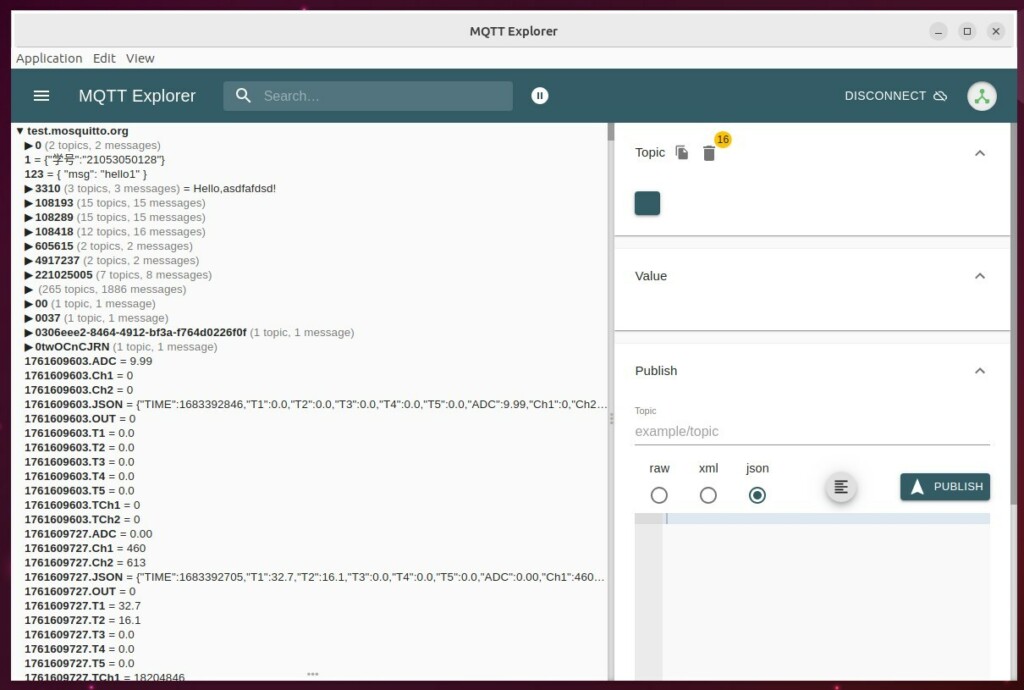
Setup authentication
Authentication stops unauthorized devices from connecting and publishing messages. Without it, anyone who can reach the broker's network port can send and read messages. On Mosquitto 2.0 and later, a broker with no configuration accepts only local connections. Once you open it to other devices, you still need to require credentials.
To do that, create a password file, add an administrator user to it, and tell the broker to refuse any client that does not log in.
First, create an admin user. Run the command below, then follow the prompts:
- Run the command.
- Type a password when prompted. The terminal shows nothing as you type, which is normal.
- Type the same password again to confirm.
Choose a strong password. Every device that connects will need these credentials.
sudo mosquitto_passwd -c /etc/mosquitto/.passwd superadmin
Next, make Mosquitto save client data so it survives a restart. The configuration file is usually found at /etc/mosquitto/mosquitto.conf. Add the line persistence true so client session information is written to disk.
Then open it with the command below. You need root rights to save changes.
sudo nano /etc/mosquitto/mosquitto.conf
Check the spelling carefully, because the broker will not start if it hits an option it does not recognise.
persistence true
persistence_location /var/lib/mosquitto/
Now create an authentication file at /etc/mosquitto/conf.d/auth.conf and add the lines shown below. Save the file and close the editor when you are done.
listener 1883
allow_anonymous false
password_file /etc/mosquitto/.passwd
Passwords sent over plain MQTT travel unencrypted, so anyone on the network path can read them. To encrypt traffic you need TLS/SSL certificates. Run the two commands below to create a directory for the certificates and generate a DH parameter file.
The DH parameter file can take a while to generate, sometimes several minutes on a small machine. Wait until the prompt comes back before you continue.
sudo mkdir -p /etc/mosquitto/certs
sudo openssl dhparam -out /etc/mosquitto/certs/dhparam.pem 2048
You can get SSL certificates from a provider such as Let's Encrypt, or generate self-signed ones on Ubuntu Linux. A trusted certificate works with clients out of the box. A self-signed certificate is fine for a private network, but each client must be told to trust it.
Add the certificate paths to the ssl.conf file so the broker encrypts data in transit. The paths must point to files the Mosquitto service can read.
Restart the service to apply the changes. A restart is required, because Mosquitto reads its configuration only at startup. Run the command below, then check the service status again as you did earlier. If it fails to start, review the lines you added, or restore the backup copy of the configuration file.
sudo systemctl restart mosquitto
Test that your authentication works by sending a message. Run the command below with the admin username and password you created.
If the credentials are correct, the broker accepts the message. Try the same command with a wrong password or none at all. The broker should now refuse the connection. That tells you authentication is doing its job.
sudo mosquitto_pub -h localhost -t "test" -m "Hello" -u "superadmin" -P "your_password"
Conclusion
Your Mosquitto MQTT broker is now installed, secured, and running on Ubuntu. To undo the security changes later, remove the lines you added to the configuration file, or restore your backup copy, and restart the service.
Was this guide helpful?

About the Author
Richard
Tech Writer, IT Professional
Richard is a writer at Geek Rewind who turns complex IT tasks into clear, step-by-step guides. He draws on years of hands-on experience in system administration and enterprise IT operations, focusing on Windows, Linux and WordPress: the problems people actually run into, and the fixes that work. His server and WordPress guides come from systems he runs himself. Richard builds and maintains the platform behind Geek Rewind, from its Ubuntu servers and Nginx configuration to its custom WordPress plugins. Many new tutorials start with readers' questions, and he's always glad to answer them in the comments.



No comments yet — be the first to share your thoughts!