How to Install FrostWire on Ubuntu 24.04: Step-by-Step Guide


FrostWire is a free peer-to-peer file-sharing application that lets you download music, videos, and large files directly from other users via the BitTorrent network without relying on a central server. Released in September 2004, the software brings decentralized file transfers straight to your desktop.
Installing FrostWire on Ubuntu 24.04 takes just a few minutes using the terminal and the official installer package. Grab the latest setup file from the official source, run a single command to install it , and start searching for files right away on your Linux system.
Install FrostWire by adding the Xtradeb PPA with `sudo add-apt-repository ppa:xtradeb/apps -y`. Then, update your package list and install FrostWire using `sudo apt update && sudo apt install frostwire`. Launch FrostWire from the Activities menu or terminal.
Prerequisite
Preparing your system to install FrostWire Ubuntu requires updating your package lists and installing essential tools like software-properties-common and apt-transport-https. These packages let your system read and add external software repositories securely. Run sudo apt update && sudo apt upgrade followed by sudo apt install software-properties-common apt-transport-https in your terminal to complete these setup steps before moving on to the main installation.
Run the command below to handle this step.
sudo apt update && sudo apt upgrade
sudo apt install software-properties-common apt-transport-https
Continue below with installing FrostWire.
Add Xtradeb Team PPA For FrostWire
FrostWire is available through the Xtradeb PPA (Personal Package Archive, a third-party software repository for Ubuntu). Adding this archive allows the package manager to fetch and install the application.
Run the command below to handle this step.
sudo add-apt-repository ppa:xtradeb/apps -y
Install FrostWire
Installing FrostWire on Ubuntu 24.04 takes just a couple of terminal commands once your system is ready. You update your package list again and run the standard install command to pull the software onto your computer. After the install finishes, you can launch the app directly from your terminal using the frostwire command or find it inside your desktop application menu.
sudo apt update
sudo apt install frostwire
This command installs FrostWire on Ubuntu 24.04.
Once installed, use the command below to launch the application.
frostwire
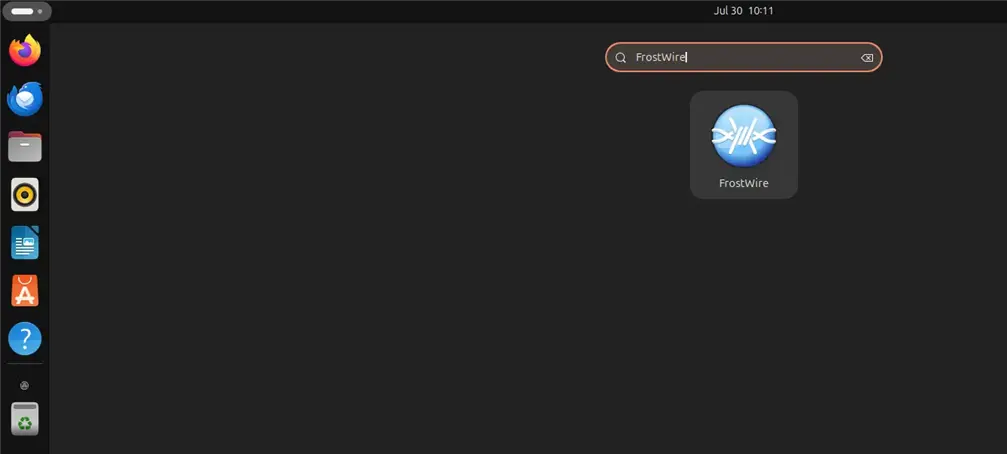
Alternatively, click the Activities menu at the top of your desktop app launcher (sometimes called the Dash) to bring up the Applications screen. Search for FrostWire from there and launch it.
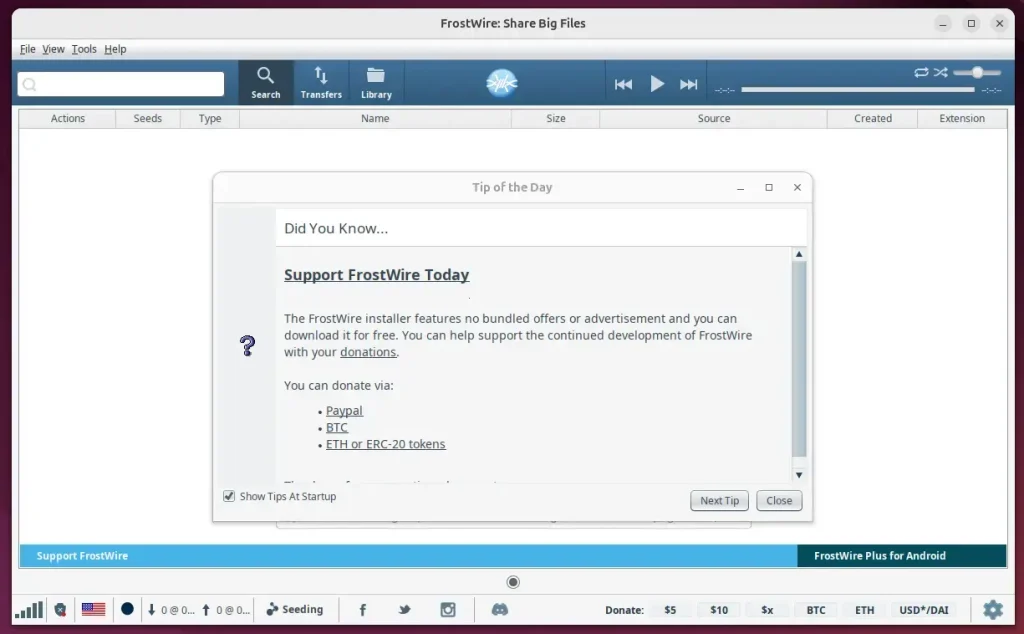
Configure the application once open to begin sharing files.
Uninstall FrostWire
Uninstalling FrostWire from your Ubuntu system removes both the application and the extra software source you added during setup. Running sudo apt remove frostwire deletes the app files from your computer. Follow that with sudo apt add-apt-repository --remove ppa:xtradeb/apps -y to clean up the software repository so your system no longer checks it for updates.
sudo apt remove frostwire
sudo add-apt-repository --remove ppa:xtradeb/apps -y
That completes the process.
Conclusion:
- FrostWire is a versatile, free, open-source BitTorrent client compatible with various operating systems, including Ubuntu 24.04.
- Installing FrostWire on Ubuntu 24.04 involves updating the system, adding the Xtradeb Team PPA, and executing a few commands to finish the installation.
- Once installed, users can launch FrostWire using the terminal or the Activities menu on the desktop launcher.
- Next, users can enjoy file sharing and downloading capabilities with FrostWire on their Ubuntu 24.04 system.
Was this guide helpful?

About the Author
Richard
Tech Writer, IT Professional
Richard is a writer at Geek Rewind who turns complex IT tasks into clear, step-by-step guides. He draws on years of hands-on experience in system administration and enterprise IT operations, focusing on Windows, Linux and WordPress: the problems people actually run into, and the fixes that work. His server and WordPress guides come from systems he runs himself. Richard builds and maintains the platform behind Geek Rewind, from its Ubuntu servers and Nginx configuration to its custom WordPress plugins. Many new tutorials start with readers' questions, and he's always glad to answer them in the comments.



No comments yet — be the first to share your thoughts!