
This article explains how to turn on or off the “Resume” app button on your Windows 11 Taskbar.
Windows 11 build 26120.5761 (Beta 24H2) added a helpful feature. It lets you quickly go back to using your favorite Android apps right on your Windows 11 computer.
When you click on that notification, Spotify’s desktop app will open. The same song will then play on your PC. You need to use the same Spotify account on both your Android phone and your PC.
For this feature to work, you must do these things first:
- Allow this PC to access your mobile devices on in your PC settings.
- Link your Android phone to your Windows 11 PC.
- Turn on the Resume feature in Mobile Devices settings on your PC.
Show the Resume App Feature on the Taskbar
A recent Windows update lets you turn the app resume feature button on or off on the taskbar.
Why do this? You can quickly access apps that were running on your phone.
What happens when done? The Resume button will appear on your taskbar, or it will disappear if you turn it off.
Here’s how to do it.
Step 1: Open the Settings App
Click on the Start menu and select Settings. Or press Windows key + I on your keyboard to open the Windows Settings app.
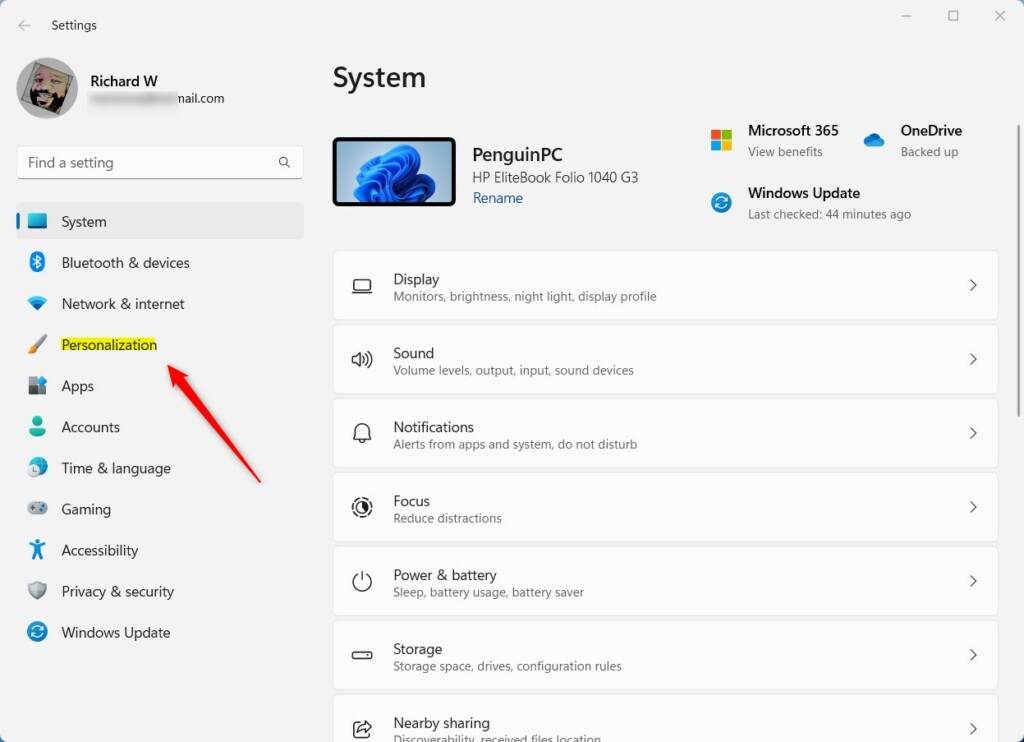
Step 2: Go to Personalization
When the Settings app opens, click on Personalization on the left side.
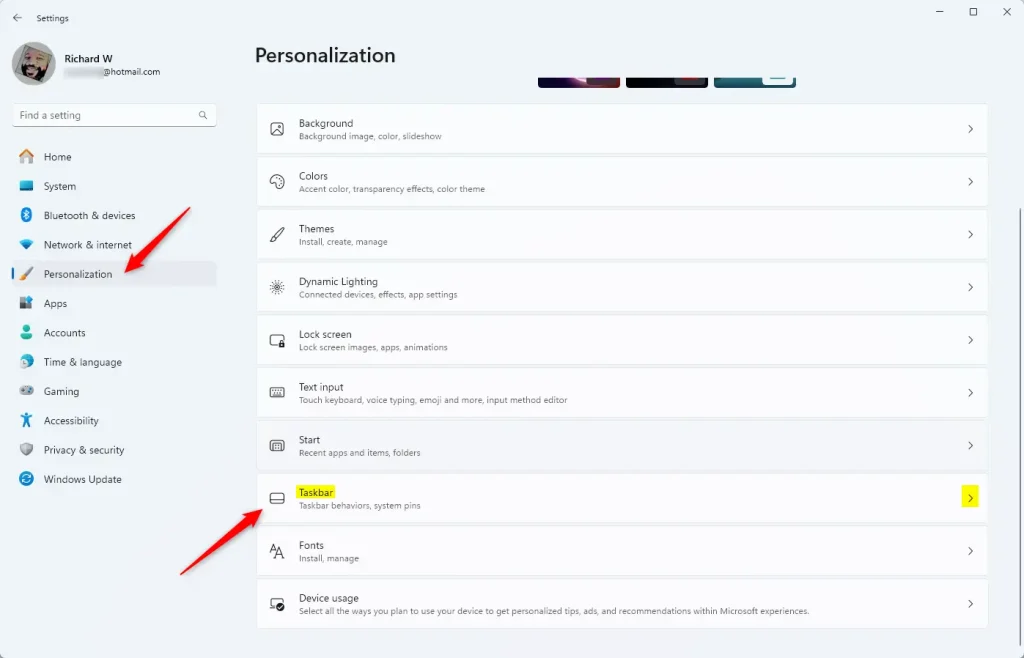
Step 3: Find the Taskbar Section
Look on the right side of the screen. Select the Taskbar option to expand it.
Step 4: Turn On the Resume Button
Under Taskbar items, find the “Resume” option. Click the toggle button to turn it On.
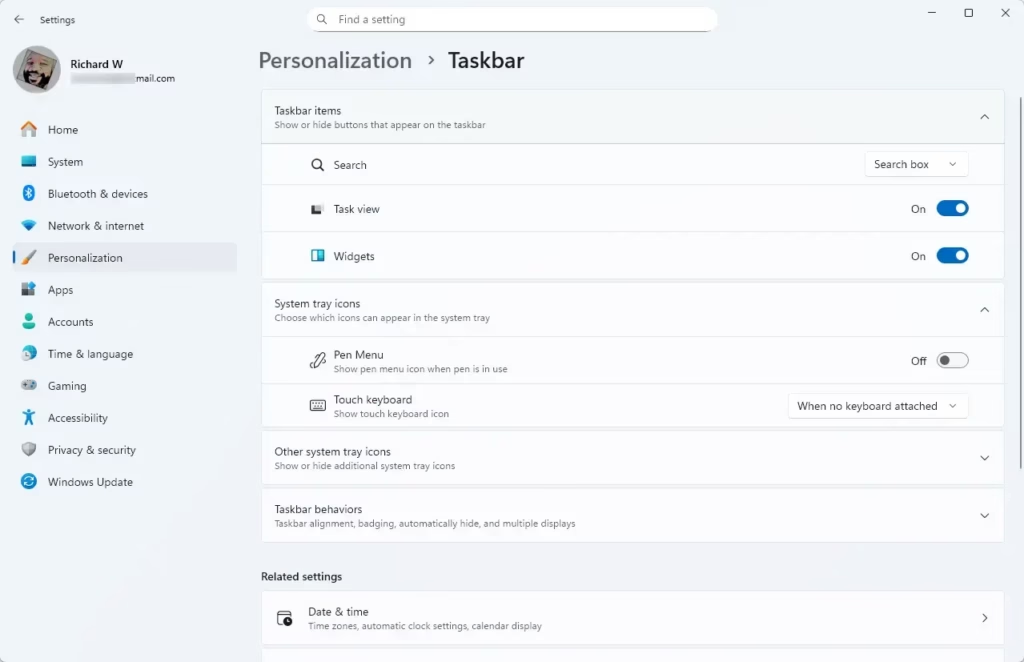
To turn it off: Click the toggle button again to move it to the Off position.
That’s all you need to do!
Summary
Turning the “Resume” app button on or off on your Windows 11 Taskbar is easy. Here’s what you learned:
- Access Settings: Use the Start menu or press Windows key + I to open Settings.
- Go to Personalization: Click Personalization in the Settings app.
- Link Mobile Devices: Make sure your phone is connected to your PC for this to work.
- Toggle the Button: Turn the Resume button on or off under Taskbar items.
- Better Multitasking: This feature helps you switch between your phone and PC apps faster.
Leave a Reply