How to Enable Circle to Copilot in Microsoft Edge

You enable Circle to Copilot in Microsoft Edge by ensuring your browser is updated to the latest version and then utilizing Copilot’s integrated search functionality.
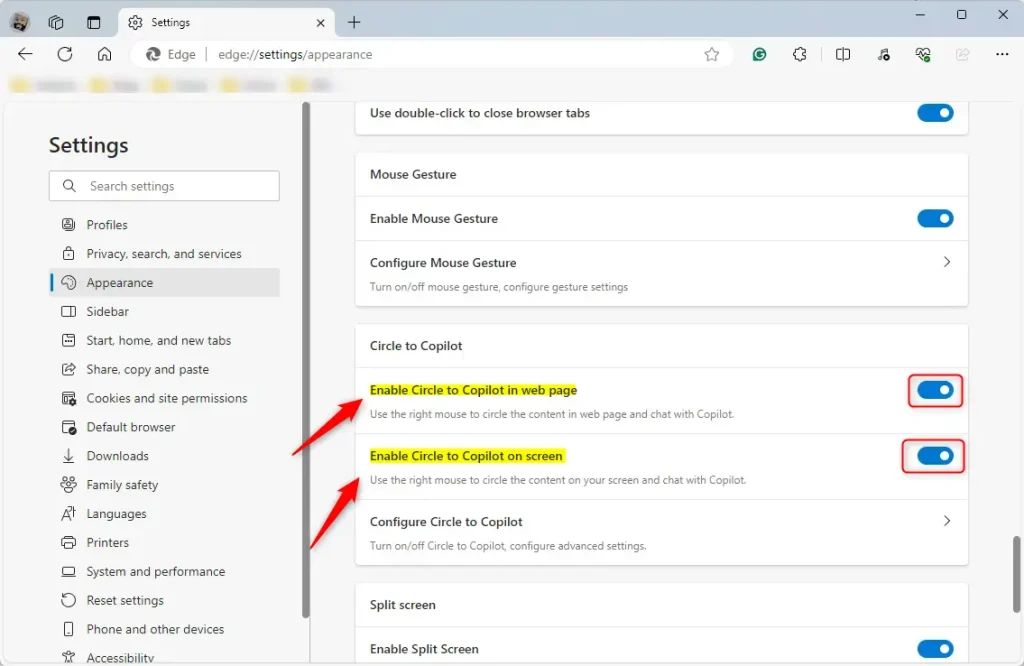
Circle to Copilot is a dynamic Microsoft Edge feature that empowers you to select any on-screen content, including text, images, or videos, and immediately send it to Copilot for analysis or summarization. This tool seamlessly integrates into the standard Copilot sidebar.
Once you’ve selected content in Edge, right-clicking it reveals the “Send to Copilot” option if the feature is active. This acts as a swift shortcut for generating AI-powered prompts based on your selections, directly enhancing your web browsing with integrated AI capabilities.
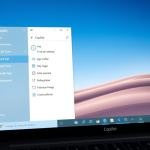
Circle to Copilot is now integrated into the Copilot sidebar. To access it, open Edge Settings, click Sidebar, and then Copilot. Ensure your browser and Windows 11 are updated for the best AI performance.
Why use Copilot features?
These tools let you quickly analyze text or images on your screen without switching apps. By using simple mouse gestures, you can ask the AI to explain, summarize, or rewrite content instantly.
What happens when you enable these features?
Once active, you can trigger AI assistance directly on your webpage. This saves time and makes your browser a powerful research assistant.
Turn Copilot sidebar and AI features on or off in Microsoft Edge
You can turn the Copilot sidebar and other AI features on or off in Microsoft Edge right from the browser’s settings menu.
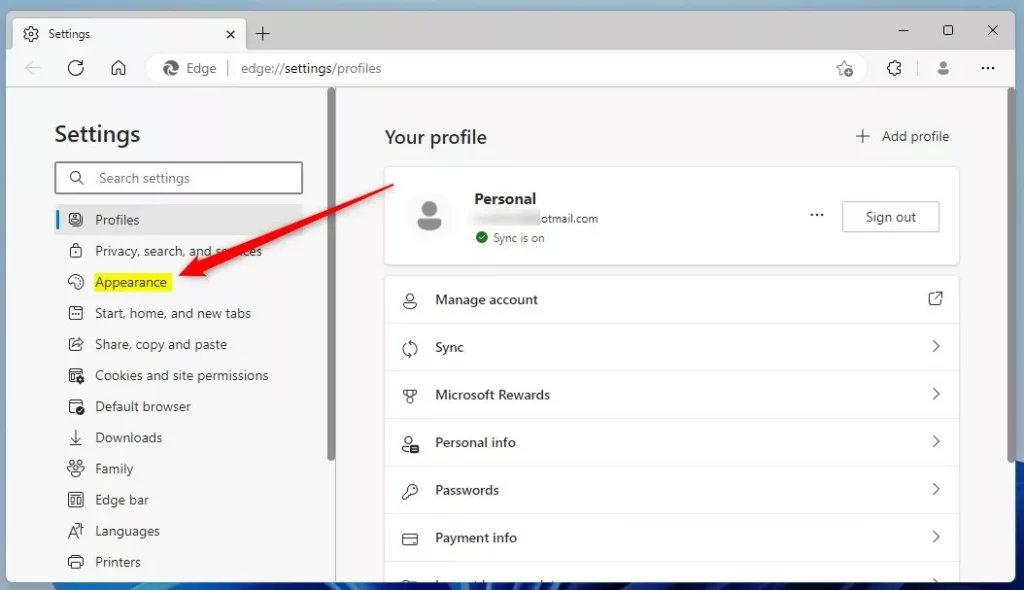
Note that the “Circle to Copilot” feature has been replaced by more robust Copilot sidebar integration. You can manage these AI tools through the Sidebar settings. Here’s how:
- Open Microsoft Edge.
- Click the Settings and more (three horizontal dots) button in the top right corner and select Settings.
- In the left panel, click Sidebar.
- Under the App and notification settings section, click on Copilot.
- You can then toggle the switch to show or hide the Copilot icon in your browser toolbar.
Close the Settings page when you’re finished.
Hardware Requirements and Compatibility
To get the best performance from AI features in Microsoft Edge, your computer should have a modern processor, ideally with an NPU, which is a special chip for AI tasks.
That should do it!
Why is no one using Edge?
It was instantly criticized for its performance, compatibility with web standards, and limited extension support. Worse still, many felt as though they were being force-fed Edge. Not only is it already there if you're using Windows, but as a key Windows component, it cannot be deleted.
Was this guide helpful?

About the Author
Richard
Tech Writer, IT Professional
Richard, a writer for Geek Rewind, is a tech enthusiast who loves breaking down complex IT topics into simple, easy-to-understand ideas. With years of hands-on experience in system administration and enterprise IT operations, he’s developed a knack for offering practical tips and solutions. Richard aims to make technology more accessible and actionable. He's deeply committed to the Geek Rewind community, always ready to answer questions and engage in discussions.
No comments yet — be the first to share your thoughts!