How to Enable Copilot Microsoft Edge Access

You enable Microsoft Copilot access in Microsoft Edge by allowing it to read your browser activity within the browser’s privacy settings.
Copilot is your integrated AI assistant that helps you summarize pages, generate text, and find information faster. To function effectively, it needs permission to see the content you’re viewing.
Granting this access means Copilot can analyze the webpage you’re on. This allows it to answer specific questions about an article or efficiently summarize long documents, significantly boosting your productivity.
For example, if you’re reading a lengthy report, Copilot can provide an instant summary without you needing to manually scroll through every section.
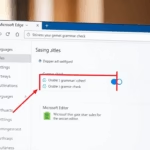
Open Microsoft Edge, click the Copilot icon, select Settings from the three dots menu, and toggle “Let Microsoft access page content” to On. If the option is greyed out, your organization likely controls this setting.
How to Enable Copilot in Edge
Turning on Copilot in Microsoft Edge is simple and involves checking your sidebar settings.
- Open Microsoft Edge.
- Click the Copilot icon in the top right corner of the sidebar.
- Click the More options (three dots) icon.
- Select Settings.
- Toggle the switch for Let Microsoft access page content to On.
You can also pin or unpin the Copilot icon by right-clicking the sidebar and selecting Customize sidebar.
Personal vs. Enterprise Accounts
Whether you can use Copilot in Microsoft Edge depends on if you’re using a personal account or a work/school account.
In an enterprise environment, your IT department might use Group Policy (GPO) to block Copilot. If your settings are greyed out, your company has probably disabled this feature for security or compliance reasons.
Troubleshooting and Permissions
If Copilot isn’t working in Microsoft Edge, the first step is to check if your browser is up-to-date, needing version 115.0.1901.150 or newer.
[ADMIN PRIVILEGES REQUIRED] If you’re on a work computer, you might need to ask your IT admin to adjust settings in the Windows Registry. You’ll usually find the policy path at 🗝️HKEY_LOCAL_MACHINE\SOFTWARE\Policies\Microsoft\Edge. If the HubsSidebarEnabled key is set to 0, the sidebar will be hidden.
Data Privacy and Compliance
Microsoft uses Enterprise Data Protection (EDP) to help keep business data safe and organized. This ensures that your work data stays within your organization. For personal users, Microsoft does not use your browsing data to train its AI models without your permission.
Related Topics
Summary
Getting Copilot access in Microsoft Edge is usually simple, often just needing a setting change in your sidebar.
How do I enable Copilot if it is greyed out in Edge?
If the Copilot setting is greyed out in Edge, it usually means your organization controls it, especially if you’re using a work or school account.
Does Copilot in Edge require a specific Microsoft 365 license?
For personal users, the basic version of Copilot is free. However, enterprise users may require a specific Microsoft 365 Copilot license to access advanced features. Check your subscription details in the Microsoft 365 admin center to see if your organization has enabled these specific AI productivity tools for your account.
Was this guide helpful?

About the Author
Richard
Tech Writer, IT Professional
Richard, a writer for Geek Rewind, is a tech enthusiast who loves breaking down complex IT topics into simple, easy-to-understand ideas. With years of hands-on experience in system administration and enterprise IT operations, he’s developed a knack for offering practical tips and solutions. Richard aims to make technology more accessible and actionable. He's deeply committed to the Geek Rewind community, always ready to answer questions and engage in discussions.


[…] or unpin the side pane, open Copilot when Windows starts, Turn Copilot on or off, enable or disable Copilot using content from Edge, refresh Copilot prompts, resize the Copilot side pane, delete recent activity, turn […]
[…] like you can pin or unpin the side pane, open Copilot when Windows starts, Turn Copilot on or off, enable or disable Copilot using content from Edge, refresh Copilot prompts, resize the Copilot side pane, and delete recent activity. Microsoft uses […]
[…] as you can pin or unpin the side pane, open Copilot when Windows starts, Turn Copilot on or off, enable or disable Copilot using content from Edge, refresh Copilot prompts, and resize the Copilot side […]