How to Enable Rewrite with Copilot in Microsoft Edge

You enable “Rewrite with Copilot” in Microsoft Edge by launching the Copilot sidebar and activating the rewrite function.
“Rewrite with Copilot” is an AI-powered feature within Microsoft Edge that provides instant text suggestions to improve your existing writing.
This tool helps you refine anything you’ve typed, from emails to social media posts, by offering context-aware edits. Unlike Copilot’s “Compose” feature which generates new text, “Rewrite” modifies what you’ve already written, ensuring your message is clearer and more effective.
Enable “Rewrite with Copilot” by going to Settings > Privacy and services and turning on “Show Copilot” and “Allow Microsoft to use your browsing data.” Then, navigate to Languages > Writing assistance and toggle “Rewrite with Copilot” on.
Enable or disable “Rewrite with Copilot” in Microsoft Edge
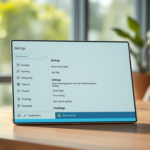
You can easily turn Rewrite with Copilot on or off right in your Microsoft Edge settings.
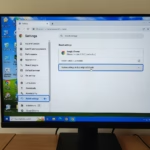
- Click the Settings and more (three dots) button in the top right corner and select Settings.
- On the left menu, go to Privacy and services. Ensure that Show Copilot is turned on and that you have enabled Allow Microsoft to use your browsing data. These must be active for the features to work.
- Next, click the Languages tab on the left.
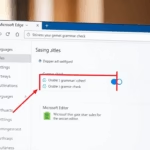
- Look for the Writing assistance section. Depending on your version, you will find Rewrite with Copilot or Compose settings here.
- Toggle the switch to On or Off based on your preference.
Close the Settings page when you are done. Your changes are saved automatically.
Customizing your rewrite
You can easily change how Rewrite with Copilot works by picking a tone, format, and length that fits your needs.
Why customize? It keeps your voice consistent. What happens? The AI will generate a draft that perfectly fits your requested style.
Reference:
Conclusion
Managing the “Rewrite with Copilot” feature in Microsoft Edge is simple. By following these steps, you can control how much AI help you receive while browsing. This keeps your writing efficient and tailored to your goals.
Do you have questions? Leave a note in the comments section below.
Can Microsoft Copilot rewrite text?
Interactive rewriting After selecting the text, use the Copilot menu to choose the Auto-rewrite option. After Copilot displays the rewritten text options, use the arrows to navigate through the different versions and select the one you prefer.
How do I ask Copilot to rewrite an email?
Hover over the message you want to rewrite and select Edit. . Select Rewrite with Copilot. from the compose box's menu bar and use the same steps as when editing a new message.
Was this guide helpful?

About the Author
Richard
Tech Writer, IT Professional
Richard, a writer for Geek Rewind, is a tech enthusiast who loves breaking down complex IT topics into simple, easy-to-understand ideas. With years of hands-on experience in system administration and enterprise IT operations, he’s developed a knack for offering practical tips and solutions. Richard aims to make technology more accessible and actionable. He's deeply committed to the Geek Rewind community, always ready to answer questions and engage in discussions.

No comments yet — be the first to share your thoughts!