How to Change Browser Theme in Microsoft Edge

You can change your Microsoft Edge browser theme to customize its appearance and distinguish between different browsing profiles.
A browser theme alters the color scheme and design of your Microsoft Edge interface, impacting elements like tabs, the address bar, and the toolbar.
Microsoft Edge, included by default with Windows 11, offers a selection of pre-installed themes, and you can also install custom themes downloaded from the web.
Switching to a new theme is a simple process that can give your daily browsing a refreshed and personalized feel.
Open Microsoft Edge, click the three dots, select Settings, then Personalization, and choose a theme from the available options. You can also sync your theme with Windows or download new ones from the Add-ons store.
Change browser theme in Microsoft Edge
You can easily change your Microsoft Edge theme to give your browser a fresh new look by following a few simple steps.
Follow these steps to change your theme:
- Open the Microsoft Edge browser.
- Click the three dots (…) in the top right corner.
- Select Settings.
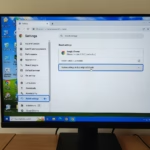
- On the left menu, click Personalization. This is where you manage your theme, sidebar, and profile settings.
Under the Themes section, you can choose from the built-in options. You can also toggle the switch to sync your browser theme with your Windows system settings. If you want more choices, visit the Microsoft Edge Add-On Store to browse thousands of community themes. You can even use the “Create your own theme” tool in the store to design a look that is all your own. If you cannot find what you want there, you can use the Chrome Web Store as a backup source.
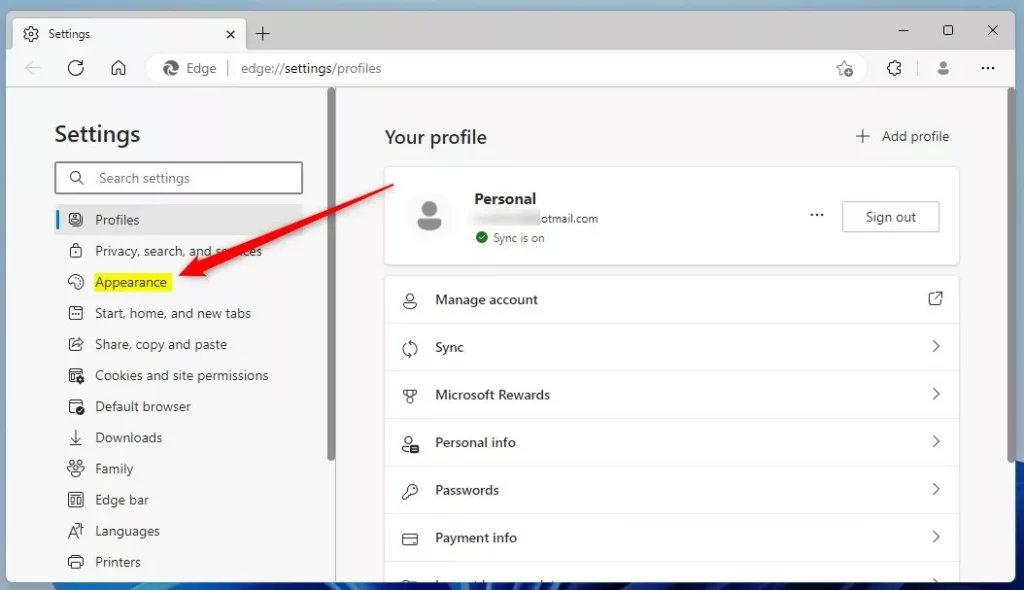
Once you select a theme, it applies instantly to your current profile.
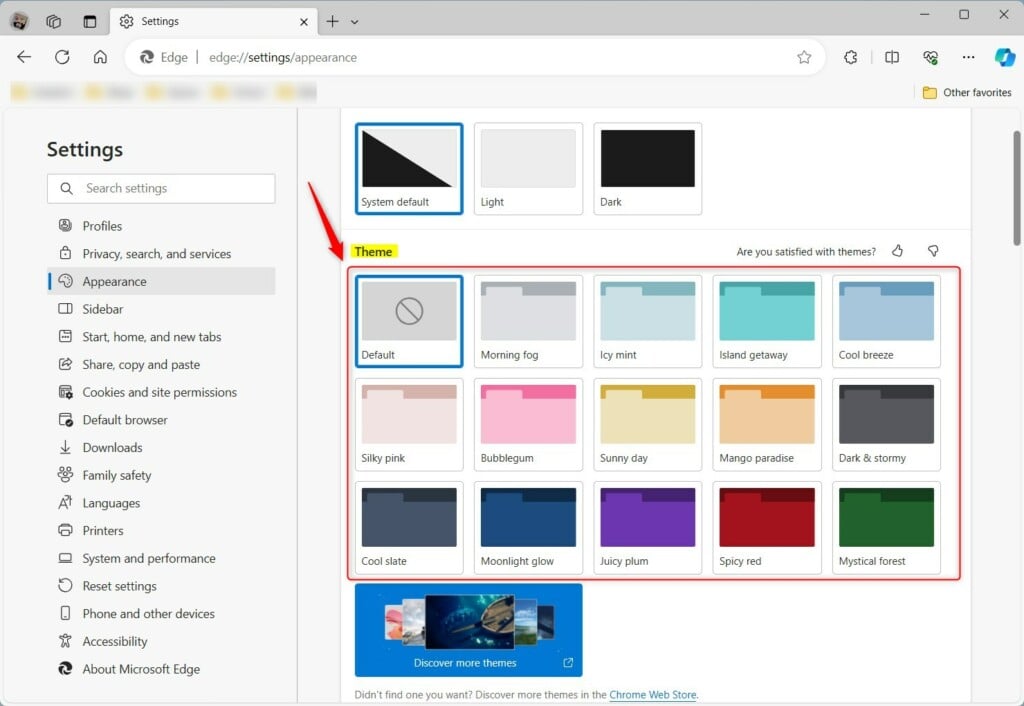
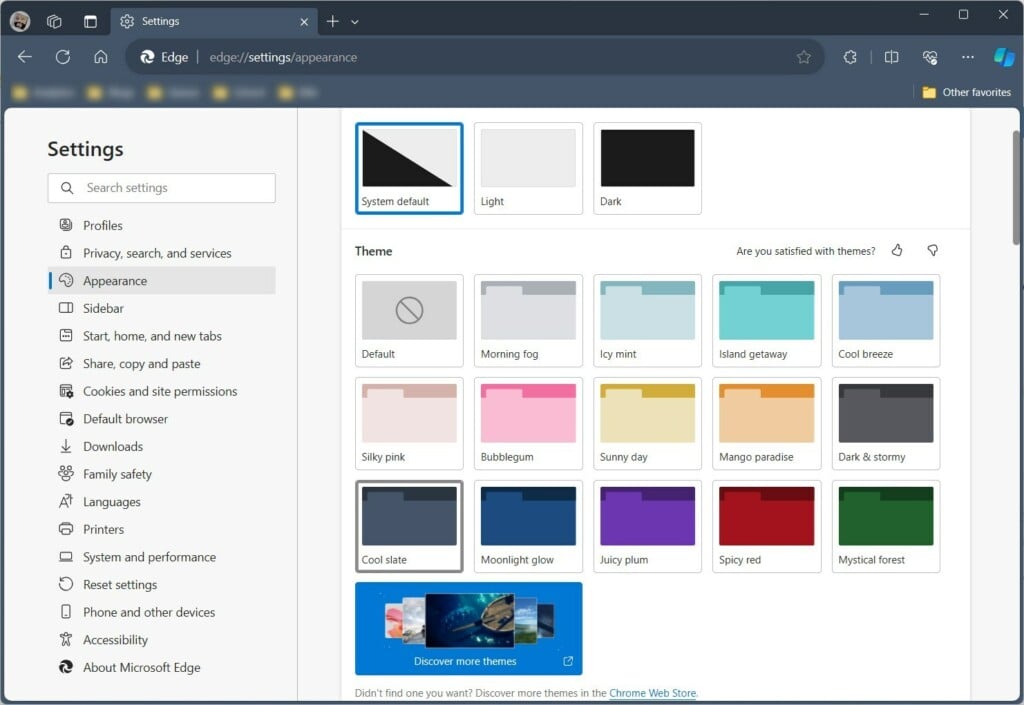
That is all there is to it!
Reference:
Conclusion:
- Personalizing your theme makes browsing more fun.
- Different themes for different profiles help you stay focused.
- Use the Microsoft Edge Add-ons store as your main place for new themes.
- Syncing with Windows keeps your whole computer looking consistent.
What is a good quote for change?
“By changing nothing, nothing changes.” — Tony Robbins. “Your life does not get better by chance; it gets better by change.” — Jim Rohn. “Those who cannot change their minds cannot change anything.” — George Bernard Shaw. “Change is inevitable.
What happened to the band change?
The formal end came after the death of Petrus in 1987. While the original Change disappeared after Petrus' death, Davide Romani, Mike Francis (Francesco Puccioni), and Patrick Boothe attempted to revive the project in 1990.
Was this guide helpful?

About the Author
Richard
Tech Writer, IT Professional
Richard, a writer for Geek Rewind, is a tech enthusiast who loves breaking down complex IT topics into simple, easy-to-understand ideas. With years of hands-on experience in system administration and enterprise IT operations, he’s developed a knack for offering practical tips and solutions. Richard aims to make technology more accessible and actionable. He's deeply committed to the Geek Rewind community, always ready to answer questions and engage in discussions.
[…] Starting with Microsoft Edge version 122.0.2349.0, a new feature adds the Mica effect when using the default theme. […]