

This guide shows you how to change your Purchase sign-in settings in the Microsoft Store app on Windows 11. You can turn password protection on or off when you buy things.
Why This Matters
The Microsoft Store app comes built into Windows. It’s one of the most popular apps on computers. You use it to find and install apps, games, movies, and get special deals like Xbox Game Pass discounts.
By default, the Microsoft Store asks for your password every time you buy something. This keeps someone else from making purchases on your computer by accident or on purpose.
If you want to buy things without typing your password every time, you can change this setting. The Purchase sign-in setting lets you turn password protection on or off.
Important: This setting only changes on the device you’re using right now. Your other devices won’t be affected.
How to Change Purchase Sign-in Settings
Step 1: Open Your Profile
First, open the Microsoft Store and select Profile next to the search box.
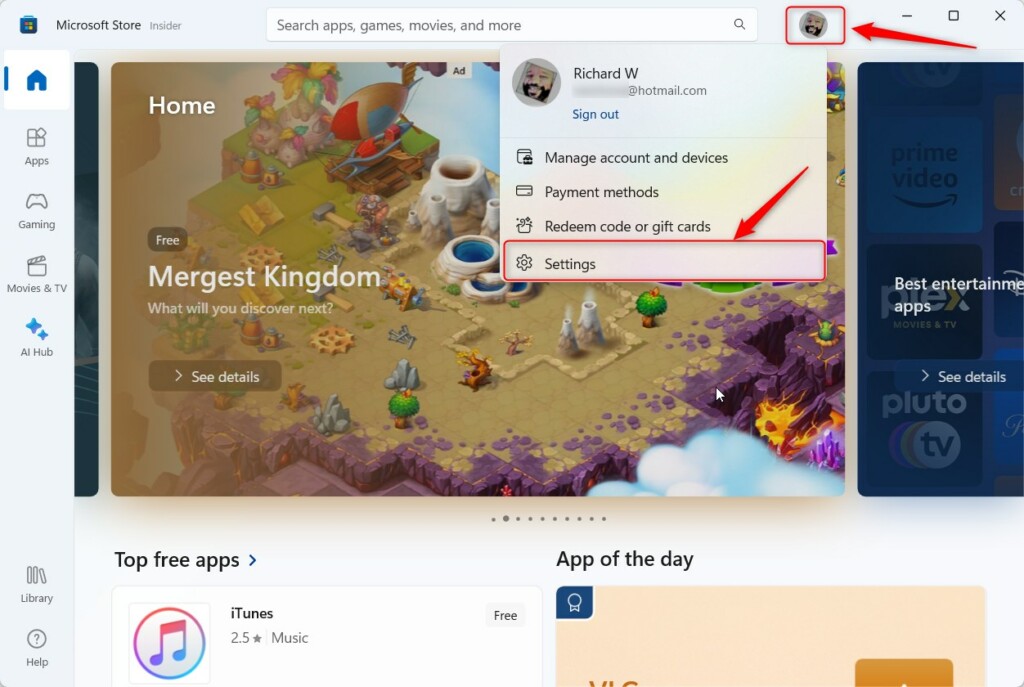
Step 2: Find Purchase Sign-in
On the Settings pane, select Purchase sign-in.
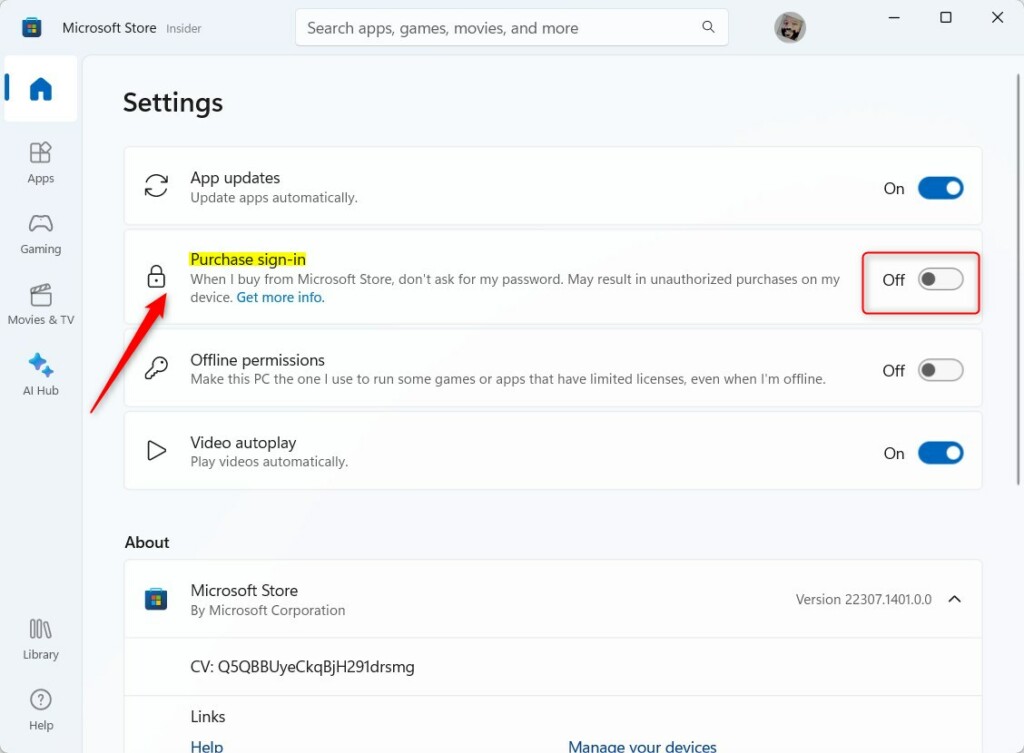
Step 3: Turn the Setting On or Off
Turn the switch to the On position to require a password when you buy things. You’ll be asked to enter your PIN or password.
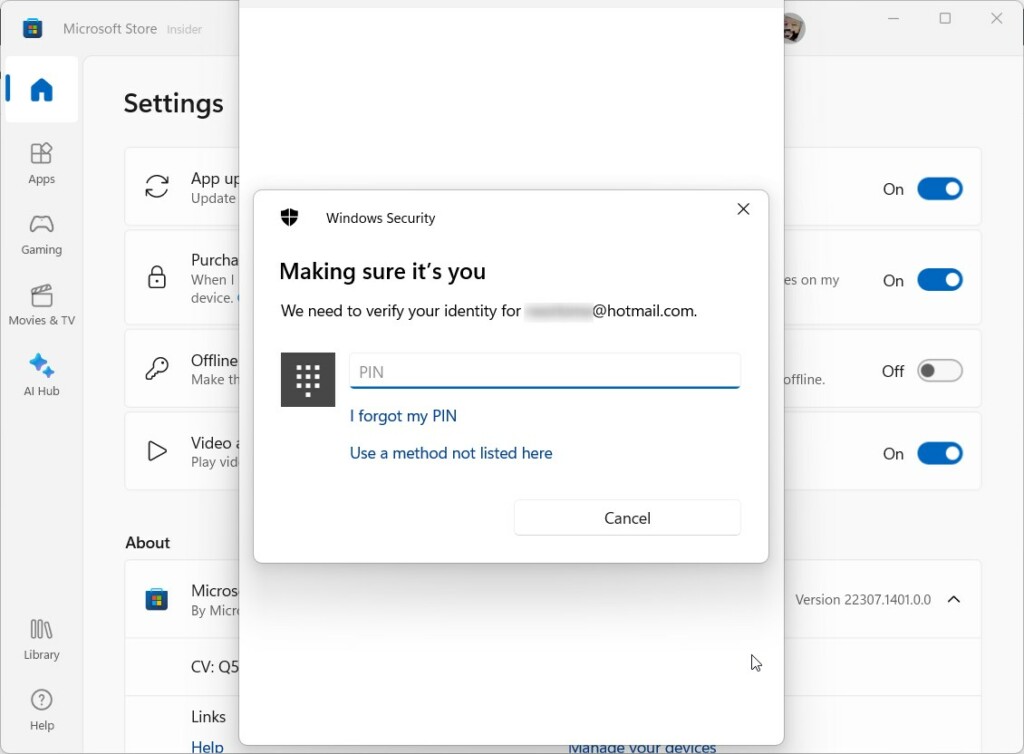
Turn the switch to the Off position to skip the password requirement. This lets you buy from the Microsoft Store without entering a password each time.
Remember: This change only works on this device. Your other computers and tablets won’t have this setting turned on.
What Happens When Done
When you turn Purchase sign-in off, you can buy apps and games faster. You won’t need to type your password every time. When you turn it on, your account stays more secure because you need to enter a password for each purchase.
Need More Help?
Visit Microsoft Support for more information from Microsoft.
Summary
The Purchase sign-in setting in the Microsoft Store app lets you choose whether to enter a password when you buy things. You turn this setting on or off in your Profile settings under Purchase sign-in. This change only affects the device you’re using right now. Turning it off makes buying faster but less secure. Turning it on requires a password for each purchase, which protects your account better.

Leave a Reply