How to Enable Always Verify Autofill in Microsoft Edge

You enable “Always verify when using autofill” in Microsoft Edge to add an extra security layer for your payment information.
This setting prompts you to re-authenticate your identity, typically with your Windows Hello password or PIN, every time Microsoft Edge attempts to use your saved credit card details.
This is crucial because Microsoft Edge, especially on Windows 11, provides autofill for addresses and payment methods to make online shopping faster. Enabling this verification prevents unauthorized access to your saved payment methods if your PC is accessed by someone else.
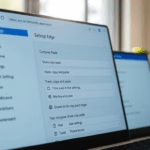
Open Microsoft Edge, click the three dots, then Settings. Select Profile, then Open Wallet. On the Wallet settings page, toggle “Always verify when using autofill” to On.
Enable or disable “Always verify when using autofill” in Edge
You can turn on or turn off the “Always verify when using autofill” setting in Microsoft Edge to add an extra security step when filling out forms.
First, open the Microsoft Edge browser.
Then click on Setting and more (Alt+F) three dots (…) in the upper right-hand corner to access the Settings menu.
On the Settings page, click the Profile button in the left panel. Then, on the right, select the “Open Wallet” tile.

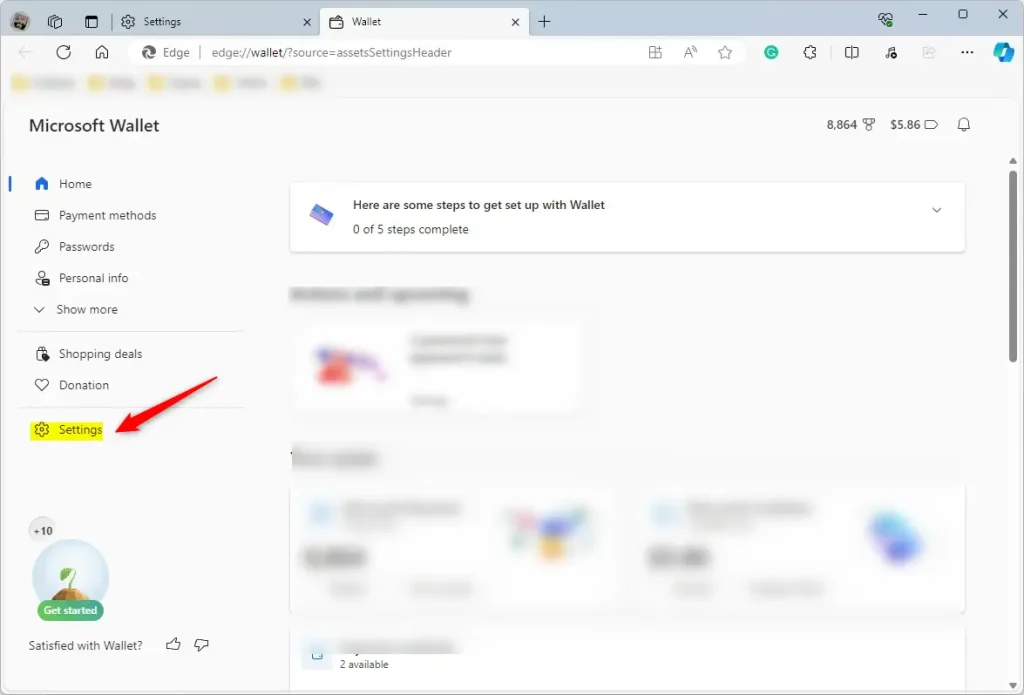
On the Wallet page, click the Settings button at the bottom left.
You can get there directly by typing the URL in the address box below.
edge://wallet/settings
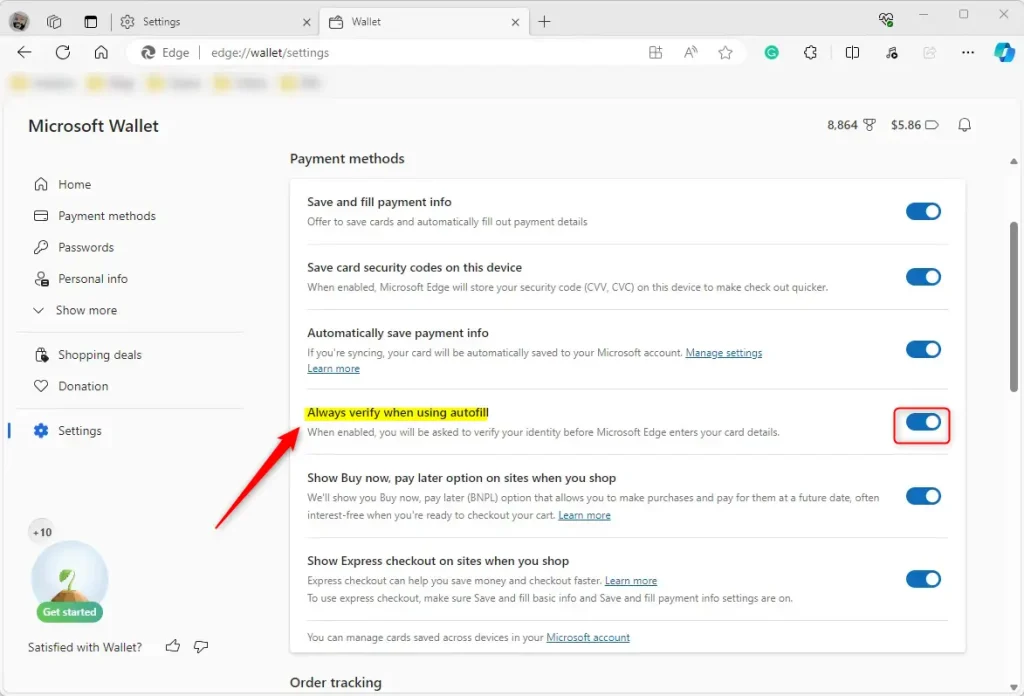
Next, select the “Always verify when using autofill” tile under “Payment methods.” Then, toggle the button switch to the On position to enable it.
To disable it, toggle the switch button to the Off position.
That’s all there is to it!
Conclusion:
- The article effectively outlines the steps to enable or disable the “Always verify when using autofill” feature in the Microsoft Edge browser.
- Including visual aids, such as screenshots, enhances the user experience and facilitates a seamless navigation of the settings menu.
- The option to leave comments allows for user feedback, ensuring continuous improvement and accuracy of the provided information.
Why is Microsoft Authenticator getting rid of autofill?
Autofill on Microsoft Authenticator was discontinued in mid-August 2025 as part of Microsoft's efforts to streamline autofill. Although your saved passwords and addresses are no longer accessible in Authenticator, you can still use , view and manage saved passwords easily across devices in Microsoft Edge.
How do I stop syncing autofill on Authenticator?
In the Authenticator app, open Settings > Autofill settings > Sync account. On the next screen, you can select on Stop sync and remove all autofill data.
Was this guide helpful?

About the Author
Richard
Tech Writer, IT Professional
Richard, a writer for Geek Rewind, is a tech enthusiast who loves breaking down complex IT topics into simple, easy-to-understand ideas. With years of hands-on experience in system administration and enterprise IT operations, he’s developed a knack for offering practical tips and solutions. Richard aims to make technology more accessible and actionable. He's deeply committed to the Geek Rewind community, always ready to answer questions and engage in discussions.

No comments yet — be the first to share your thoughts!