How to Install HandBrake on Ubuntu 24.04

HandBrake is a free video converter for Ubuntu 24.04 that shrinks large video files so they take up less space and play on mobile phones and tablets. You can install the program in under 5 minutes using either the built-in Ubuntu software store or the command line terminal.
The software lets you change video formats, adjust picture quality, and shrink movie files without losing noticeable detail. Ubuntu 24.04 users can choose between standard package manager installs and Flatpak packages to get the newest version of the app on their desktop.
Install HandBrake on Ubuntu 24.04 using the terminal. Open your terminal and run `sudo apt update && sudo apt install handbrake` for the repository version, or `sudo apt install flatpak && flatpak install flathub fr.handbrake.ghb` for the Flatpak version.
Install HandBrake via APT
You can install HandBrake Ubuntu using the built-in APT package manager by opening your terminal and running two quick commands. First, update your system package list with sudo apt update, and then type sudo apt install handbrake to download and install the video transcoder directly from the default Ubuntu repositories.
Using the default package manager is the fastest way to get HandBrake running on your system. Review this sequence:
Run the following command:
sudo apt update
sudo apt install handbrake
This command installs HandBrake, although the resulting build might lag behind the absolute latest version. Alternative repositories mentioned later supply the newest releases.
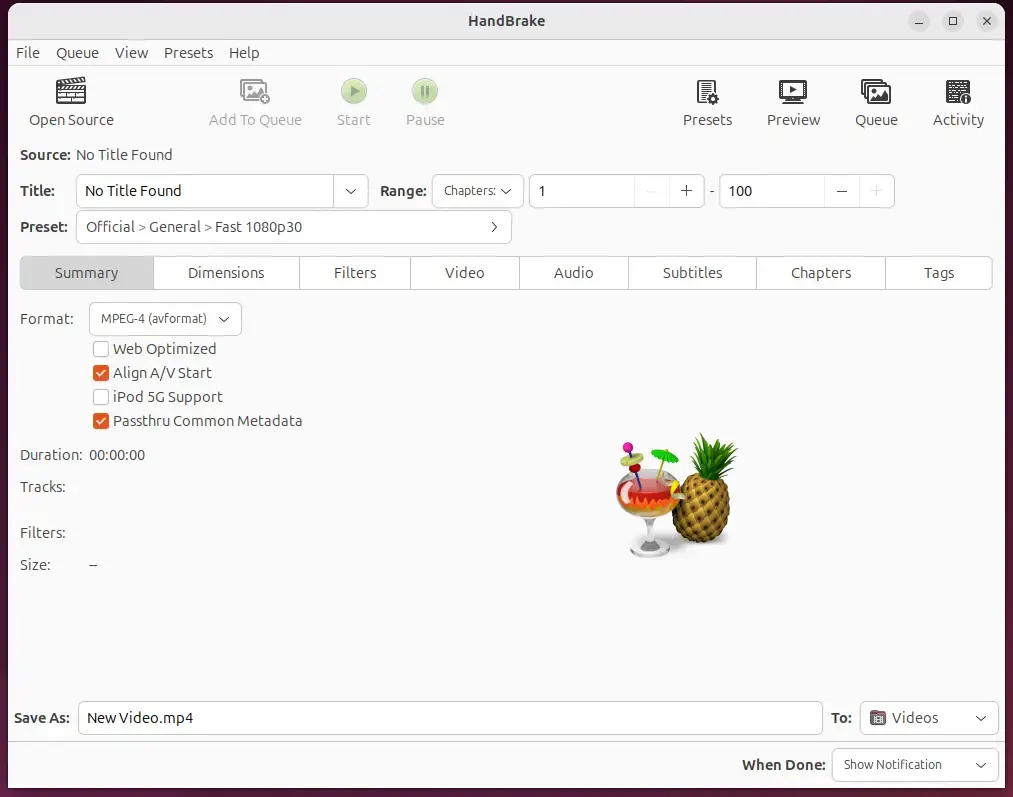
After installing HandBrake, start the application by typing `handbrake-gui` in your terminal or by finding the HandBrake icon in your Ubuntu 24.04 desktop apps center.
handbrake
Install HandBrake via Flatpak
Installing HandBrake Ubuntu through Flatpak lets you run the video transcoder in a sandboxed environment separate from your main system files. Because Flatpak does not come pre-installed on Ubuntu 24.04, you need to set up the Flatpak package manager in your terminal before you can download and run the application.
Flatpak is a third-party application distribution system absent from default Ubuntu installations.
Initial preparation requires installing the Flatpak package manager before bringing in HandBrake. Follow these setup steps for Flatpak:
Update and install Flatpak.
sudo apt update && sudo apt upgrade
sudo apt install flatpak
Next, add the Flatpak repository to Ubuntu.
Install HandBrake to convert video files between many formats. HandBrake version 1.7.1 installs on Ubuntu 24.04 by opening the terminal and typing the command `sudo apt update && sudo apt install handbrake`.
flatpak install flathub fr.handbrake.ghb
Once installed, launch the application using the command below or open the app in the desktop apps center.
flatpak run fr.handbrake.ghb
Uninstall the app using the command below.
flatpak uninstall flatpak run fr.handbrake.ghb
Execution completes here.
Conclusion:
Setting up HandBrake on Ubuntu 24.04 gives you a powerful tool for video compression and format conversions. Key points deserve review:
- Open-source Software: HandBrake is a free tool that supports various video formats.
- Multiple Installation Methods: You can easily install HandBrake using APT or Flatpak, depending on your preference.
- Customization Options: HandBrake offers various video and audio customization settings, including resolution and codec adjustments.
- Improved Multimedia Management: Ideal for compressing videos for storage or compatibility, HandBrake helps you manage your media efficiently.
- Easy to Use: With a user-friendly interface, launching HandBrake is simple, whether from the command line or the desktop app center.
Was this guide helpful?

About the Author
Richard
Tech Writer, IT Professional
Richard is a writer at Geek Rewind who turns complex IT tasks into clear, step-by-step guides. He draws on years of hands-on experience in system administration and enterprise IT operations, focusing on Windows, Linux and WordPress: the problems people actually run into, and the fixes that work. His server and WordPress guides come from systems he runs himself. Richard builds and maintains the platform behind Geek Rewind, from its Ubuntu servers and Nginx configuration to its custom WordPress plugins. Many new tutorials start with readers' questions, and he's always glad to answer them in the comments.

No comments yet — be the first to share your thoughts!