How to Enable or Disable Rewrite in Notepad for Windows 11

You can enable or disable the AI-powered Rewrite feature in Notepad on Windows 11.
Notepad’s Rewrite tool leverages artificial intelligence to assist you with text editing, allowing you to rephrase sentences, modify tone, or adjust length.
This advanced feature, integrated into Notepad version 11.2305.23.0 and later, offers powerful ways to refine your writing directly within the familiar text editor.
Why use the Rewrite feature?
The Rewrite feature is helpful if you are stuck on a sentence or want to make your writing sound more professional or friendly. It saves you time by doing the heavy lifting for you.
What happens when you are done?
Once you finish these steps, you will be able to highlight any text in Notepad and instantly use AI to rewrite it. If you decide you do not want the feature, you can turn it off just as easily.
You can personalize Notepad to open files in new tabs, turn on dark mode, change the font, open Notepad from previous sessions, enable spell check, and more. This feature was introduced in Notepad version 11.2410.15.0.
How to enable or disable Rewrite in Notepad
You do not need special permissions to change this setting. Anyone using a standard user account can do this.
- Open the Notepad app app on your computer.
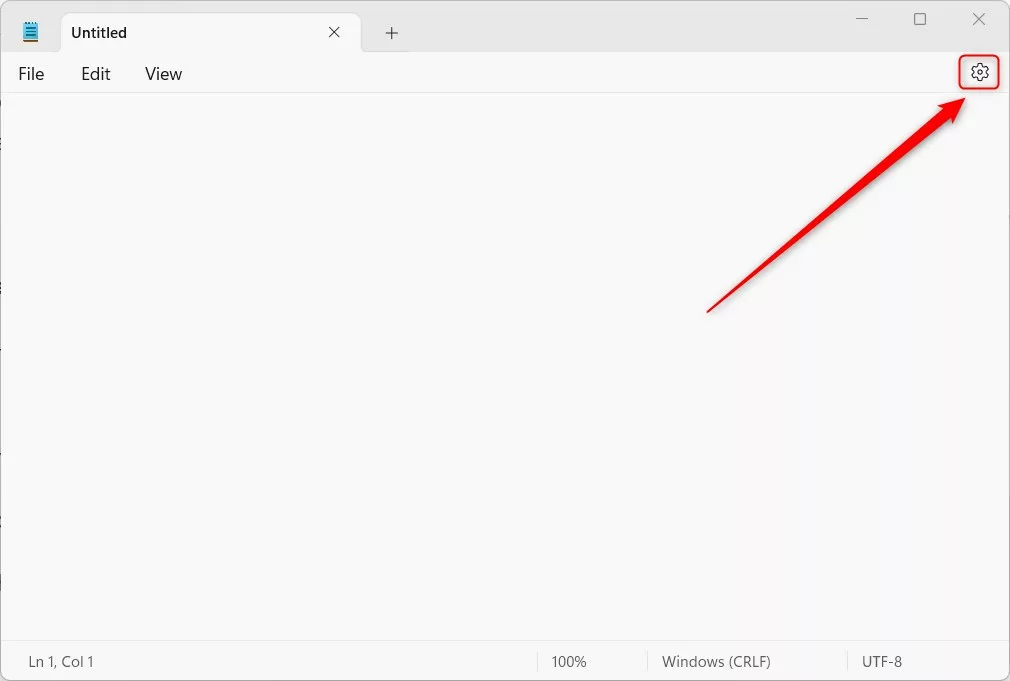
- Click the Settings (gear) icon located at the top right of the window.
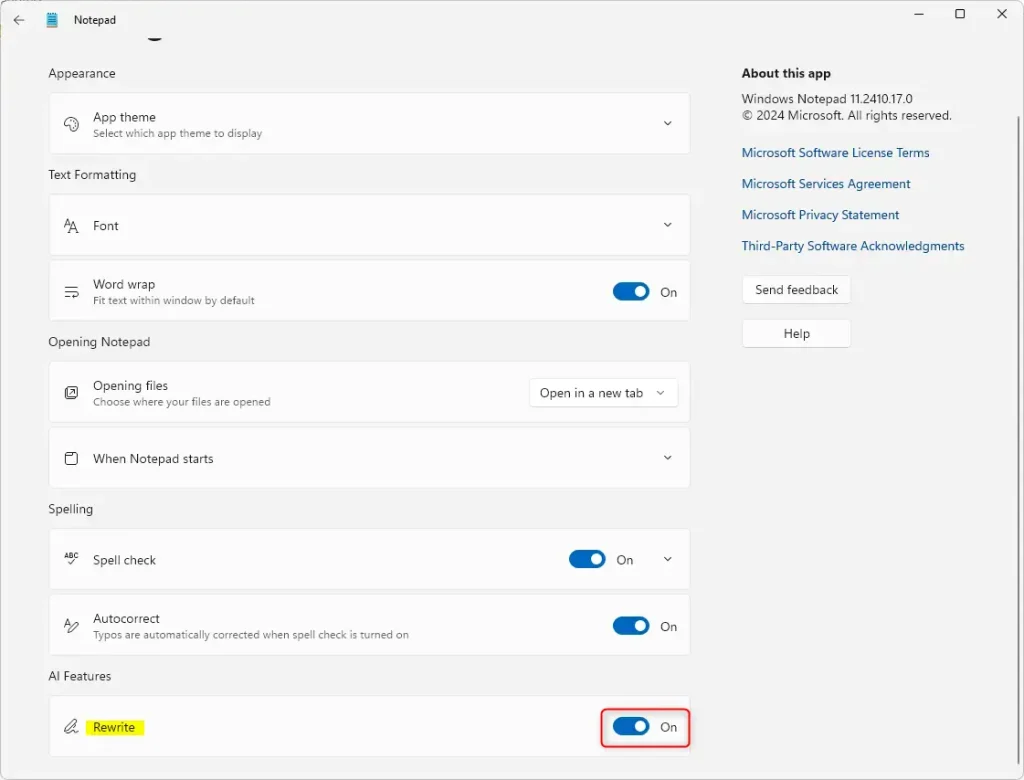
- Look for the AI Features section.
- Toggle the Rewrite button to either On or Off depending on your preference.
To use the tool, highlight the text you want to change, then right-click and select Rewrite. You can also find this option in the menu bar or by pressing Ctrl+I on your keyboard.
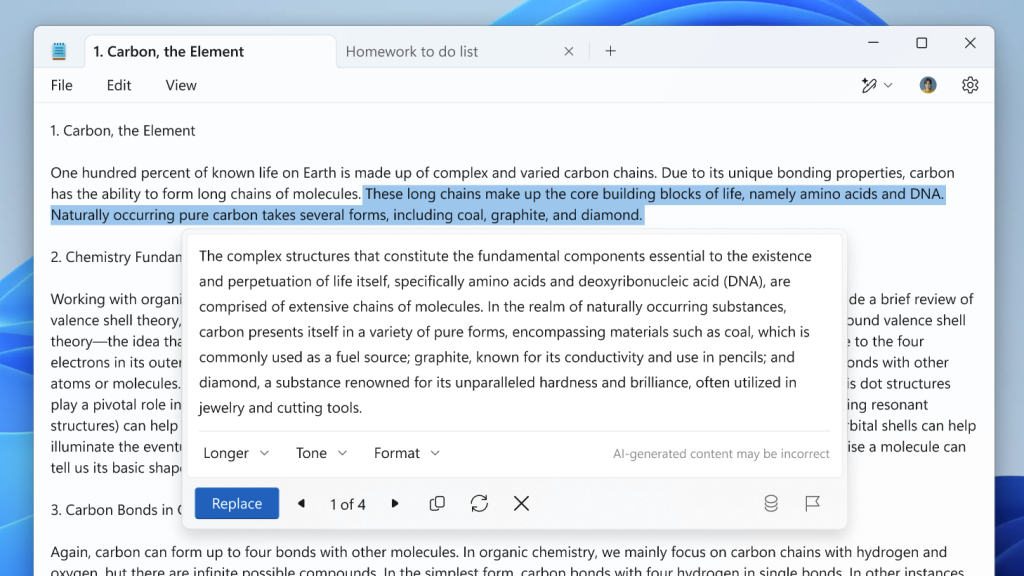
Image: Microsoft
Reference: Microsoft
Summary
The new Rewrite feature brings AI power to the classic Notepad app. It allows you to quickly change the tone or length of your text. You can turn this feature on or off at any time through the Settings menu, giving you full control over your writing tools.
How do I enable the Rewrite feature in Notepad for Windows 11?
Can I disable the Rewrite feature in Notepad?
What can I do with the Rewrite feature in Notepad?
Is the Rewrite feature available in all versions of Notepad?
How do I use the Rewrite feature once it's enabled?
Was this guide helpful?

About the Author
Richard
Tech Writer, IT Professional
Richard, a writer for Geek Rewind, is a tech enthusiast who loves breaking down complex IT topics into simple, easy-to-understand ideas. With years of hands-on experience in system administration and enterprise IT operations, he’s developed a knack for offering practical tips and solutions. Richard aims to make technology more accessible and actionable. He's deeply committed to the Geek Rewind community, always ready to answer questions and engage in discussions.




[…] tabs, turn on dark mode, change the font, open Notepad from previous sessions, enable spell check, turn rewrite on or off, and […]