How to Manage Alert Sounds in Ubuntu Linux

You manage alert sounds in Ubuntu Linux by adjusting settings within the Sound preferences.
Alert sounds are the audible notifications your computer makes for system events, messages, and user interactions like clicks or prompts.
In Ubuntu 22.04 LTS and later, you can customize these sounds, set their volume separately from your main system audio, or turn them off completely.
These system alerts are distinct from your music, videos, or other audio files, so changing alert sounds won’t affect playback of those media.
If you find the default notification tones disruptive, you can easily mute them to focus without audio interruptions.
How to mute the alert Sound in Ubuntu Linux
As mentioned above, your computer will play a simple alert sound for certain messages and events. These events could be notifications, clicking, and prompts.
Below is how to enable or disable alert Sound in Ubuntu Linux
Ubuntu Linux has a centralized location for the majority of its settings. From system configurations to creating new users and updating, all can be done from the System Settings panel.
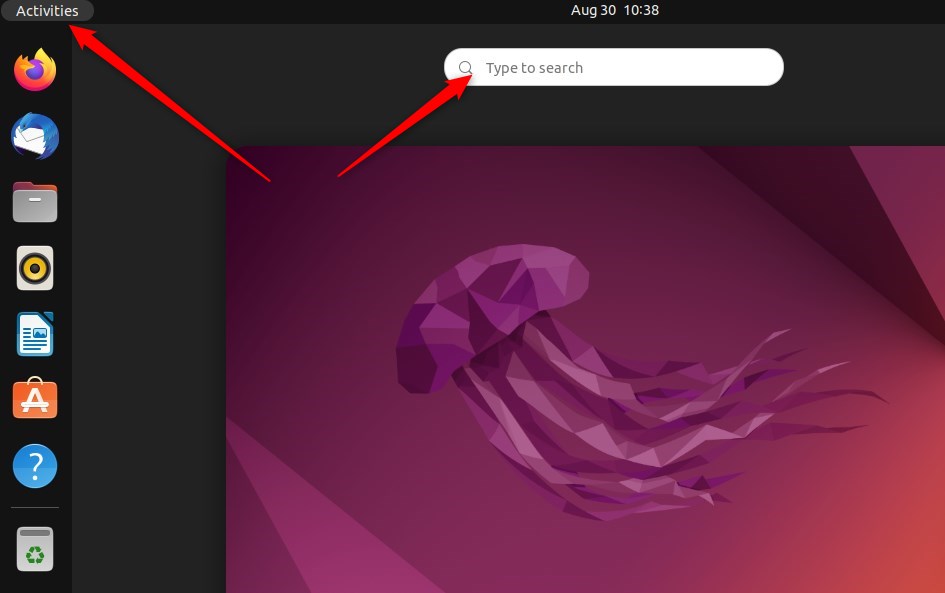
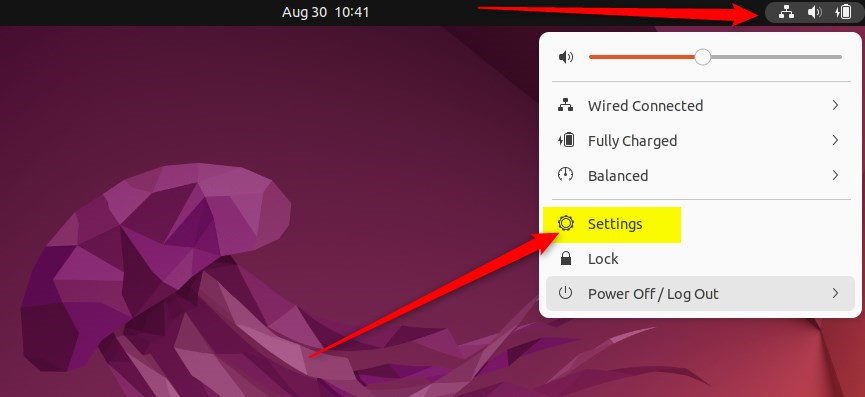
Alternatively, click on the System menu at the top-right corner of the top bar on your desktop.
On the System menu, select Settings, as highlighted below.
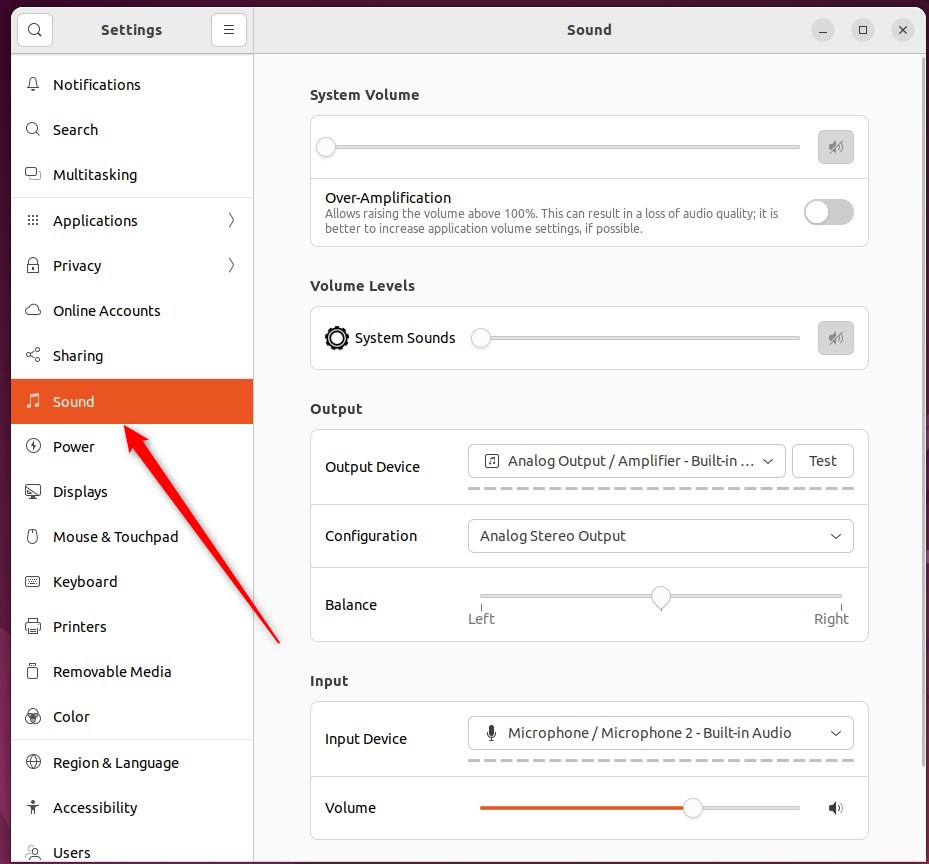
In the Settings app, click on a Sound tile to open the panel.
In the System Settings -> Sound panel, under Volume Levels, use the slider to change the volume for System Sounds.
If Alert Sound is not muted, select an alert sound that will play when you click on it to hear how it sounds.
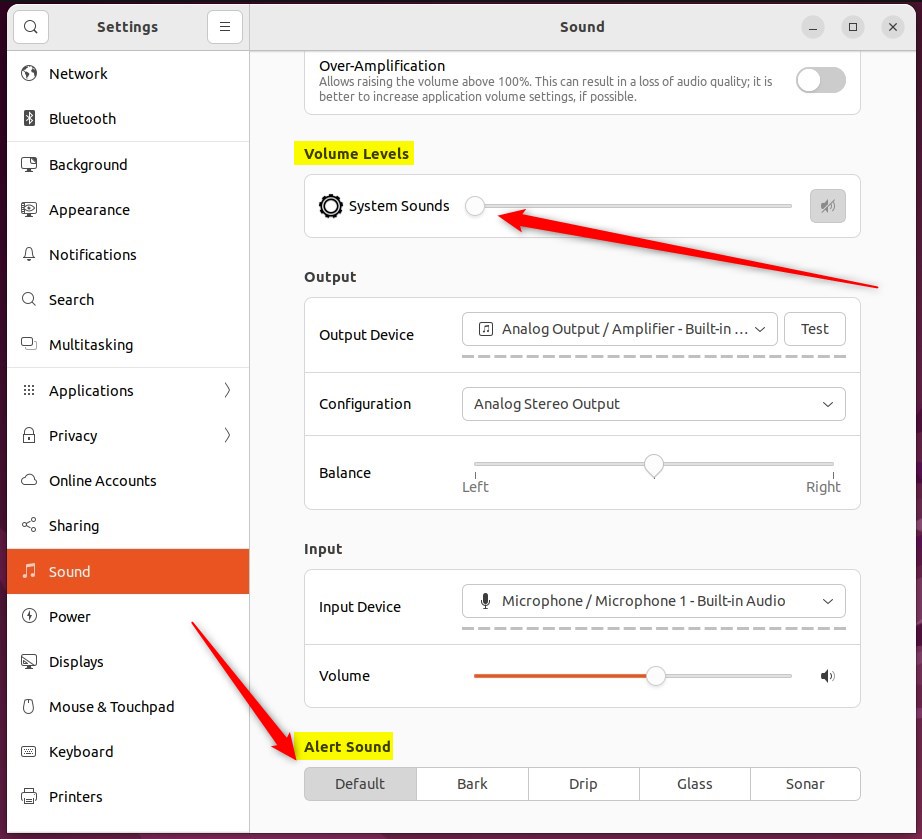
Again, changing the volume level or muting the System Sounds will not affect the volume of your music, movies, or other sound files.
That should do it!
Conclusion:
- Ubuntu Linux allows you to easily customize alert sounds for notifications and system events.
- You can independently adjust the volume for alert sounds in the System Settings panel.
- Disabling or muting the alert sound will not impact the volume of music, movies, or other sound files on your system.
Frequently Asked Questions
How do I turn off alert sounds in Ubuntu Linux?
Can I change the alert sound in Ubuntu Linux?
Will muting alert sounds affect other audio in Ubuntu?
Where can I find the alert sound settings in Ubuntu?
What types of events trigger alert sounds in Ubuntu Linux?
Was this guide helpful?

About the Author
Richard
Tech Writer, IT Professional
Richard, a writer for Geek Rewind, is a tech enthusiast who loves breaking down complex IT topics into simple, easy-to-understand ideas. With years of hands-on experience in system administration and enterprise IT operations, he’s developed a knack for offering practical tips and solutions. Richard aims to make technology more accessible and actionable. He's deeply committed to the Geek Rewind community, always ready to answer questions and engage in discussions.



[…] Ubuntu Linux computer, by default, will play a sound when you get a user or system alert. System alerts are there to notify you when something is wrong or when an event […]