How to Install Let’s Chat on Ubuntu Linux

You install Let’s Chat on Ubuntu Linux using Node.js and npm for a self-hosted messaging solution.
Let’s Chat is an open-source, self-hosted messaging application designed for small teams, offering real-time chat and direct messaging capabilities.
This tutorial specifically walks you through installing Let’s Chat version 1.5.0 on Ubuntu 22.04 LTS.
Clone the Let’s Chat repository using Git, then navigate into the directory and run `npm install`. Copy the sample settings file to `settings.yml` and start the server with `npm start`.
Why use Let’s Chat?
You might want a private, self-hosted space for your team to talk and collaborate without relying on big tech services.
What happens when done?
You will have a private messaging server running on your own hardware, accessible via a web browser.
Prerequisites
Before you install Let’s Chat on Ubuntu, make sure your system has Node.js (version 20.x or 22.x), MongoDB, Python 3.x, and Git ready to go.
- Node.js version 20.x or 22.x (LTS) How to install Node.js on Ubuntu Linux
- MongoDB installed How to install MongoDB on Ubuntu Linux
- Python 3.x installed How to install Python on Ubuntu Linux
- Git installed (sudo apt install git) Node.js 0.11+ MongoDB 2.6+ Python 2.7
Download and install Let’s Chat
To install Let’s Chat on Ubuntu, you’ll first clone the project from GitHub, then install its dependencies using npm, and finally start the server.
To install, run these commands:
git clone https://github.com/sdelements/lets-chat.git
cd lets-chat
npm install
Copy the settings file and start the server:
cp settings.yml.sample settings.yml
npm start
You can reach the site at http://localhost:5000.
General: Setting up Nginx and HTTPS
Setting up Nginx and HTTPS for Let’s Chat on Ubuntu involves installing Nginx, creating a configuration file to point to the Let’s Chat server, and then using Certbot to add an SSL certificate.
sudo nano /etc/nginx/conf.d/letschat.conf
Add your server configuration pointing to port 5000. Once configured, use Certbot to enable HTTPS:
sudo apt install certbot python3-certbot-nginx
sudo certbot --nginx -d yourdomain.com
Create a Let’s Chat systemd file
Creating a systemd service file for Let’s Chat on Ubuntu allows it to run automatically in the background, using a dedicated user for better security.
sudo useradd -r -s /bin/false letschat
sudo chown -R letschat:letschat /path/to/lets-chat
Create the service file:
sudo nano /etc/systemd/system/letschat.service
Add this content:
[Unit]
Description=Let's Chat Server
After=network.target mongod.service

[Service]
Type=simple
User=letschat
WorkingDirectory=/path/to/lets-chat
ExecStart=/usr/bin/npm start
Restart=always

[Install]
WantedBy=multi-user.target
Reload and start the service:
sudo systemctl daemon-reload
sudo systemctl start letschat
sudo systemctl enable letschat
Access Let’s Chat portal
Restart Nginx to apply your changes. Visit your domain name in your browser to log in and start chatting. 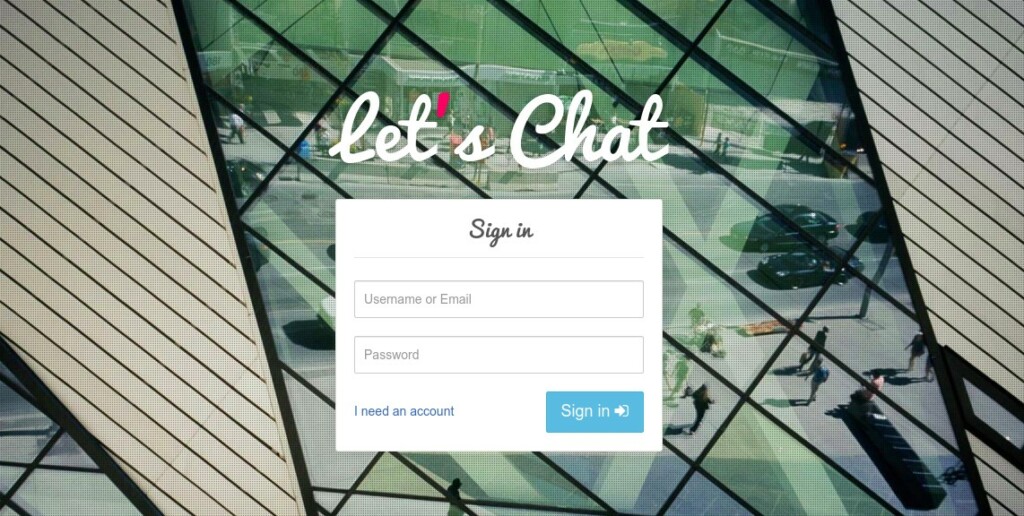
[Unit]
[Service]
[Install]
Was this guide helpful?

About the Author
Richard
Tech Writer, IT Professional
Richard, a writer for Geek Rewind, is a tech enthusiast who loves breaking down complex IT topics into simple, easy-to-understand ideas. With years of hands-on experience in system administration and enterprise IT operations, he’s developed a knack for offering practical tips and solutions. Richard aims to make technology more accessible and actionable. He's deeply committed to the Geek Rewind community, always ready to answer questions and engage in discussions.




No comments yet — be the first to share your thoughts!