How to Disconnect Google Drive on Windows 11

This guide explains how to remove your Google Drive account from your Windows 11 computer.
Google Drive is a service that lets you save files online and sync them across all your devices. While it is very helpful, you might decide to stop using it. You may want to switch to a different service or simply stop syncing your files to the cloud.
Why disconnect? You might want to save disk space, switch to a competitor like Dropbox or OneDrive, or stop your files from being uploaded to the internet automatically.
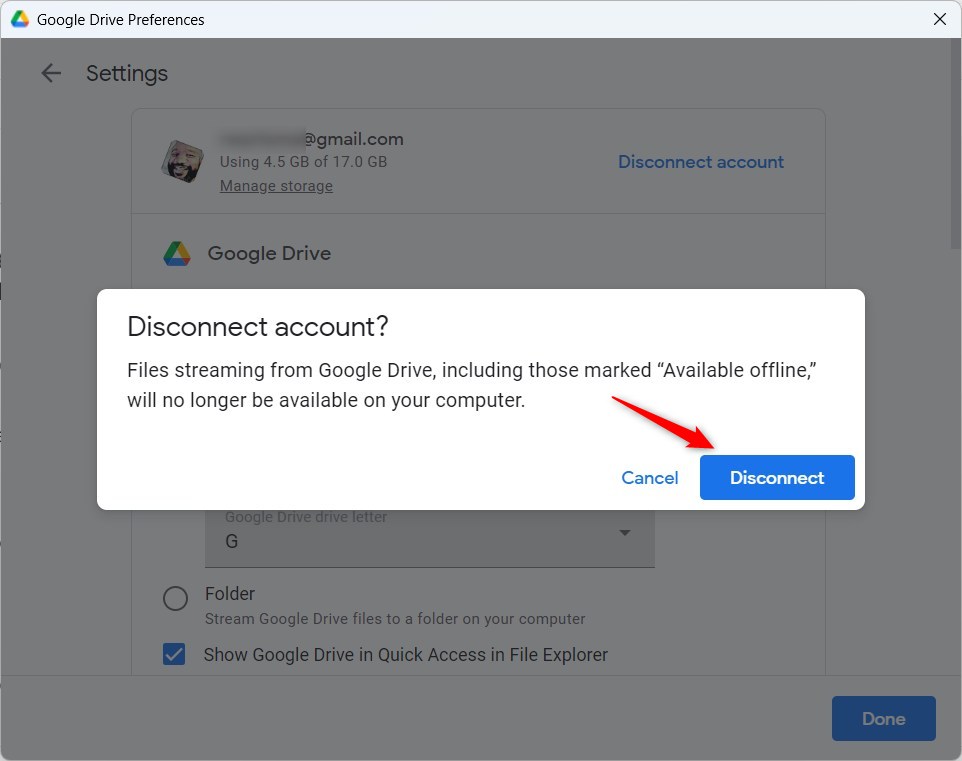
What happens when done? Once you disconnect, your computer will stop syncing files to your Google account. Any files that were being “streamed” from the cloud, including those marked Available offline, will no longer show up on your computer. You will still be able to access your files by logging into the Google Drive website.
How to Disconnect Google Drive
You do not need special permissions for this, but you must be logged into your user account. Follow these simple steps:
- Look at your taskbar near the clock. Click the Taskbar overflow (the little arrow) and click the Google Drive icon.

- When the small window pops up, click the Settings (gear icon) at the top right. Select Preferences.

- On the next screen, click the Settings gear icon again in the top right corner.

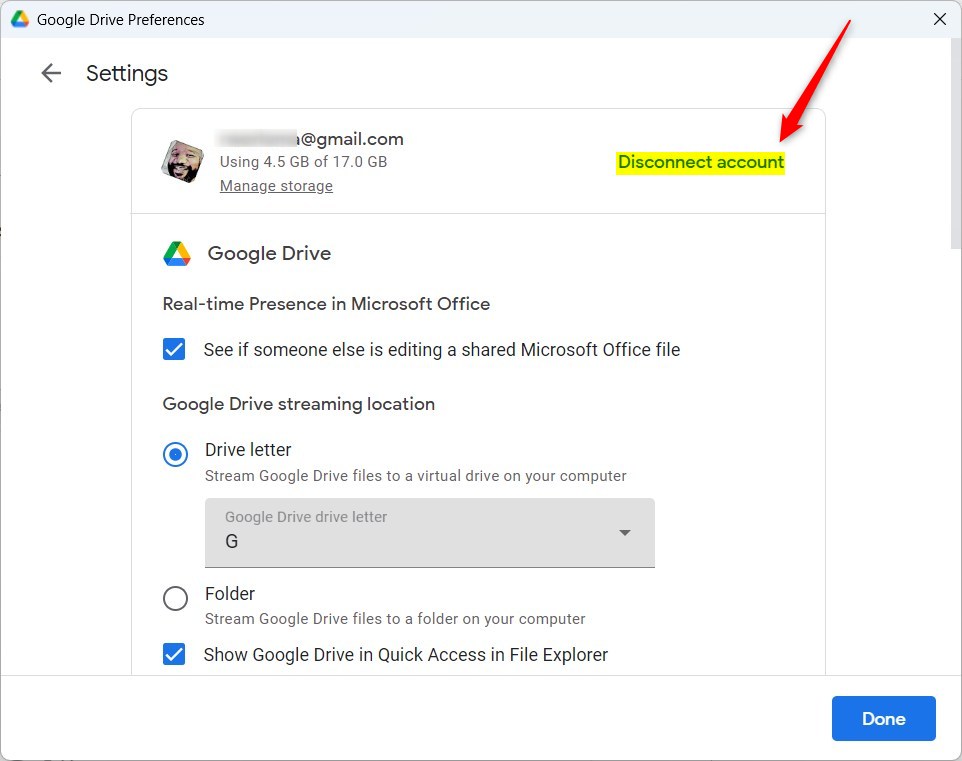
- Find the link that says Disconnect account and click it.
- A final warning will appear. Click the Disconnect button to confirm.
Summary
Disconnecting Google Drive is the best way to stop your computer from syncing files to the cloud. By following these steps, you remove your account from the app, which stops the file streaming process immediately. Remember that once you finish, your cloud-based files will disappear from your local folders, though they remain safe on Google’s servers.
How do I disconnect Google Drive from my Windows 11 computer?
What happens to my files when I disconnect Google Drive?
Can I reconnect Google Drive after disconnecting it?
Why would I want to disconnect Google Drive from my Windows machine?
Is it possible to pause Google Drive syncing instead of disconnecting?
Was this guide helpful?


Leave a Reply Cancel reply