

This article explains how to determine if the “Online Service Experience Packs” are installed on Windows 11.
Online Service Experience Packs are add-ons for Windows that provide additional features and enhancements to the operating system. These packs are designed to improve the delivery of changes and improvements from the cloud. This is another way Microsoft can quickly update Windows 11.
The Online Service Experience Packs function similarly to Windows Feature Experience Packs. The difference between the two is that the Windows Feature Experience Packs can deliver broad improvements across multiple areas of Windows.
In contrast, the Online Service Experience Packs are focused on improving a specific location, such as the new “Your Microsoft account settings” page.
The steps below show you how to determine if “Online Service Experience Packs” are installed on Windows.
Determine if Online Service Experience Packs are installed
As mentioned above, users can use the Settings app to determine if the “Online Service Experience Packs” are installed on Windows
Here’s how to do it.
First, open the Settings app.
Then, select Windows Update and click the “Update history” tile to expand it.
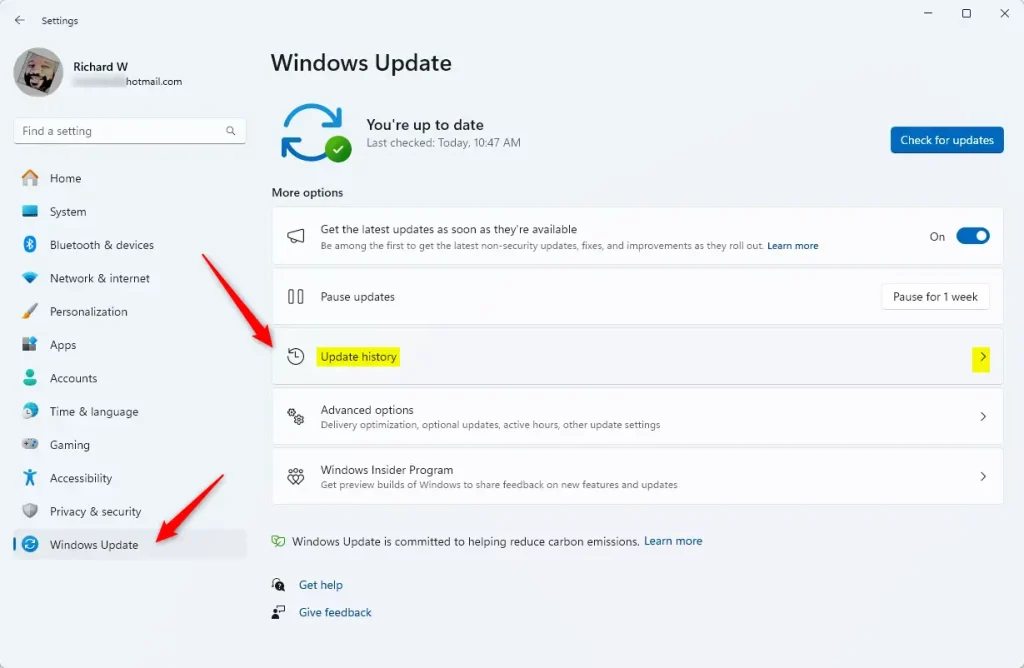
On the Update history settings pane, expand the “Other Updates” tile. Then, view the update history to determine if these packs are installed.
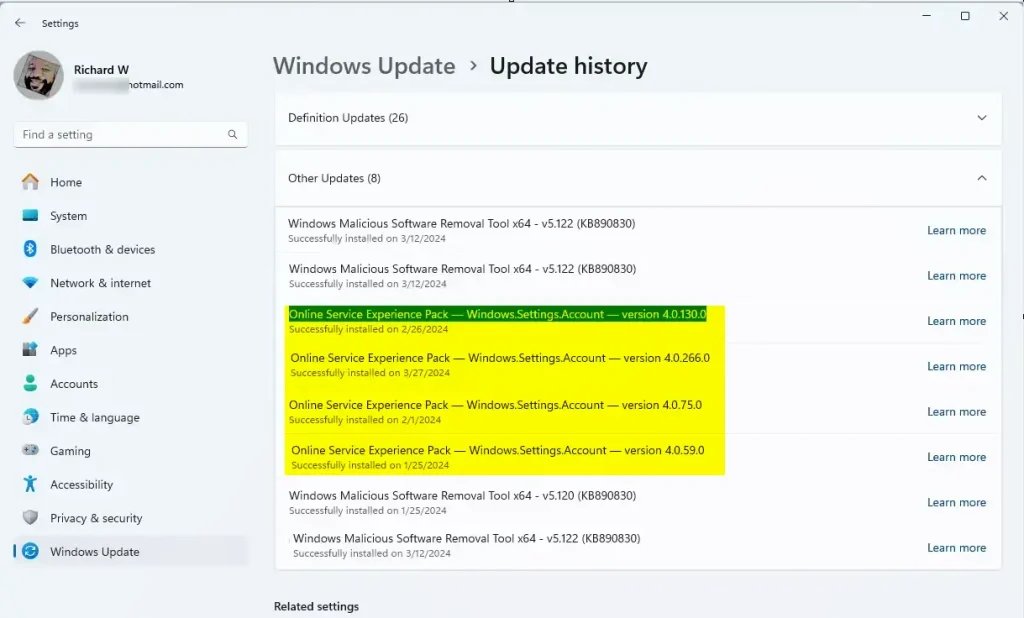
That should do it!
Reference:
Conclusion:
- The “Online Service Experience Packs” offer enhancements to Windows 11, focusing on particular areas such as the “Your Microsoft account settings” page.
- Users can easily check if these packs are installed by accessing the Settings app, selecting Windows Update, expanding the “Update history” tile, and examining the “Other Updates” section.
- Users can refer to the official Microsoft support page on “Online Service Experience Packs” at the provided link for more detailed information and support.
Feel free to use the comments form below if you require further assistance or would like to provide feedback.
Leave a Reply