
This simple guide will help you check if your apps have updates available using the Windows Update feature on Windows 11.
What’s New?
Microsoft added something new to Windows 11. It’s called the Unified Update Orchestration Platform (UOP). Why does this matter? It makes app updates work better and bother you less.
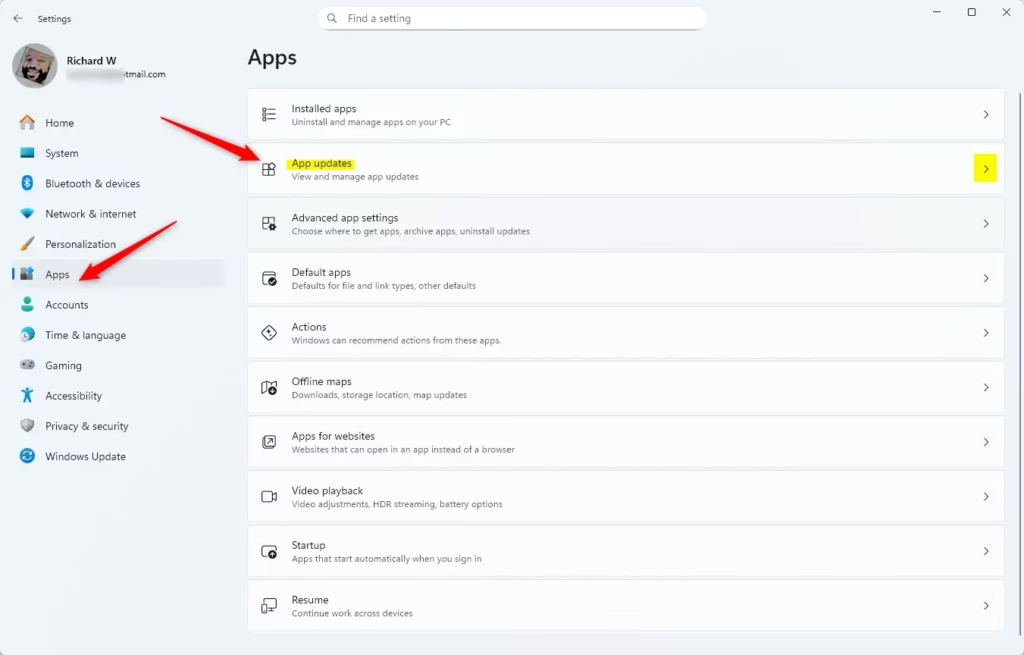
In Windows 11, you can now see all your app updates in one place. Go to Settings > Apps > App Updates to find them.
How Does This Work?
Here’s what happens behind the scenes:
- Apps ask the system for updates.
- The system checks for updates and installs them when you’re not using your computer.
- Apps still get their updates from their regular sources.
- Apps tell the system how the updates are going. You can see this in Settings.
Who Can Use This?
Right now, this feature is brand new. Not many apps use it yet. But over time, more apps will use it.
If you’re part of the Windows Insider program on the Dev or Beta channel, you might see this feature already.
Advanced users can enable this feature early using a tool called ViVeTool.
How to Check for App Updates in Windows 11
- Open Settings. Press
Win + Ion your keyboard to open it fast. - In the left menu, click Apps.
- On the right side, click App updates.
Here is what it looks like:
- Click the Check for updates button to see if your apps need updates.
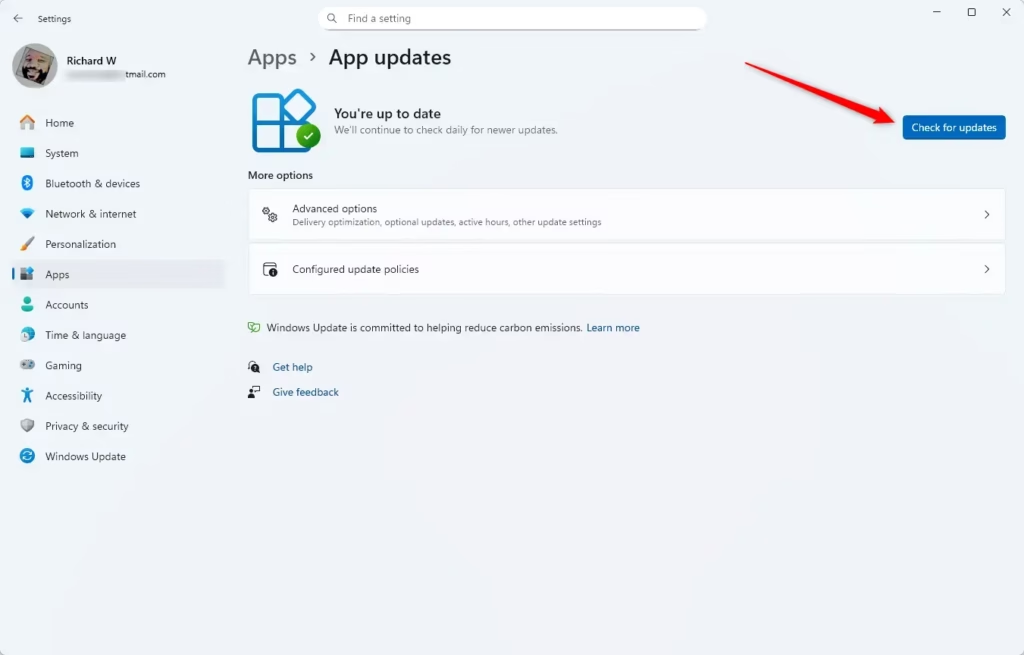
If there are updates, Windows will download and install them for you.
Summary
Here’s what you should remember about checking app updates in Windows 11:
- Simpler Updates: Windows is making app updates smoother and easier.
- One Place to Check: You can find app updates in Settings > Apps > App Updates.
- Better Communication: Apps talk to Windows to tell you about updates.
- More Apps Soon: More apps will use this feature over time.
- Early Access: Advanced users can try new update features early with special tools.
Keep your apps up to date. This gives you the best experience and new features!

Leave a Reply