
If you need to change your Windows 11 product key, this guide will show you simple steps to do it. A product key is a special 25-character code that activates Windows on your computer.
Not sure what your product key is? Check out our guide on how to find your Windows 11 product key.
Sometimes, your PC might have a digital license instead of a product key. This means Windows is activated without you needing to type a key.
You might want to change your product key if you have a generic key installed or if you want to upgrade to a better version of Windows.
Change the Product Key Using Windows Settings
Here’s an easy way to change your product key using the Windows Settings app:
- Open Settings: Press the Windows key + I on your keyboard to open the Settings app.
Or click the Start button and then select the gear icon (Settings).
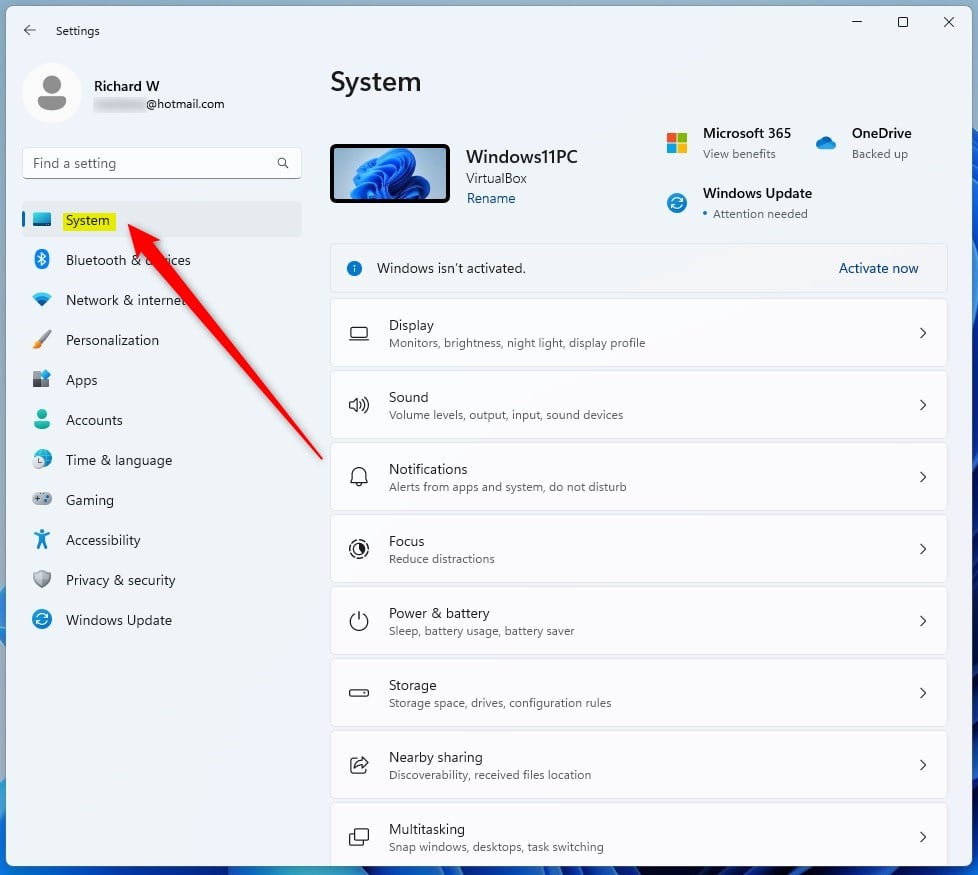
- Go to System: On the left menu, click System.
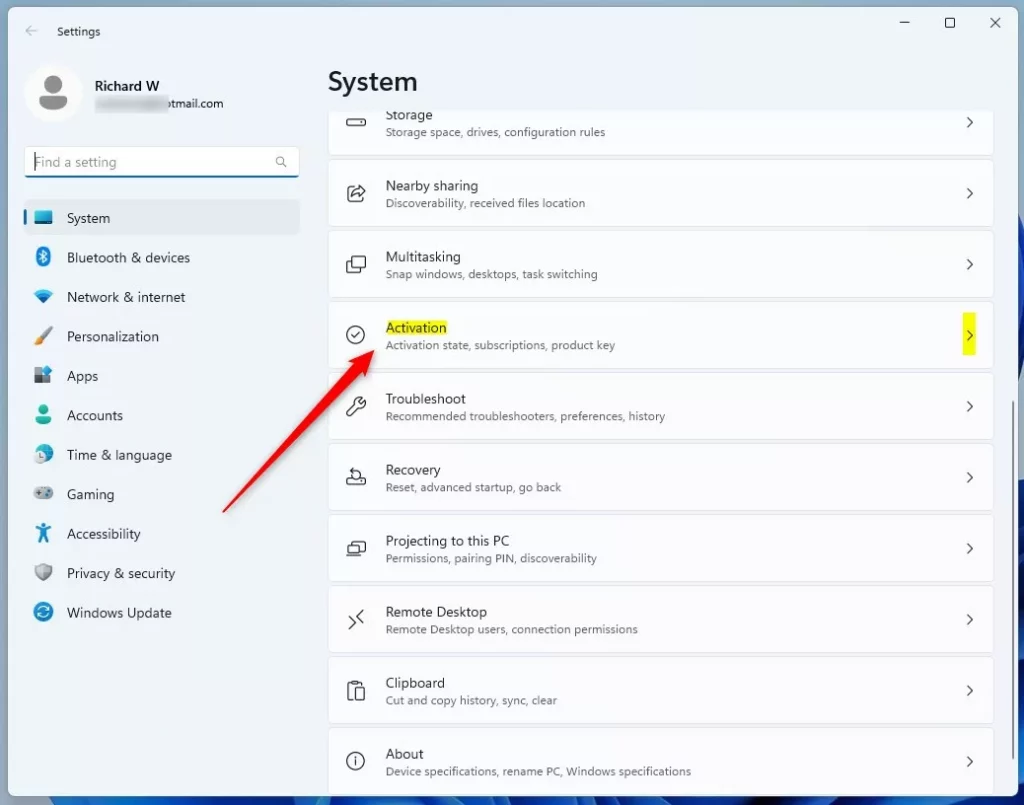
- Click Activation: On the right side, find and click Activation.
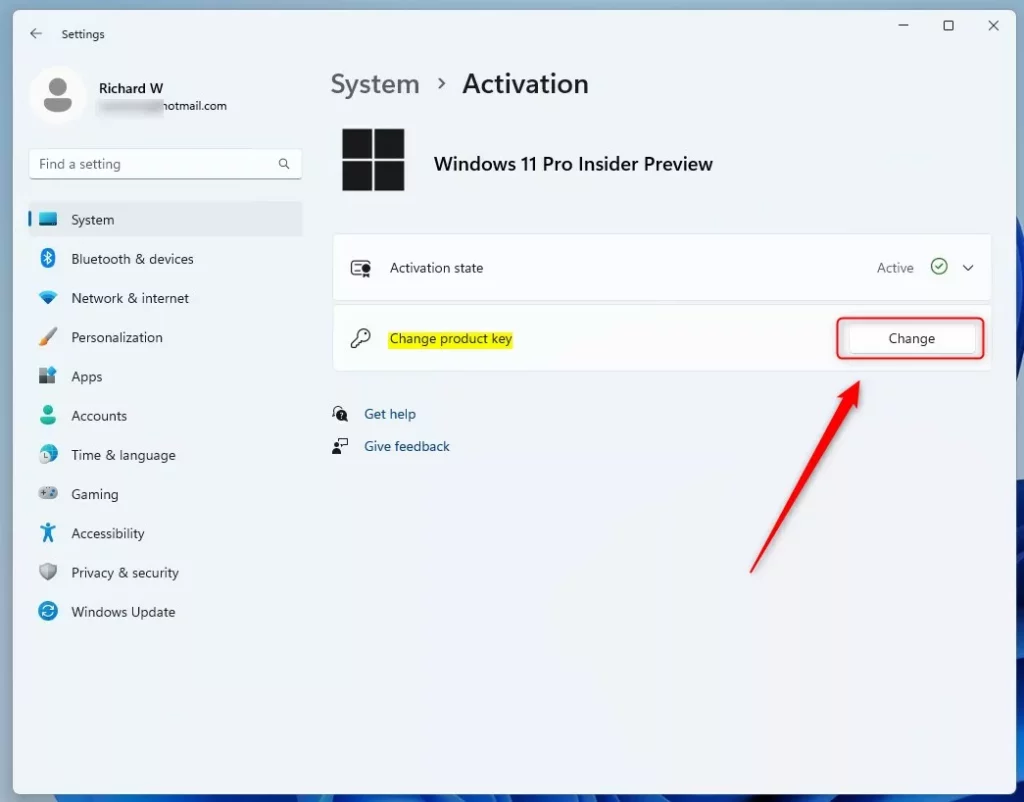
- Change Product Key: Look for the Change product key button and click it.
Note: If you have Windows 11 Home, you might first see Upgrade your edition of Windows. Click to expand, and then find the change key option.
- Enter Your New Key: Type your 25-character product key here.
Need help finding your key?
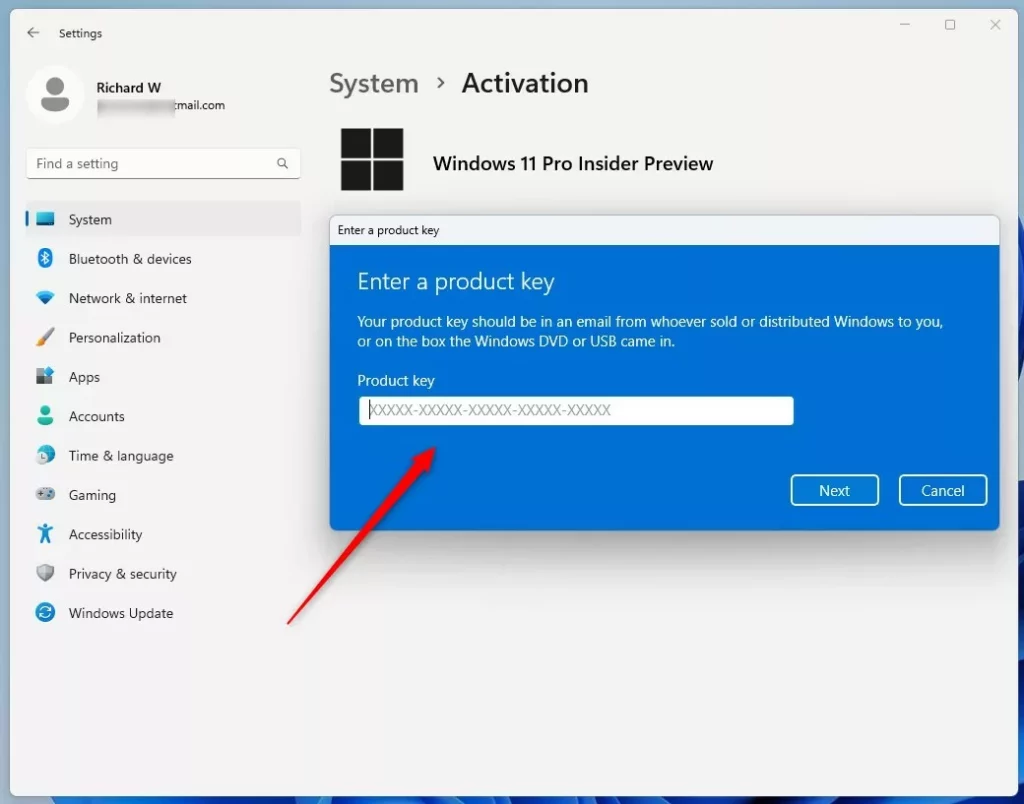
- Activate: Click the Activate button to finish.
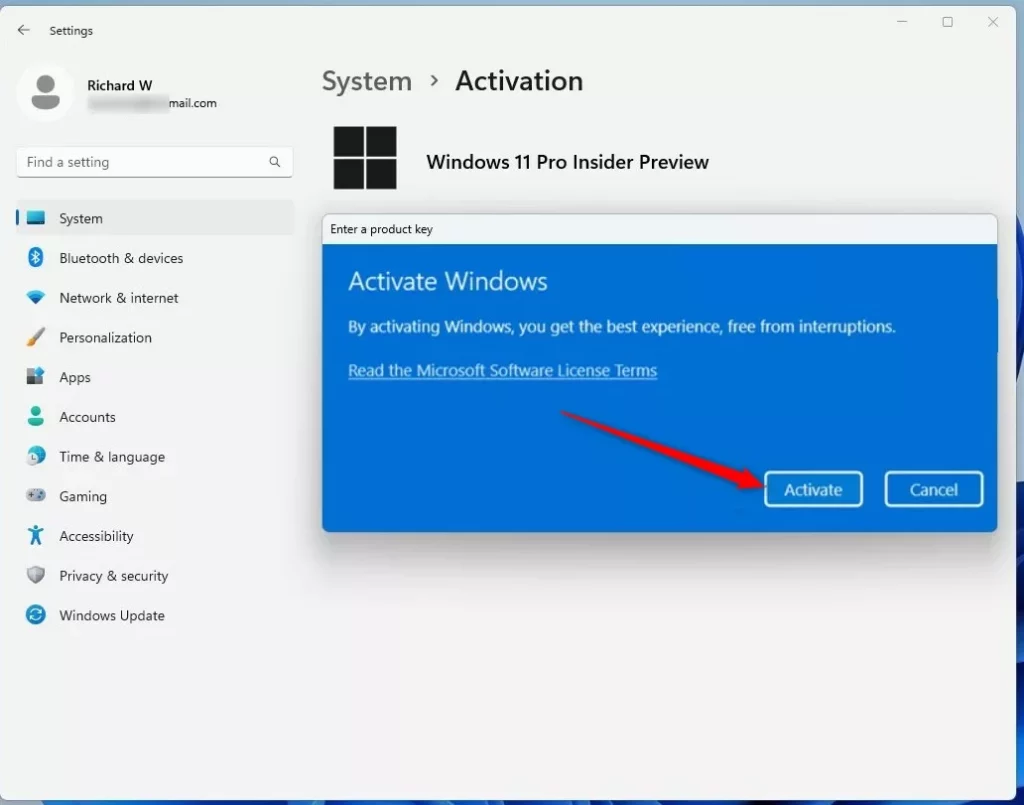
- Close Settings: Click Close when done.
Change the Product Key Using Command Prompt
If you like using commands, you can change the product key with Command Prompt (or Windows Terminal):
- Open Windows Terminal: Press Windows key + X and choose Windows Terminal (Admin). Or search for “Windows Terminal” in the Start menu and run it as administrator.
Learn more about opening Windows Terminal.
- Type the Command: Enter this command, replacing
XXXXX-XXXXX-XXXXX-XXXXX-XXXXXwith your product key:slmgr /ipk XXXXX-XXXXX-XXXXX-XXXXX-XXXXX
- Press Enter: Hit Enter to run the command.
- Confirm: A confirmation message will pop up. Click OK.
That’s it! Your product key should now be updated.
More Help & Official Info
For full details on Windows activation, visit Microsoft’s official page: Windows 11 Activation Support.
Summary
- Changing your product key helps activate or upgrade Windows 11.
- The easiest way is through the Windows Settings app.
- You can also use Command Prompt with the
slmgr /ipkcommand. - Check Microsoft’s official support for detailed guidance.

Leave a Reply