How to Install VBScript in Windows 11

You enable VBScript in Windows 11 by turning on the Windows Script Host feature, which is often already active but can be disabled for security. VBScript, or Visual Basic Scripting Edition, is a scripting language developed by Microsoft that allows you to automate tasks and create simple applications within the Windows environment.
This scripting language was a popular choice for system administrators and power users for many years. Even though Microsoft now promotes newer languages like PowerShell and JavaScript, VBScript remains valuable for executing older scripts.
You might encounter errors when trying to run .vbs files if Windows Script Host is disabled. This tutorial will guide you through the quick process of reactivating it.
You can install VBScript in Windows 11 by going to Settings > Apps > Optional features, clicking “View features,” searching for VBScript, checking the box, and clicking Install. Alternatively, use the DISM command in Windows Terminal: DISM /Online /Add-Capability /CapabilityName:VBSCRIPT~~~~.
Why use VBScript?
So, why would you even consider using VBScript today? It’s an older scripting language that Microsoft is phasing out to boost system security. You’ll likely only need it if you’re working with legacy software or old business scripts that can’t run without it.
Security and Deprecation Roadmap
Microsoft has stopped updating VBScript, meaning it’s no longer improved and can be a security risk, which is why it’s not included by default in Windows 11.
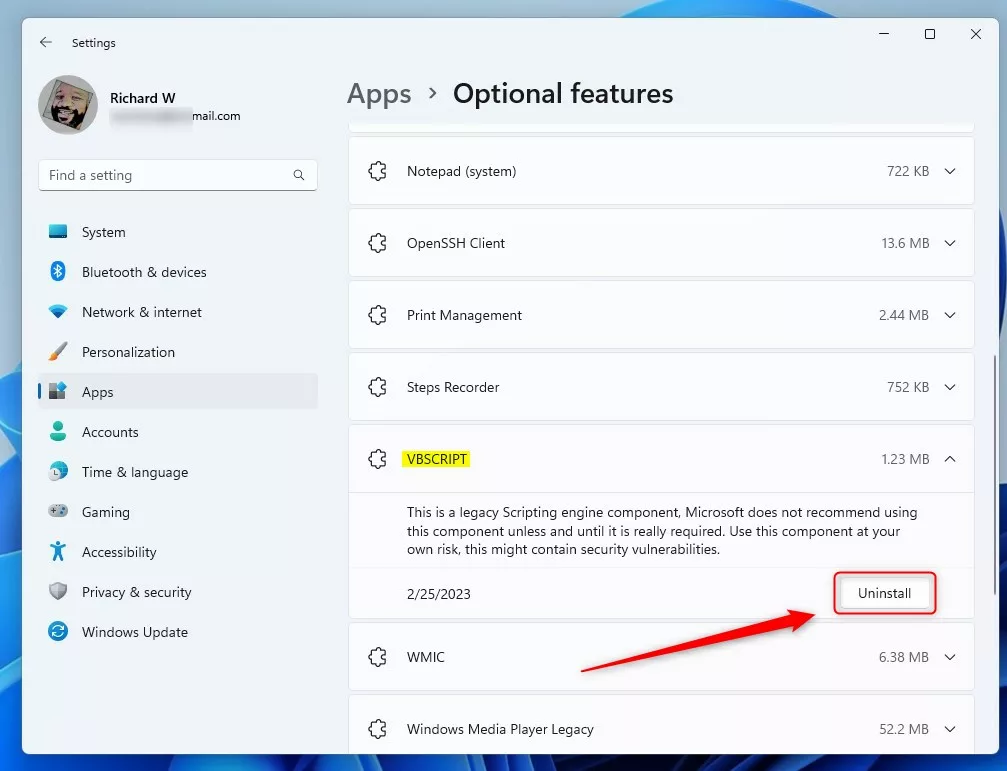
Install or Uninstall via Settings
You can install VBScript in Windows 11 easily through the Settings app, which is helpful if you need it for older programs.
- Open the Windows Settings app by pressing Windows key + I.
- Click on Apps on the left side.
- Select the Optional features tile.
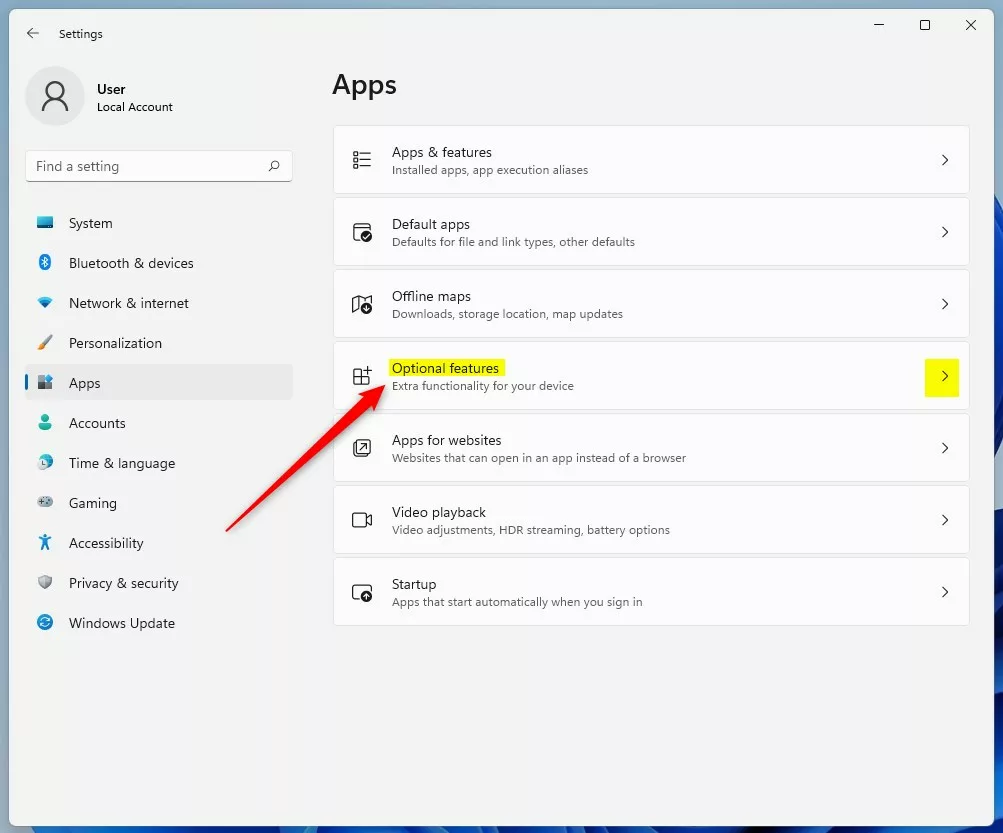
- Click the View features button.
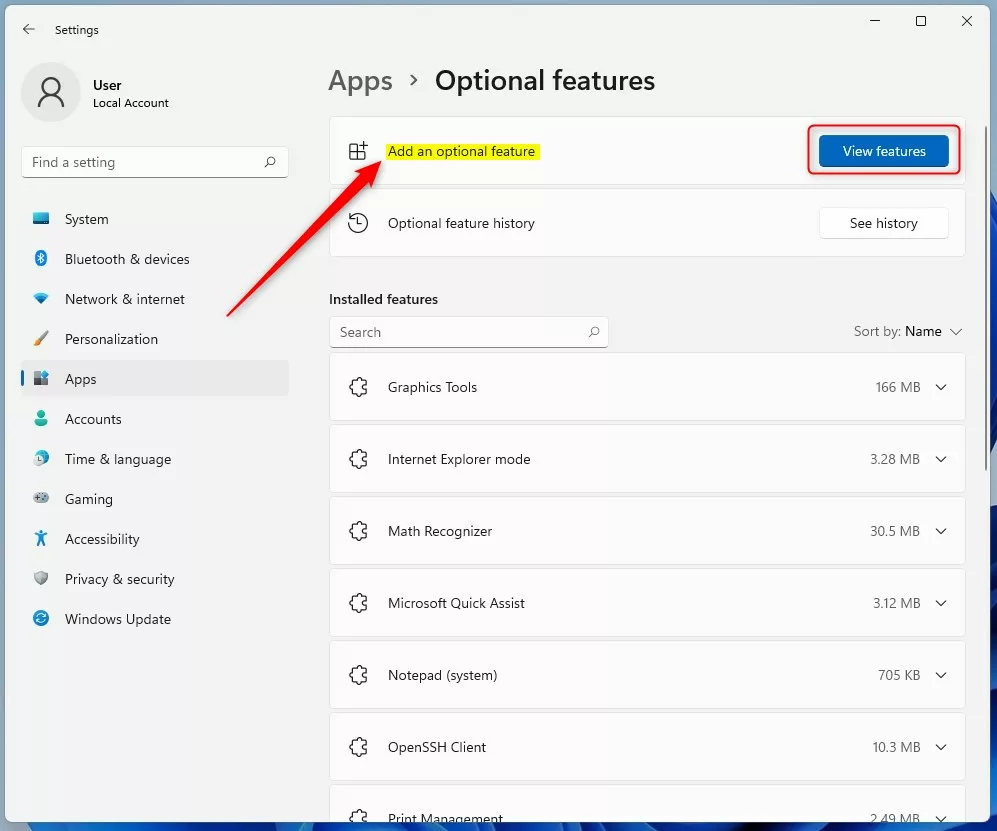
- Search for VBScript, check the box , and click Next.
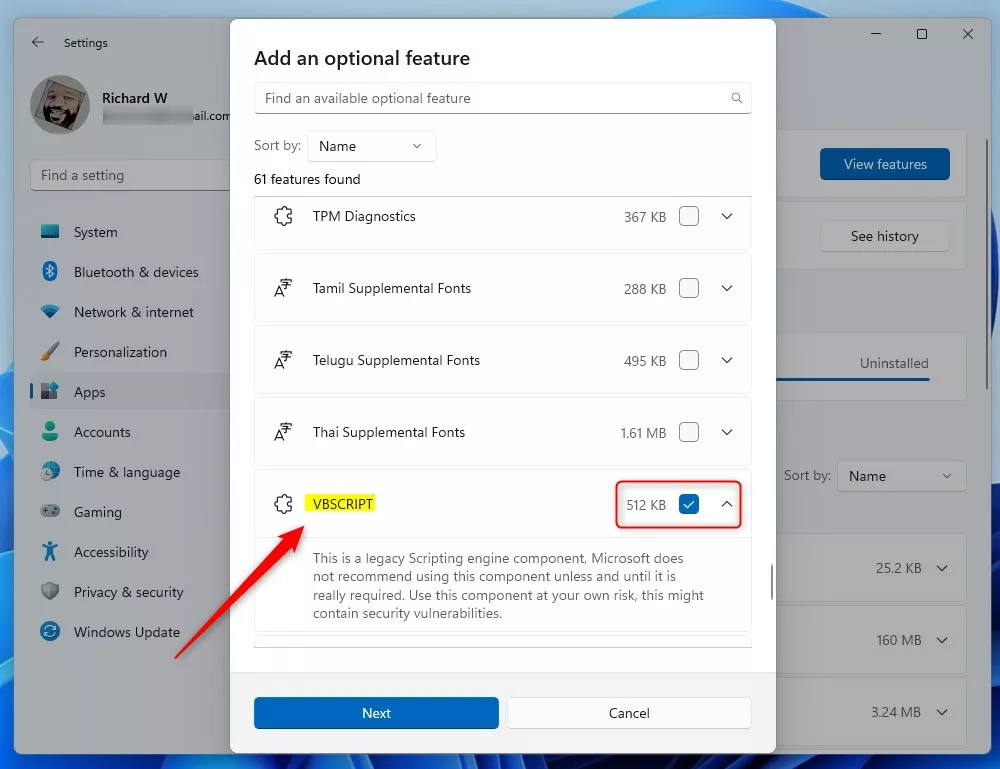
- Click Install to finish.
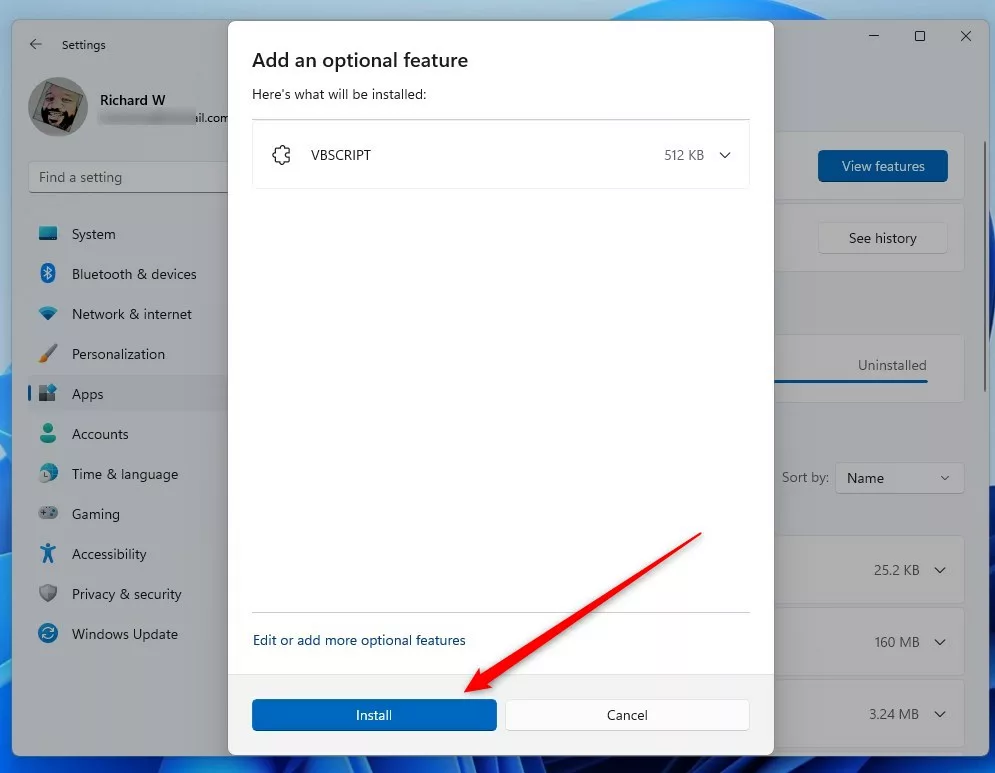
To uninstall later, return to this menu, find VBScript, and select Uninstall.
Install or Uninstall via Command Line
If you’re comfortable with the command line, you can use the Windows Terminal. Just make sure you run it as an administrator.
To install the feature, type this command:
DISM /Online /Add-Capability /CapabilityName:VBSCRIPT~~~~
To remove it, use this one:
DISM /Online /Remove-Capability /CapabilityName:VBSCRIPT~~~~
Enterprise Management (GPO & Intune)
IT pros can use tools like Group Policy Objects (GPO) or Microsoft Intune to push the VBScript Feature-on-Demand (FOD) to many computers at once. This keeps legacy applications working in a company setting while you maintain control over what gets installed.
Troubleshooting 24H2 Errors
If VBScript isn’t working on Windows 11 24H2, the first step is to check if it’s installed correctly using a simple command.
Get-WindowsCapability -Online -Name VBSCRIPT~~~~
If the status shows ‘NotPresent’, use the DISM command mentioned earlier to install it. If you still run into errors, confirm your user account has local administrator rights.
Summary
VBScript is an older tool not included in Windows 11 by default, but you can install it through Optional Features or the command line if needed for old programs.
Is VBScript permanently removed in 🪟 Windows 11 24H2?
VBScript isn’t permanently removed, but it’s no longer installed by default. It’s now an optional feature you can manually add back if you need to run older scripts or legacy applications that rely on this specific scripting environment.
What are the security risks of enabling VBScript?
VBScript is considered a security risk because it lacks modern protections. Attackers often use VBScript to execute malicious code on your computer. By keeping it disabled, you reduce the “attack surface” of your system, making it much harder for harmful software to run successfully on your machine.
Was this guide helpful?

About the Author
Richard
Tech Writer, IT Professional
Richard, a writer for Geek Rewind, is a tech enthusiast who loves breaking down complex IT topics into simple, easy-to-understand ideas. With years of hands-on experience in system administration and enterprise IT operations, he’s developed a knack for offering practical tips and solutions. Richard aims to make technology more accessible and actionable. He's deeply committed to the Geek Rewind community, always ready to answer questions and engage in discussions.


No comments yet — be the first to share your thoughts!