
This article explains how to turn on or off Threads posts suggestions on Facebook in the Threads app on mobile devices.
The Threads app is a messaging app developed by Facebook for users who want to keep in touch with their closest friends and share their status. It allows users to share photos, videos, messages, stories, and more.
When you use Threads, you can switch between private and public accounts, mute or unmute people, turn offensive words and phrases on or off, view profiles you follow and your followers, turn threads and replies notifications on or off, turn following and followers notifications on or off, turn notifications from Threads on or off, enable or disable Threads posts suggestions on Instagram, and more.
The mobile version lets you enable or disable Threads posts suggestions on Facebook from the Threads app.
Enabling or disabling Threads posts suggestions on Facebook allows you to control whether or not Threads posts will be suggested to you on Facebook. If you have enabled this feature, Threads may suggest your status updates to your Facebook friends and vice versa.
Disabling this feature will prevent Threads from suggesting your posts to your Facebook friends or suggesting Facebook posts to you in Threads. This can be useful if you prefer to keep your Threads activity separate from your Facebook activity or don’t want to receive suggestions from Threads on Facebook.
Turn Threads posts suggestions on Facebook on or off
As mentioned above, users can enable or disable Threads posts suggestions on Facebook using the app for those who want to keep their Threads activity separate from their Facebook activity.
Here’s how to do it.
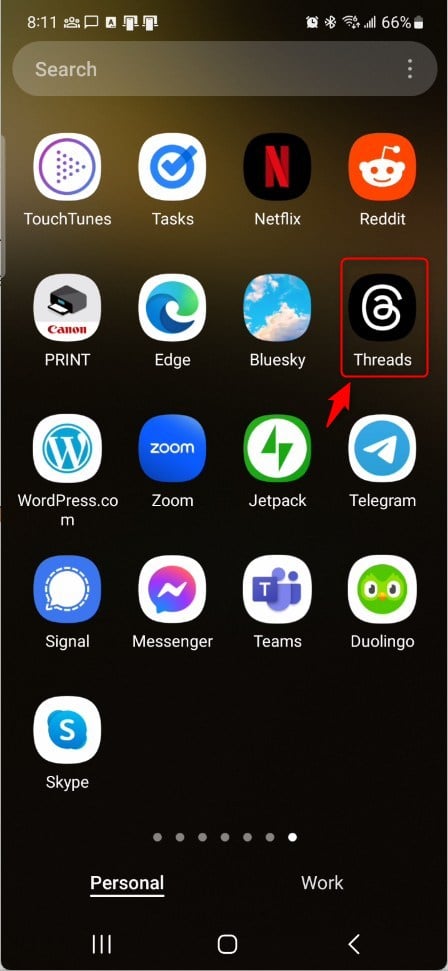
First, open the Threads app on your device.
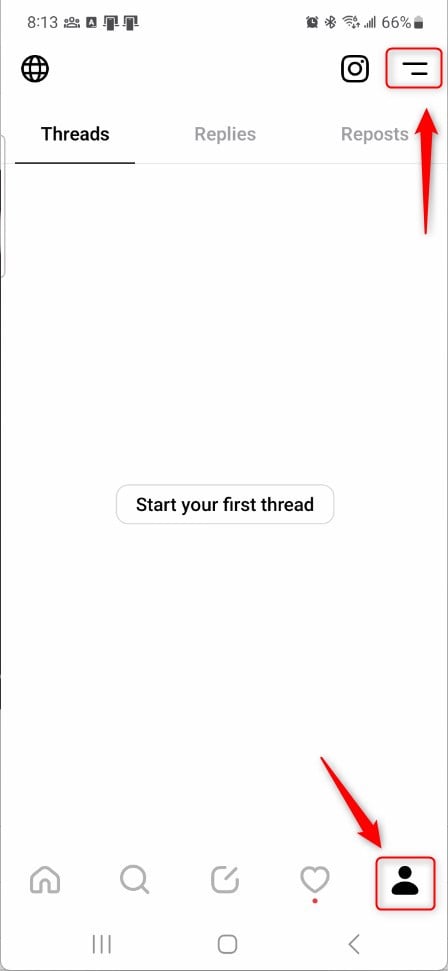
When the app opens, click the “Person” image at the bottom right, then select the Settings Menu at the top.
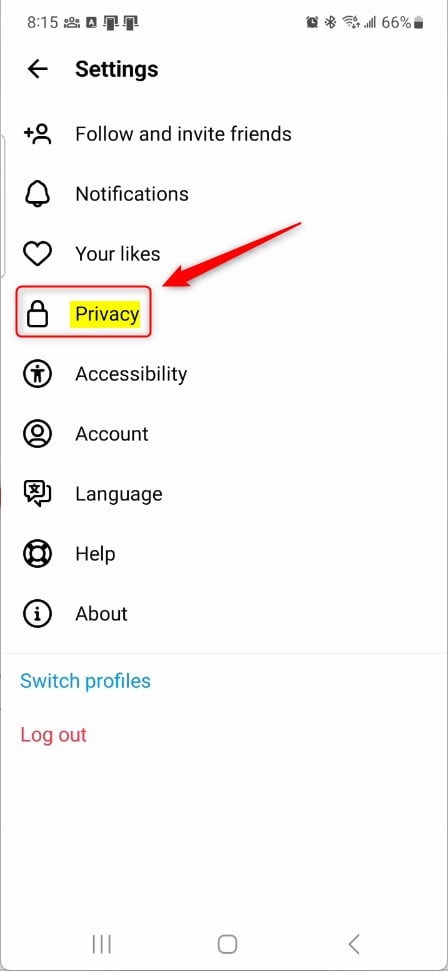
Next, select the Privacy tile on the Settings page to expand it.
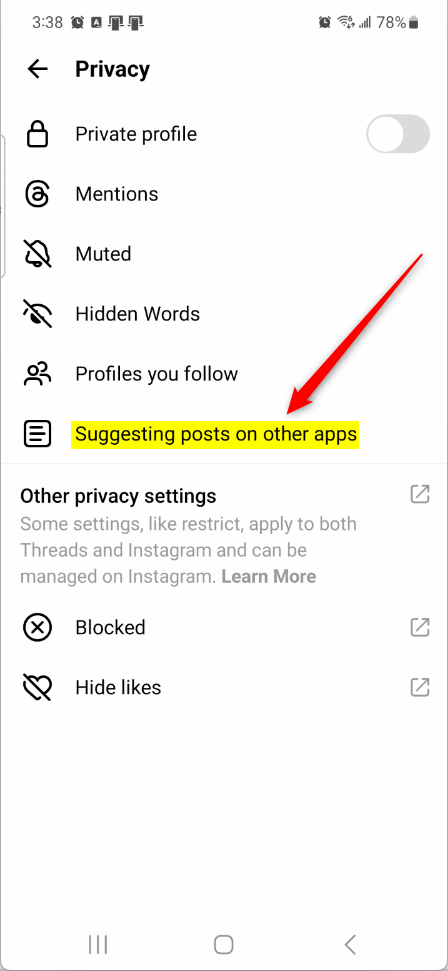
Then, select the “Suggesting posts on other apps” tile on the Privacy settings page to expand it.
Next, select the Facebook tile and toggle the switch button to the On position to enable your posts to be suggested on Instagram.
To disable it, toggle the switch button to the Off position.

That should do it!
Conclusion:
- Enabling or disabling Threads post suggestions on Facebook gives you control over whether Threads will suggest your posts to your Facebook friends or vice versa.
- This feature allows users to separate their Threads activity from their Facebook activity.
- Disabling the feature prevents Threads from suggesting your posts to your Facebook friends or suggesting Facebook posts to you in Threads.
- Following the simple steps outlined in this article will help you easily manage the suggestions for posts on Threads and Facebook.


Leave a Reply