How to Enable or Disable Battery Limit on Microsoft Surface Devices

This tutorial shows you how to turn the Battery Limit option on or off on your Microsoft Surface device running Windows 10 or Windows 11.
What is Battery Limit?
The Battery Limit option is a firmware setting on your Surface device. Think of firmware as the instructions that tell your device how to work at the deepest level. This setting changes how your Surface battery charges. It might help your battery last longer.
Battery Limit works best for Surface devices that stay plugged in all the time. These include devices used as cash registers, security scanners, and information kiosks. The Battery Limit setting comes built into supported Surface devices by default.
Why Would You Use This?
Batteries can wear out faster if they stay fully charged all the time. Battery Limit helps protect your battery by stopping the charging process early.
When you turn on Battery Limit, your battery stops charging once it reaches 50% of its full capacity. If your device is already more than 50% charged when you enable this setting, the battery will not start charging again until it drops below 50%.
Use Battery Limit on Surface devices in kiosk scenarios to manage charging and extend battery life. This setting keeps your battery healthier over time. Surface Battery Limit setting – Surface
For more tips on keeping your Surface battery in good shape, Caring for your Surface battery | Microsoft Support to get the most from your device.
How to Enable or Disable Battery Limit
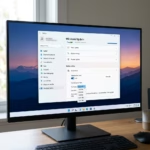
- Boot into Surface UEFI (the firmware settings screen).
- Click or tap on Boot configuration in the left panel.
- Turn on or off (default setting) the option for Enable Battery Limit based on what you need. You will see this option on your screen.
- Click or tap on Exit in the left panel. Then click or tap on Restart now to go back to Windows 10 or Windows 11.
That’s it. Your Battery Limit setting is now changed.
Summary
Battery Limit is a firmware setting that helps your Surface device battery stay healthy longer. When you enable it, your battery charges only to 50% of its full capacity. This is helpful for devices that stay plugged in all the time, like kiosks and point-of-sale systems. You can turn this setting on or off by going into your Surface’s firmware settings and making a few simple clicks. After you make the change, restart your device to apply the new setting.
Frequently Asked Questions
What is Battery Limit?
Why Would You Use This?
How to limit battery charge to 80% 🪟 windows 11 Surface?
Microsoft Surface devices do not offer a user-configurable 80% limit. Instead, the built-in Battery Limit feature caps charging at 50% to preserve battery health. You can enable this via the Surface UEFI settings menu by navigating to Boot Configuration, selecting Advanced Options, and toggling the Enable Battery Limit setting to On.
Should I limit my laptop battery to 80 or 60?
Limiting your battery to 80% or 60% is generally beneficial for longevity if your device remains plugged in constantly. While 80% is a common industry standard for daily use, the Surface Battery Limit feature specifically uses a 50% cap to maximize the lifespan of devices used in permanent kiosk-style configurations.
How do I turn on the 80% charging limit?
You cannot manually set an 80% limit on Surface devices, as the firmware is hardcoded to a 50% threshold. To enable this protection, shut down your Surface, then hold the Volume Up button while pressing the Power button to enter UEFI. Navigate to Boot Configuration, Advanced Options, and enable Battery Limit.
Was this guide helpful?

About the Author
Richard
Tech Writer, IT Professional
Richard, a writer for Geek Rewind, is a tech enthusiast who loves breaking down complex IT topics into simple, easy-to-understand ideas. With years of hands-on experience in system administration and enterprise IT operations, he’s developed a knack for offering practical tips and solutions. Richard aims to make technology more accessible and actionable. He's deeply committed to the Geek Rewind community, always ready to answer questions and engage in discussions.
No comments yet — be the first to share your thoughts!