Download Bing Wallpaper for Ubuntu Linux: A Quick Guide

You can download Bing Wallpaper for Ubuntu Linux to get daily Bing images on your desktop.
Bing Wallpaper for Ubuntu is a GNOME Shell extension that automatically changes your desktop background to the daily Bing image. This brings stunning, high-resolution photography to your workspace every single day.
Once installed, your Ubuntu desktop will update its background automatically. You can easily access its settings directly from your GNOME top menu bar.
Ensure the extension’s creator is active and compatible with your display server, like Wayland or X11, for optimal performance before you begin.
Install the Bing Wallpaper GNOME extension using Extension Manager. Open Extension Manager, search for “Bing Wallpaper,” and install it. Your desktop background will then update daily with Bing images.
How to set up Bing Wallpaper
To bring the Bing experience to your Ubuntu desktop, you’ll use a GNOME extension. Follow these steps:
Start by opening the App Center. If you prefer using the terminal, you can install the required tool by running this command: sudo apt install gnome-shell-extension-manager. This ensures you’re getting the most reliable version for 2026.
After installing, open the Extension Manager. You can find it by pressing the Super key (that’s the Windows key on most keyboards) and searching.
Once the app is open, search for the Bing Wallpaper extension and install it. 
Checking for updates and compatibility
After installing, go to the “Installed” tab in the Extension Manager. Always check if the extension is compatible with your current version of GNOME. You can use the Extension Manager to check for updates frequently to ensure the tool keeps working smoothly as your system updates.
Select the gear icon next to the Bing Wallpaper extension to open its settings. 
Adjust the settings to match your preferences. 
Once you are done, your desktop background will start changing automatically. You will see a small Bing icon in your top menu bar. 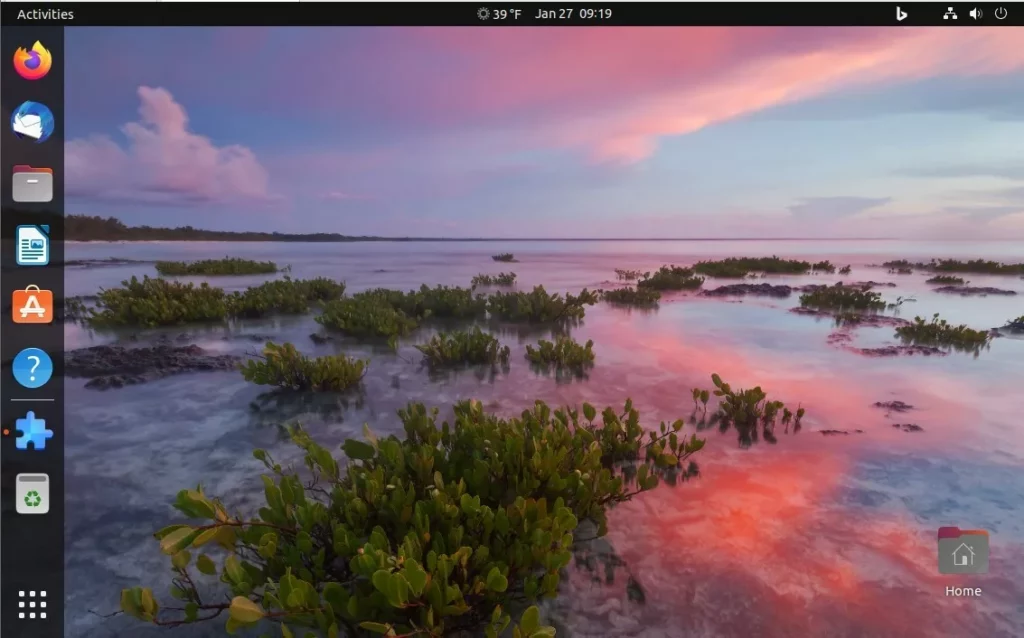
Conclusion
Modern Ubuntu versions offer better built-in ways to manage your background. Before installing extensions, take a moment to check your system settings to see if the built-in slideshow options already do what you need. If you still prefer the Bing collection, the Extension Manager helps you manage your setup. Enjoy your new, beautiful desktop!
Was this guide helpful?

About the Author
Richard
Tech Writer, IT Professional
Richard, a writer for Geek Rewind, is a tech enthusiast who loves breaking down complex IT topics into simple, easy-to-understand ideas. With years of hands-on experience in system administration and enterprise IT operations, he’s developed a knack for offering practical tips and solutions. Richard aims to make technology more accessible and actionable. He's deeply committed to the Geek Rewind community, always ready to answer questions and engage in discussions.




No comments yet — be the first to share your thoughts!