How to Check Search Indexing Status in Windows 11

You check your search indexing status in Windows 11 to confirm if the background process that maps your files is complete and functioning correctly.
Windows Search Indexing is like a super-fast index for your computer, letting you find documents, emails, and other files in milliseconds by pre-scanning them.
Checking this status is crucial because a corrupted or incomplete index can lead to slow or missing search results, preventing you from locating what you need quickly.
For instance, if your Windows 11 search is sluggish, verifying the index status helps determine if it’s still building or if there’s a deeper issue to resolve.
Technical Mechanics: How It Works
The process is handled by a program called SearchIndexer.exe. This program runs as the Windows Search service. It scans your folders and saves file properties like names, dates, and tags. You can choose to index just the file properties or the actual contents inside the files for deeper searching.
Performance Tuning and Impact
Indexing can consume CPU power. If you have an HDD (Hard Disk Drive), indexing will be much slower than on an SSD (Solid State Drive). SSDs are faster at reading data, which makes the indexing process finish quickly with less impact on your system performance.
How to Check the Windows Search Service
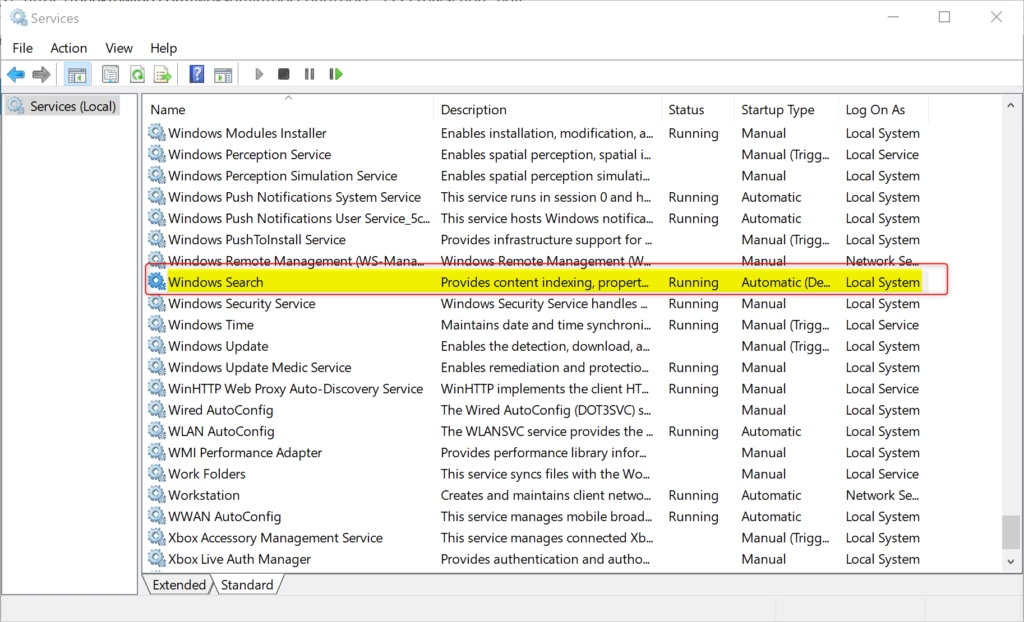
If search is not working, the service might be stopped. Note: This requires admin privileges.
- Press Windows key + R, type services.msc, and press Enter.
- Scroll down to find Windows Search.
- Check the Status column. It should say Running.
- If it is not running, right-click it and select Start.
Option 1Check Status in Settings
Microsoft makes it easy to check the status in the main settings menu.
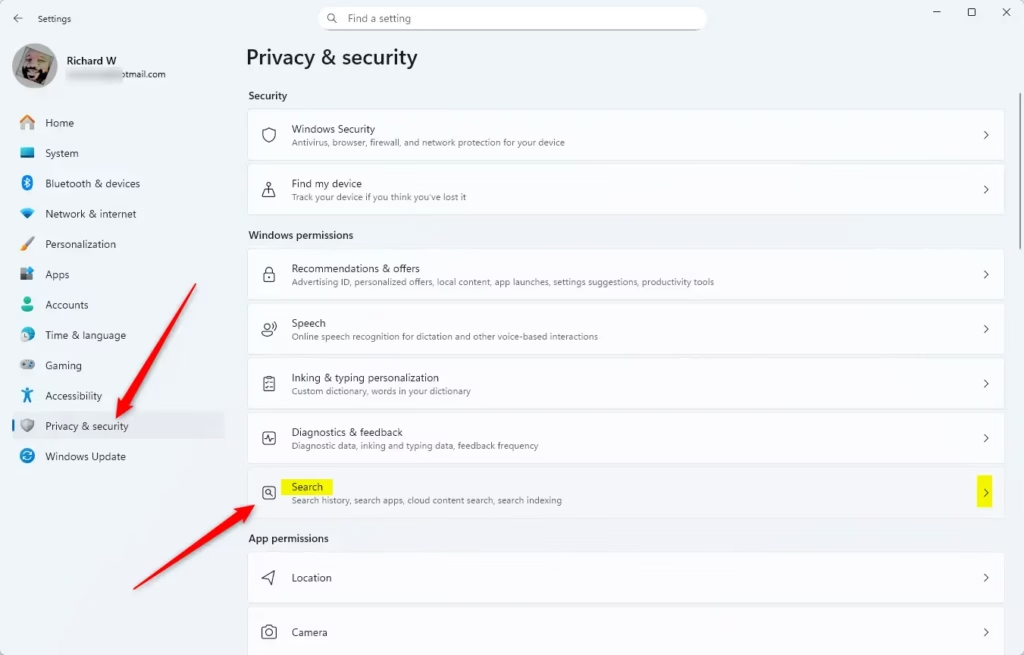
- Open Settings by pressing Windows key + I.
- Click Privacy & security on the left.
- Click Searching on the right.
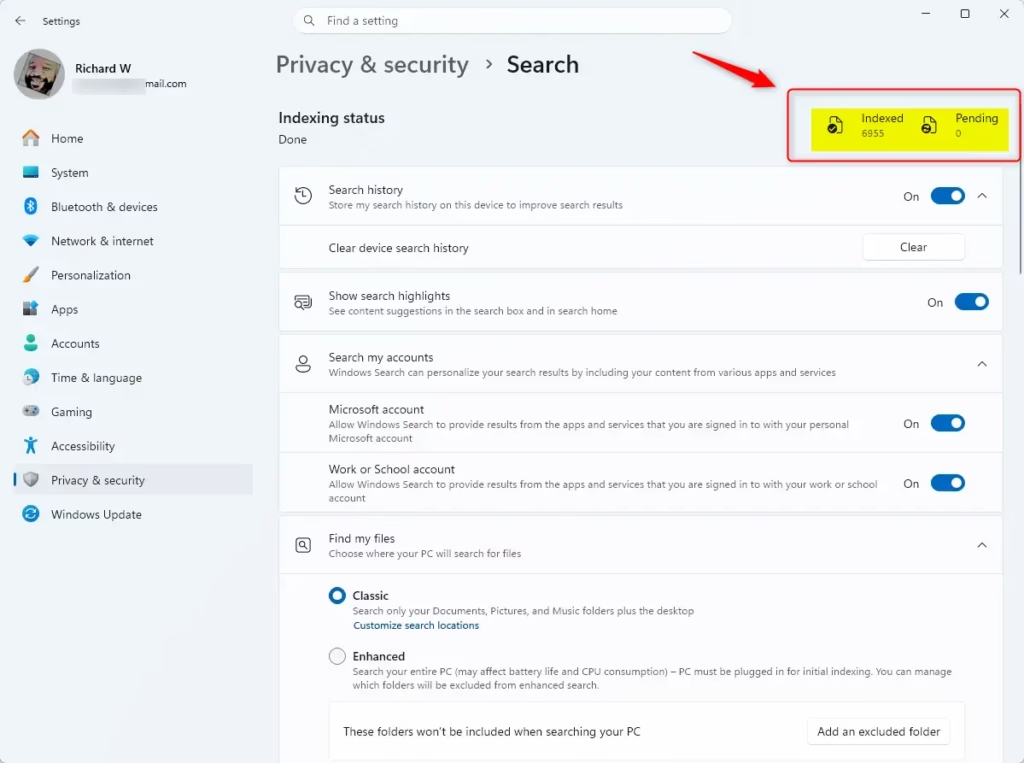
You will see the Indexing status at the top. It tells you how many items are indexed.
Option 2Using Indexing Options
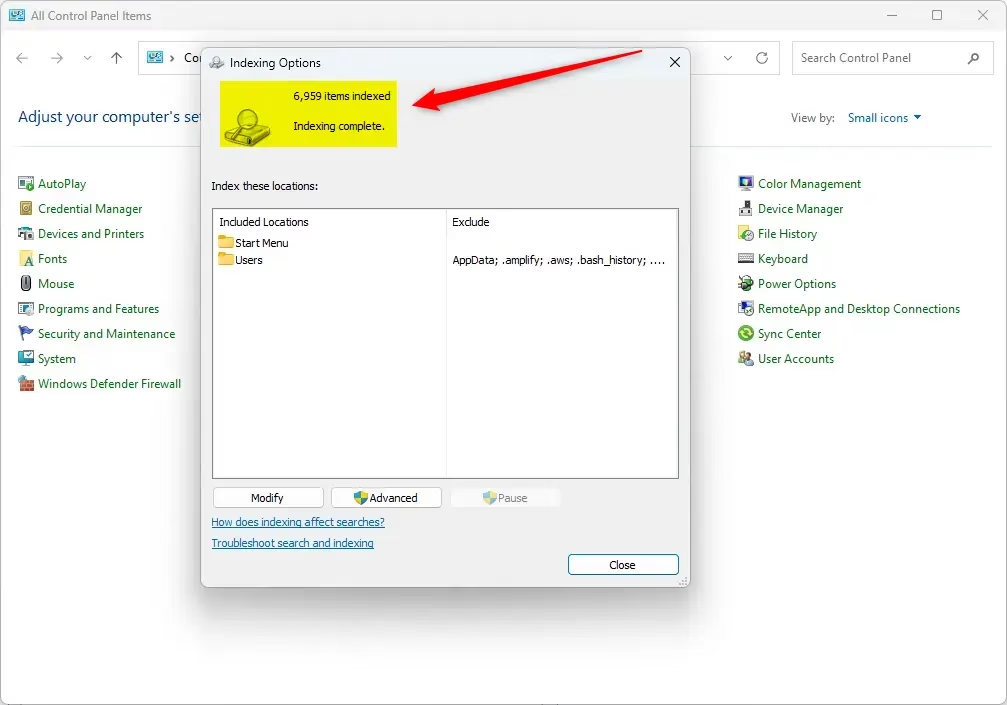
For more control, use the classic tool. You can open it by running: rundll32.exe shell32.dll,Control_RunDLL srchadmin.dll
- Open the Control Panel.
- Click Indexing Options.
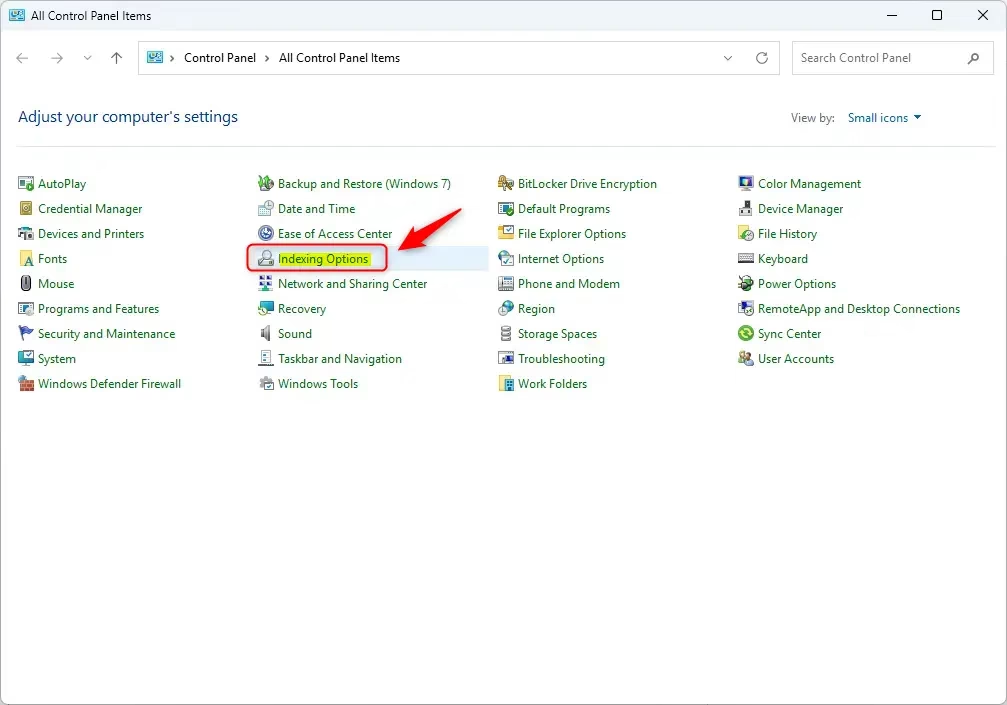
This window shows you exactly which folders are being watched and how many files are in your index database.
Advanced Troubleshooting
If your search is broken, you may need to rebuild the index. This deletes the old database and starts fresh. Note: This requires admin privileges.
- Open Indexing Options.
- Click the Advanced button.
- Click Rebuild under the Troubleshooting section.
How much disk space does the search index use?
The index database size depends on how many files you have. For most users, it takes up between 500MB and 2GB of disk space. If you have millions of files, the database can grow larger. You can check the location of this database in the Advanced Indexing Options menu.
Why does indexing consume high CPU usage?
SearchIndexer.exe uses CPU power to read and catalog your files. If you recently added a large number of files, the system works hard to update the index. This is normal behavior. If it stays high for days, it may indicate a corrupted index that needs to be rebuilt.
Summary
Windows Search Indexing is vital for fast file discovery. By monitoring the SearchIndexer.exe process and ensuring the Windows Search service is running, you keep your computer efficient. If you face issues, rebuilding the index via the Indexing Options menu is the best way to restore performance.
Note: Administrative privileges are required for changing index locations or rebuilding the database.
Was this guide helpful?

About the Author
Richard
Tech Writer, IT Professional
Richard, a writer for Geek Rewind, is a tech enthusiast who loves breaking down complex IT topics into simple, easy-to-understand ideas. With years of hands-on experience in system administration and enterprise IT operations, he’s developed a knack for offering practical tips and solutions. Richard aims to make technology more accessible and actionable. He's deeply committed to the Geek Rewind community, always ready to answer questions and engage in discussions.



No comments yet — be the first to share your thoughts!