How to Buy Windows 11 Product Key from Microsoft

You buy a Windows 11 product key directly from Microsoft to activate a genuine copy of the operating system.
A Windows 11 product key is a 25-character alphanumeric code that confirms your license is legitimate. This unlocks all of Windows 11’s features and personalization options.
Purchasing directly from Microsoft guarantees you receive an authentic key, avoiding potential activation failures or feature limitations. This is crucial when you install Windows 11 for the first time or reactivate after hardware changes.
Buy a Windows 11 product key directly from the Microsoft Store website. Select either Windows 11 Home or Pro, complete the purchase, and Microsoft will provide you with a 25-character alphanumeric code to activate your operating system. This ensures you receive an authentic and legitimate license.
What happens when you are done?
After you buy and enter your Windows 11 product key, your PC will be fully activated, giving you access to all features and updates.
Retail vs. OEM: What is the difference?
When you buy a Windows 11 product key, you’ll see two main types: Retail and OEM.
Are cheap keys from third-party sites safe?
Cheap Windows 11 product keys from other websites are often not safe because they might be unauthorized or stop working.
How to check if your Windows is already activated
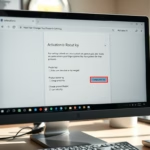
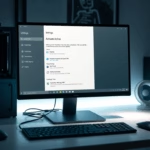
Before you buy a Windows 11 product key, check if your PC is already activated by looking in Settings or using Command Prompt.
1Buying 🪟 Windows 11 Home
Next, let’s look at buying Windows 11 Home. This is the standard version most people use, perfect for everyday tasks and entertainment. Before you buy, double-check that your computer meets the minimum system requirements.
Buy Windows 11 Home from Microsoft
2Buying 🪟 Windows 11 Pro
Windows 11 Pro is built for professional use. It includes extra security features like BitLocker encryption and better management tools. Ensure your computer meets the minimum system requirements before purchasing.
Summary
Buying a genuine Windows 11 product key directly from Microsoft is the safest way to activate your PC, avoiding issues with cheap keys from other sellers.
Can I transfer a 🪟 Windows 11 product key to a new PC?
Yes, if you purchased a Retail license, you can transfer it to a new computer by deactivating it on the old one. However, OEM licenses are permanently tied to the original hardware and cannot be transferred to a different device. Always check your license type before attempting a transfer.
Do I need a product key if I am upgrading from 🪟 Windows 10?
If you are upgrading a genuine, activated copy of Windows 10 to Windows 11, you generally do not need to buy a new product key. The system will automatically use your existing digital license to activate Windows 11 during the upgrade process via the Windows 11 Setup Assistant.
What is the difference between a product key and a digital license?
A product key is a 25-character code used to activate Windows. A digital license is a method of activation in Windows 11 that does not require you to have a physical key. Instead, your activation status is linked to your Microsoft account and your hardware configuration on Microsoft servers.
Was this guide helpful?

About the Author
Richard
Tech Writer, IT Professional
Richard, a writer for Geek Rewind, is a tech enthusiast who loves breaking down complex IT topics into simple, easy-to-understand ideas. With years of hands-on experience in system administration and enterprise IT operations, he’s developed a knack for offering practical tips and solutions. Richard aims to make technology more accessible and actionable. He's deeply committed to the Geek Rewind community, always ready to answer questions and engage in discussions.

No comments yet — be the first to share your thoughts!