How to Edit Hosts File Easily with PowerToys on Windows 11

Want to quickly change your computer’s hosts file on Windows 11? Microsoft PowerToys makes it easy, even if you’re not a tech expert.
What is Microsoft PowerToys?
PowerToys is a free set of tools from Microsoft. It helps you customize and improve how you use Windows. It includes handy features like a color picker, keyboard shortcuts manager, and the Hosts File Editor that we’ll use here.
What is the Hosts File?
The hosts file is a small text file on your computer. It helps your PC know which website IP addresses to go to. Usually, your computer asks the internet to find websites. But the hosts file can tell it where to go first for certain websites. This can be useful for blocking sites or testing website addresses.
How to Edit Your Hosts File with PowerToys
Follow these simple steps to use PowerToys to edit your hosts file:
- Install PowerToys — Download and install PowerToys on your Windows 11 PC from this official link: Install PowerToys.
- Open PowerToys — After installing, open the PowerToys app from your Start menu.
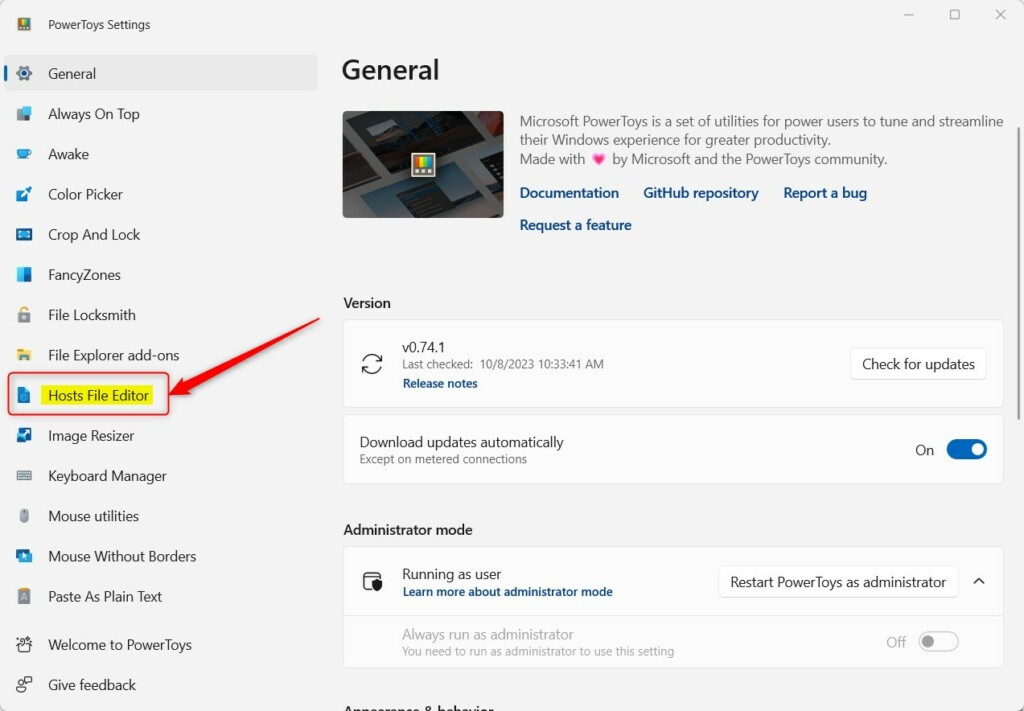
- Go to Hosts File Editor — In PowerToys, find and click Hosts File Editor on the left menu.
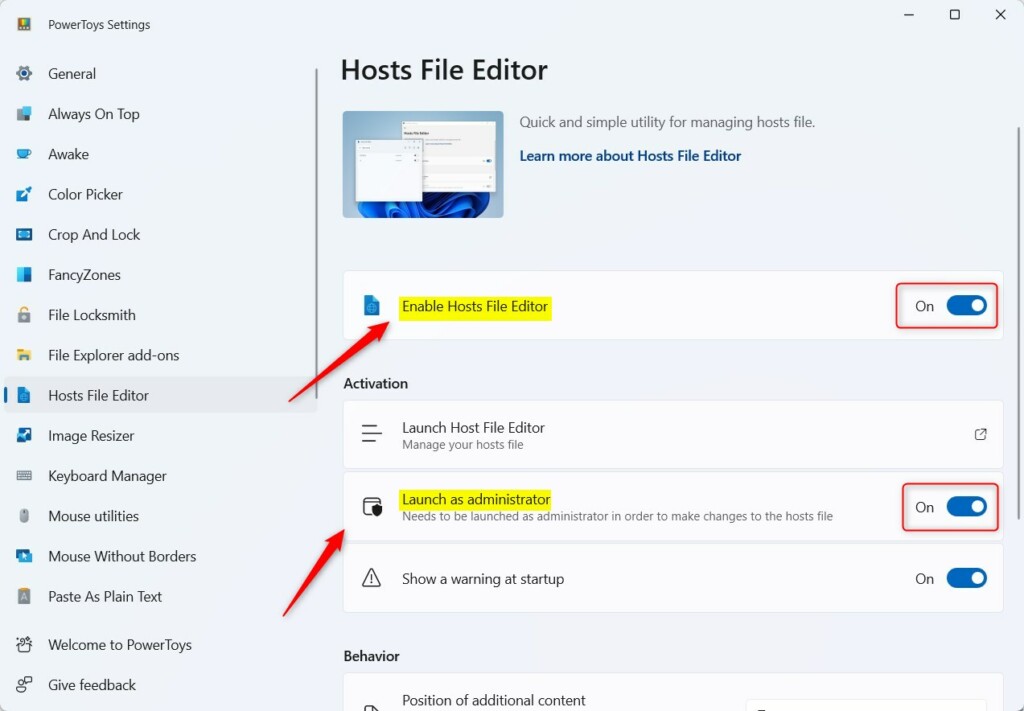
- Turn On Hosts File Editor — On the right side, find the Enable Hosts File Editor option and switch it to On.
- Enable Administrator Mode — Also switch Launch as administrator to On. This lets PowerToys save changes to your hosts file.
If needed, close and reopen PowerToys for the changes to take effect.
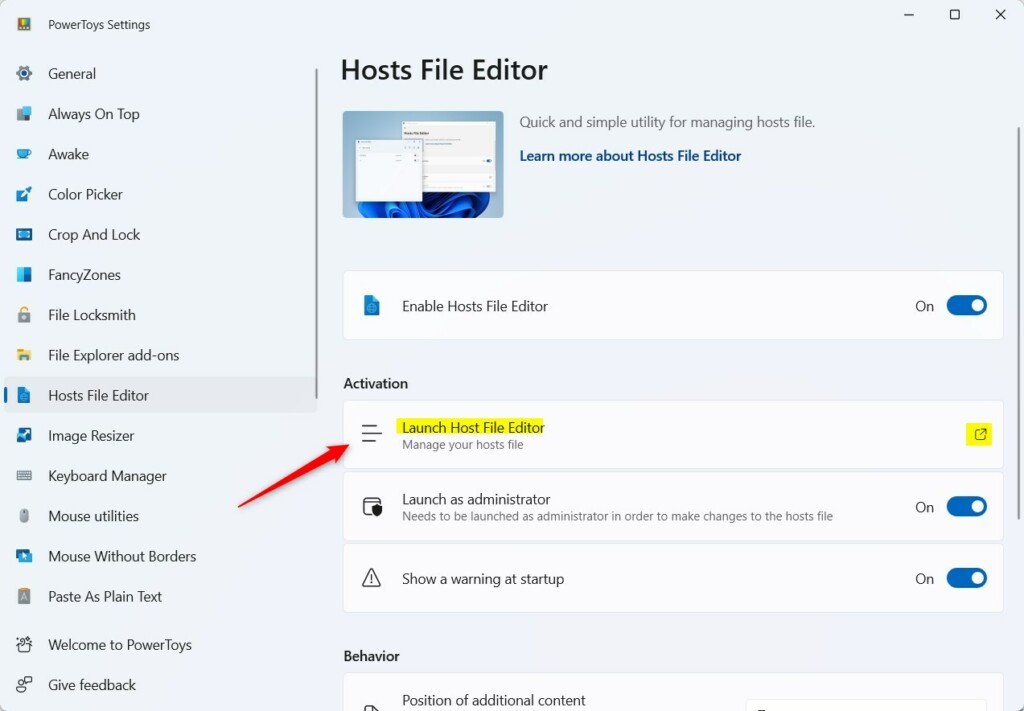
- Open the Hosts File Editor Tool — In PowerToys, click Launch Host File Editor to open the editor window.
- Add a New Entry — Click the New entry button to add a new website address and IP.
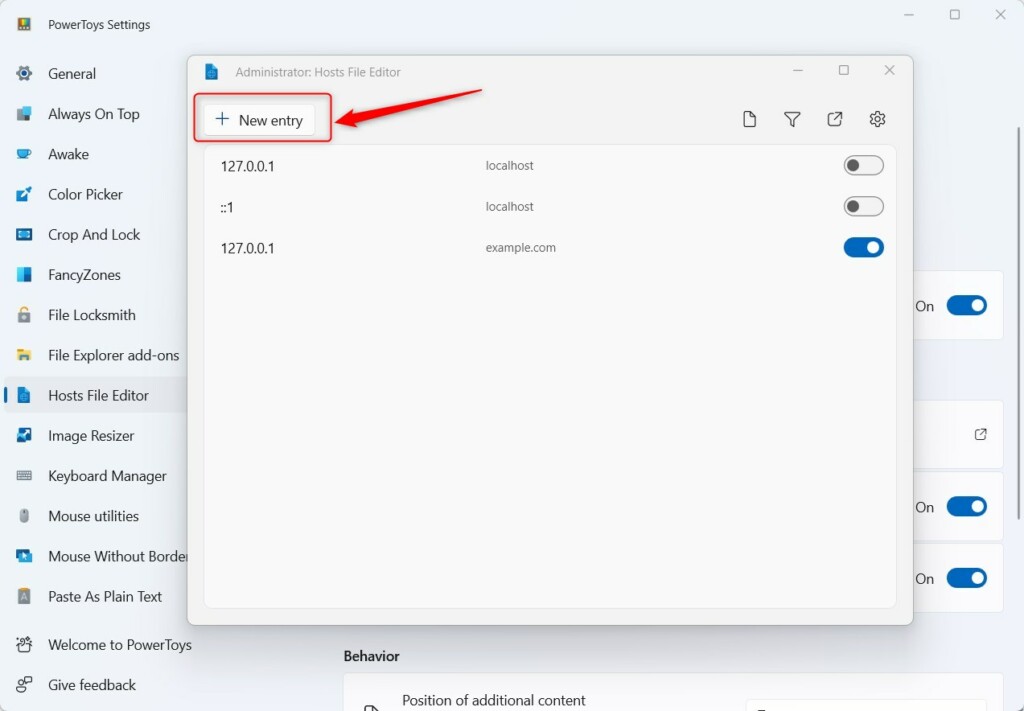
In the window that pops up, type the IP address and the website name you want to add, then click Add.
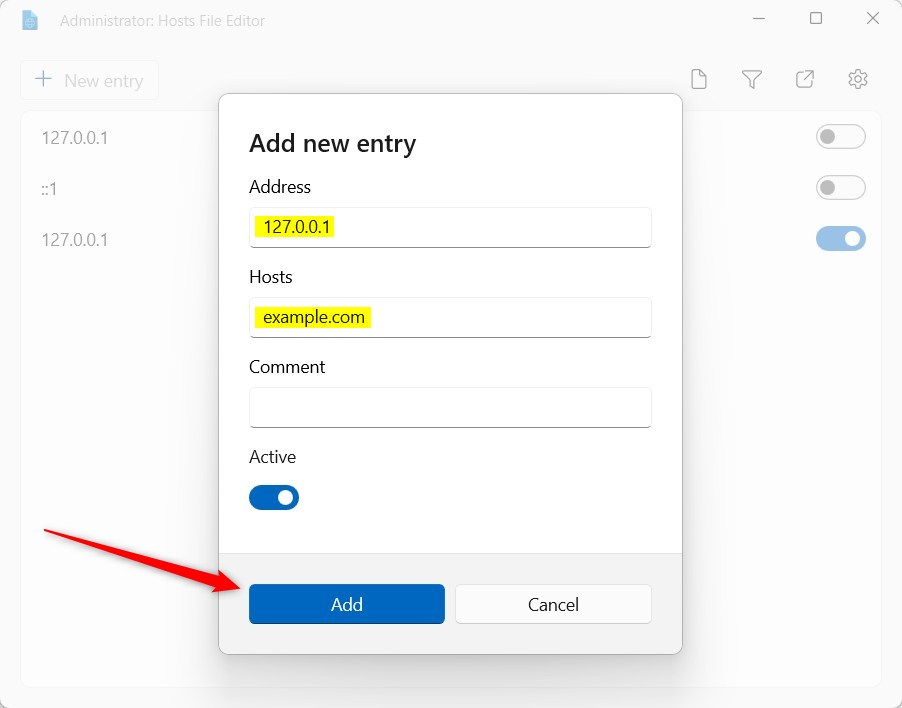
Once added, your computer will use this new information right away when accessing that website.
Summary
- PowerToys is a free and easy way to customize Windows 11.
- The Hosts File Editor inside PowerToys lets you quickly update your hosts file without searching for it manually.
- Follow the steps above to add or change website addresses on your computer safely.
- Now you can easily manage your hosts file with PowerToys.
Was this guide helpful?

About the Author
Richard
Tech Writer, IT Professional
Richard, a writer for Geek Rewind, is a tech enthusiast who loves breaking down complex IT topics into simple, easy-to-understand ideas. With years of hands-on experience in system administration and enterprise IT operations, he’s developed a knack for offering practical tips and solutions. Richard aims to make technology more accessible and actionable. He's deeply committed to the Geek Rewind community, always ready to answer questions and engage in discussions.

No comments yet — be the first to share your thoughts!