

This article explains how to turn “Get new photo notifications” from mobile devices on Windows 11.
Windows Mobile devices (or Phone Link) allow you to access your mobile devices from your PC instantly. New features are being added to the Mobile devices’ settings.
Starting with Windows 11 build 23619 (Dev), a new feature introduces the ability to effortlessly access and edit your most recent photos and screenshots from your Android mobile device in Snipping Tool on your PC.
With this feature, you’ll receive instant notifications on your PC whenever a new photo or screenshot is captured on your Android device.
To use this, you must first go to Settings > Bluetooth & devices > Mobile devices and turn on “Allow this PC to access your mobile devices.”
Turn on or off new photo notifications from mobile devices on Windows
As mentioned, a new feature currently being rolled out to Insider Preview users will allow them instant access to new photos from mobile devices on Windows 11.
Here’s how to do that.
First, open the Windows Settings app.
You can do that by clicking on the Start menu and selecting Settings. Or press the keyboard shortcut (Windows key + I) to launch the Settings app.
When the Setting app opens, click the Bluetooth & devices button on the left.

Select the Mobile devices tile under ‘Bluetooth & devices ‘on the right to expand it.
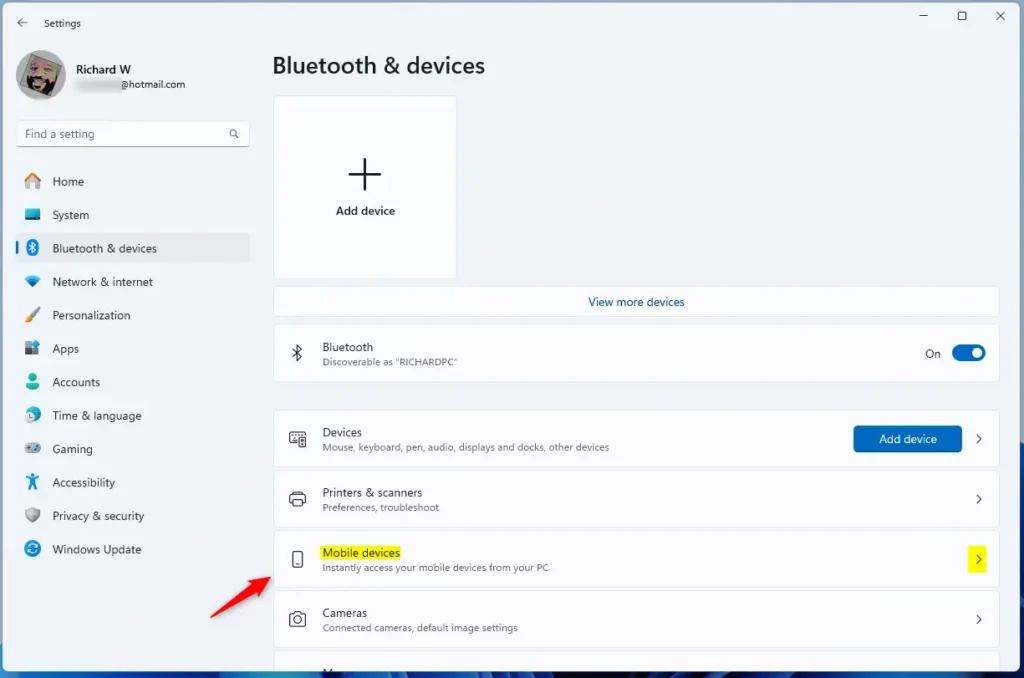
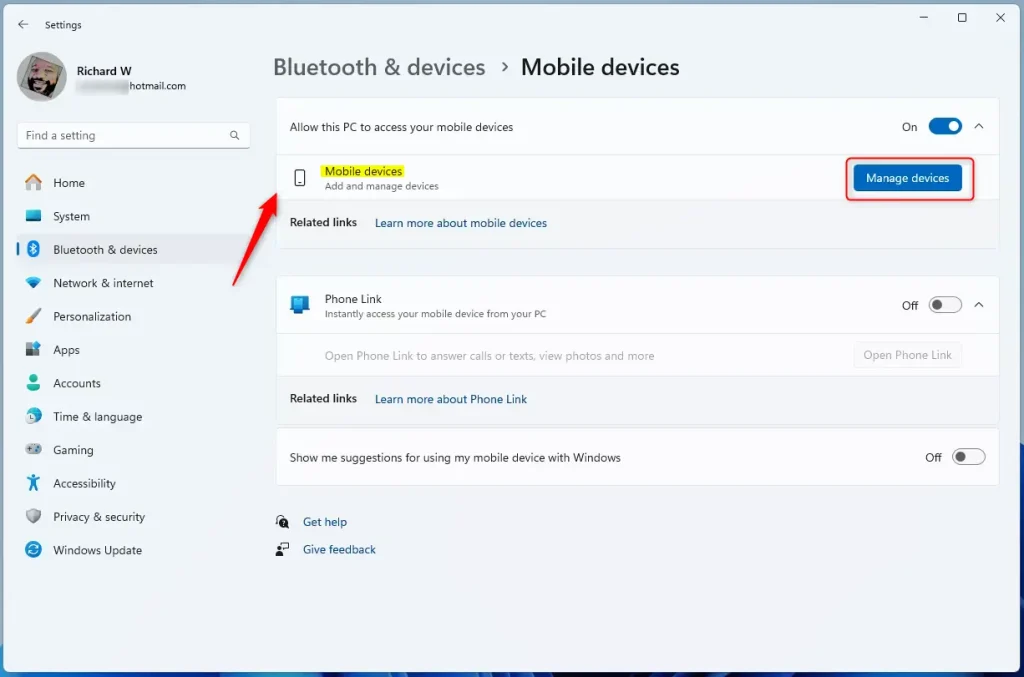
Next, select the “Manage devices” button under “Allow this PC to access your mobile device.”
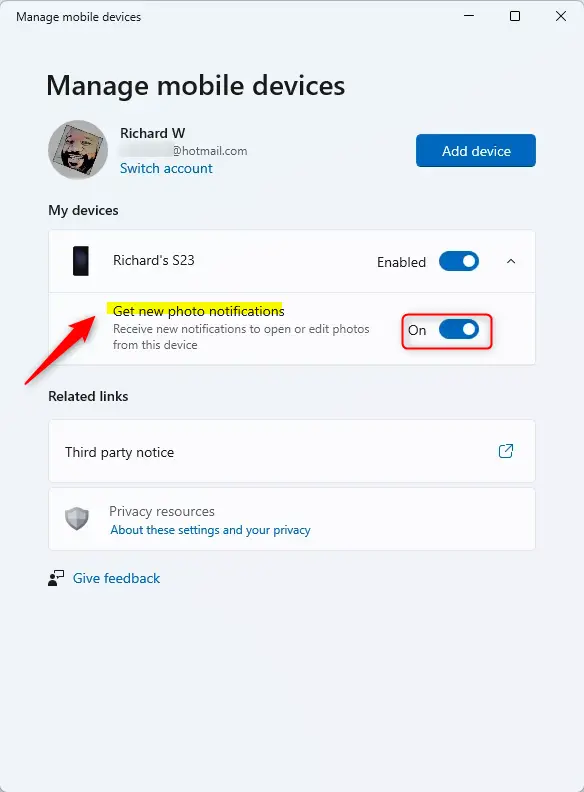
Next, select the “Get new photo notifications” tile. Then, toggle the switch button to the On position to enable it.
To disable it, toggle the switch button to the Off position.
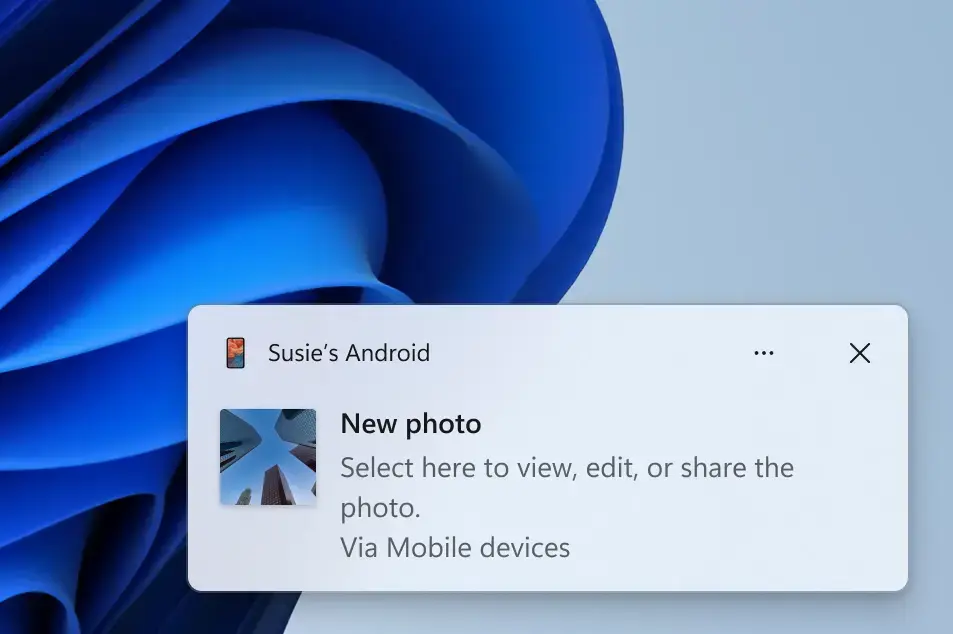
You’ll get notifications for new photos from your mobile devices when enabled.
That should do it!
Reference:
Conclusion:
- This article detailed how to turn “Get new photo notifications” on or off from mobile devices on Windows 11.
- The new feature enables users to effortlessly access and edit recent photos and screenshots from their Android mobile device in the Snipping Tool on their PC.
- Users can now receive instant notifications on their PC whenever a new photo or screenshot is captured on their Android device.
- To utilize this feature, users must navigate to Settings > Bluetooth & devices > Mobile devices and toggle the “Allow this PC to access your mobile devices” setting.
- Refer to the provided links for more information or to leave feedback and suggestions.
Leave a Reply Cancel reply