

This article explains how to install Perplexity AI app on Windows 11.
The Perplexity AI app is a search tool that enables users to find and retrieve information. Using AI, users can ask questions and receive comprehensive, context-aware answers that aggregate data from various sources.
Perplexity can gather data from various online resources in real-time, ensuring that the information you receive is current. This makes it an alternative to traditional search engines, facilitating quicker access to relevant information.
You can install the official Windows app on your machine. The following steps outline the installation process.
Install Perplexity app
To install the official Perplexity AI app on Windows, use the steps below.
First, visit the Download page and get the official app.
Select the Windows version and save it to your Downloads page.
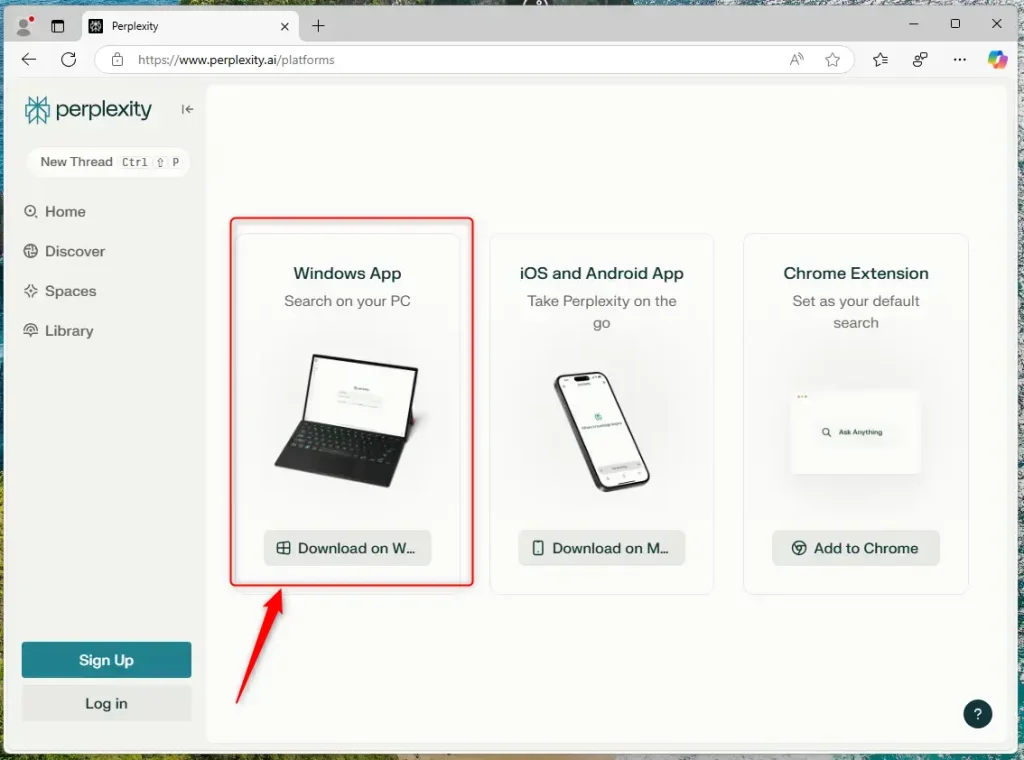
Double-click the “Perplexity Setup x.x.x-x64.exe” file from your Downloads folder to launch the installer.
If you download the file using Edge or Chrome, you might see a notification prompting you to open it directly. This allows you to run the installer without needing to go to your Downloads folder.
After the installation, the Perplexity AI app will automatically open.
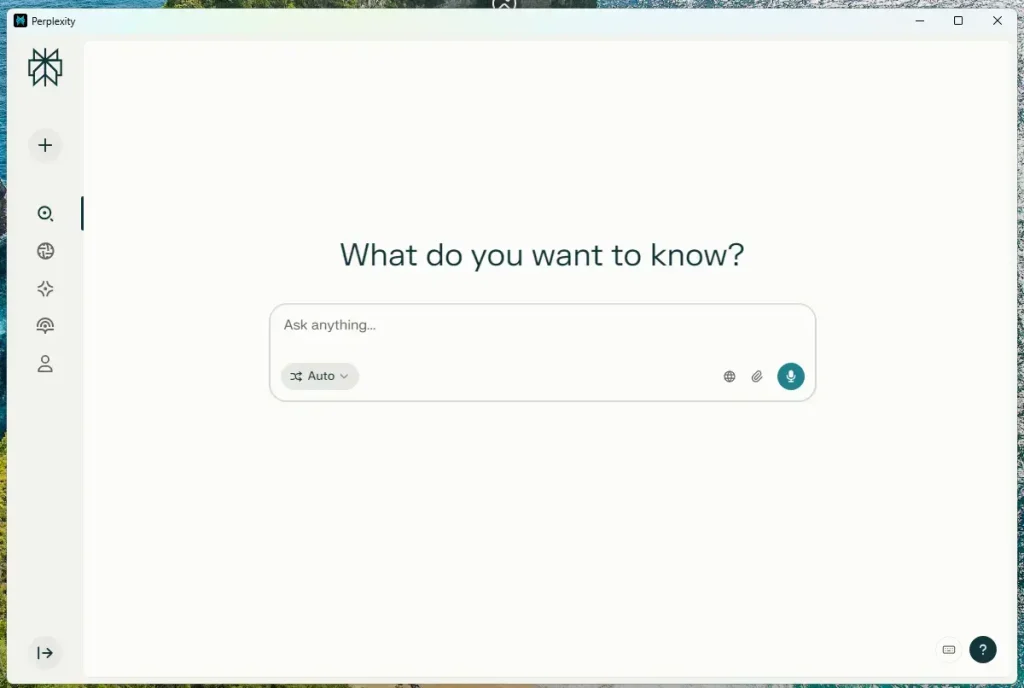
You can start using it.
If you want to uninstall the app, you can do so like any other app by going to Settings > Apps > Installed apps. Open the Perplexity app menu and select the “Uninstall” option.
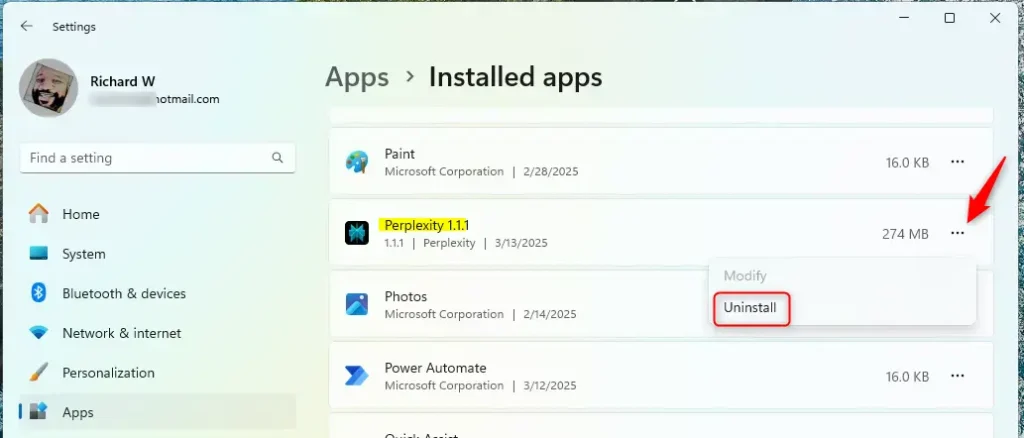
That should do it!
Conclusion:
In summary, the installation of the Perplexity AI app on Windows 11 is straightforward and offers numerous benefits:
- Real-time Information: The app aggregates data from multiple online sources, providing current and relevant answers.
- User-friendly Installation: The steps to install the app are simple and quick, making it accessible for everyone.
- Alternative to Traditional Search: Using AI technology, Perplexity is an efficient complement to conventional search engines.
- Easy Uninstallation: The app can be removed easily via the Windows settings.
With these features, the Perplexity AI app enhances how you search for and retrieve information on your Windows 11 device. Enjoy exploring its capabilities!

Leave a Reply