How to Enable or Disable Microsoft Vulnerable Driver Blocklist in Windows 11

This guide explains how to manage the Microsoft Vulnerable Driver Blocklist in Windows 11. This feature keeps your computer safe by stopping known bad drivers from running.
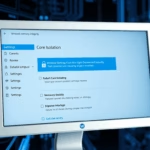
To enable or disable the Microsoft Vulnerable Driver Blocklist, open Windows Security, navigate to Device security, select Core isolation details, and toggle the Microsoft Vulnerable Driver Blocklist switch. This setting requires administrator privileges.
What is the Microsoft Vulnerable Driver Blocklist?
The Microsoft Vulnerable Driver Blocklist is a security feature that prevents known insecure drivers from loading in the Windows kernel. Attackers often use a technique called BYOVD (Bring Your Own Vulnerable Driver) to bypass security protections. By loading a driver with known security flaws, they can gain high-level access to your system. This blocklist acts as an attack surface reduction tool to stop these threats before they start.
Why use this feature?
Using this list helps maintain your system’s security baseline. It prevents drivers that have been flagged for kernel-mode code signing issues or known exploits from running. This ensures your computer remains stable and protected against unauthorized access.
What happens when you change it?
When enabled, Windows actively checks drivers against a database of known vulnerabilities. If you disable it, you might resolve compatibility issues with older hardware, but you significantly increase your risk of exploitation. Disabling this feature is generally not recommended unless you are troubleshooting specific hardware failures.
How to Enable or Disable the Blocklist
You can manage this setting through the Windows Security app. Note: This process requires admin privileges.
- Open the Start menu.
- Type Windows Security and click the app.
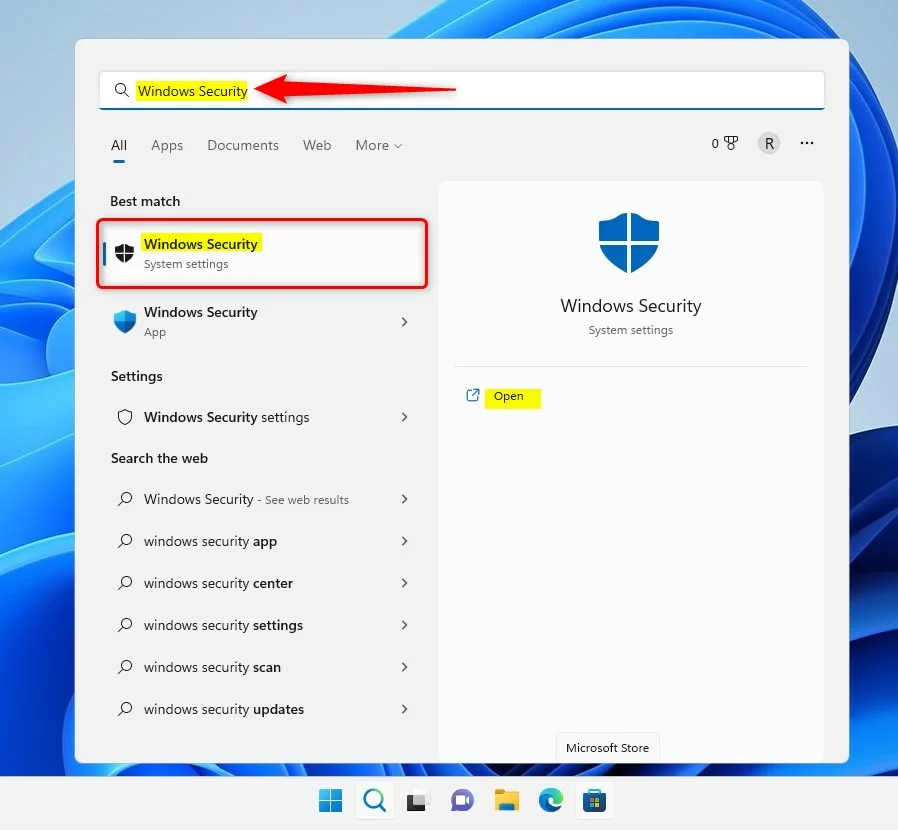
windows 11 search windows security app on start menu - Click Device security on the left sidebar.
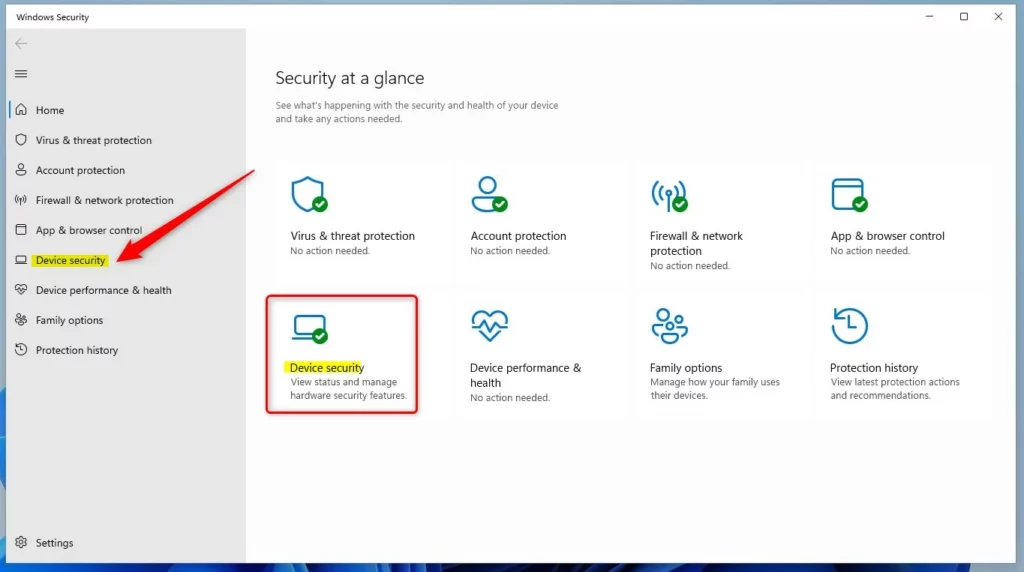
windows 11 security app device security option - Select Core isolation details.
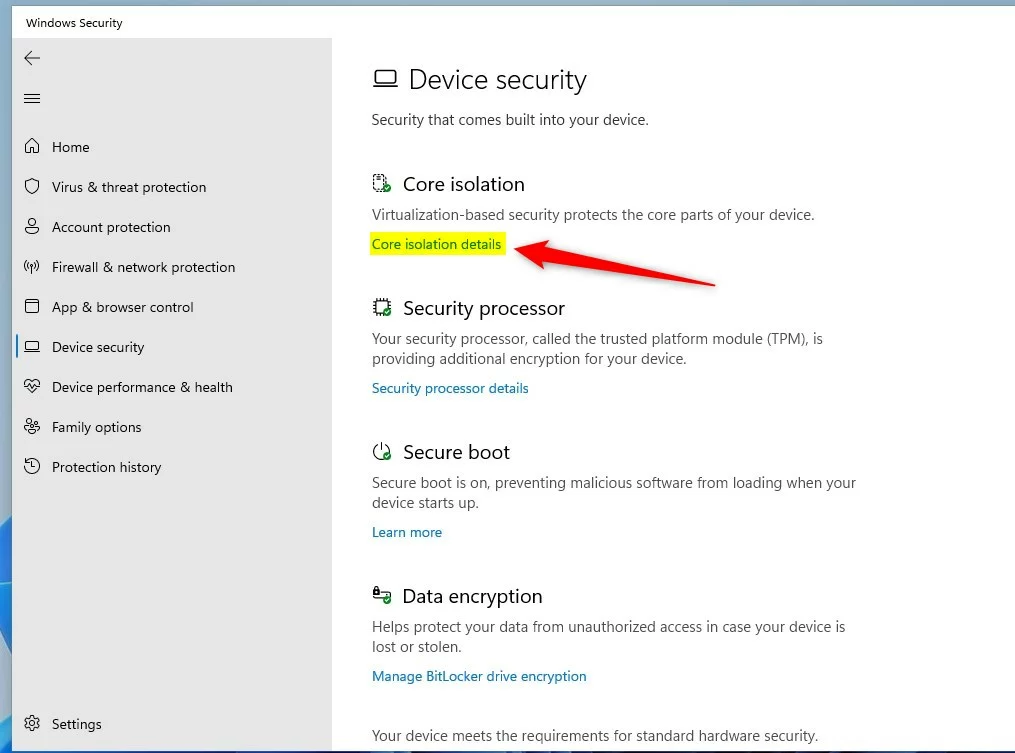
windows 11 core isolation details link - Toggle the Microsoft Vulnerable Driver Blocklist switch to your preferred setting.
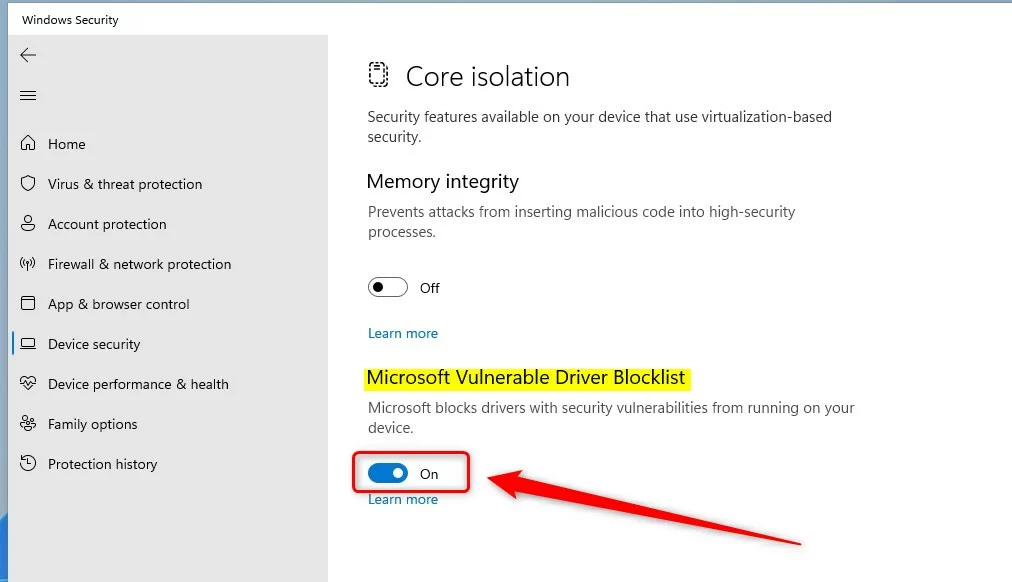
windows 11 microsoft vulnerable driver blocklist button
Technical Implementation and Troubleshooting
For enterprise environments, administrators can manage the blocklist using Microsoft’s official Binary XML policies. If you encounter hardware issues, you can check if a driver is blocked by using PowerShell.
Get-WdacPolicy -Type DriverBlocklist
If a device stops working after enabling this, check the Event Viewer under Applications and Services Logs > Microsoft > Windows > CodeIntegrity for specific error codes related to KB5020779.
Summary
The Microsoft Vulnerable Driver Blocklist is a critical security layer that protects your PC from malicious drivers. While it can be disabled for legacy hardware compatibility, doing so lowers your system’s defense against kernel-level attacks. Always ensure your drivers are updated to the latest versions to avoid conflicts with this security feature. For advanced management, refer to the official Microsoft documentation regarding WDAC and HVCI policies.
Does the blocklist affect third-party antivirus software?
Generally, no. The blocklist focuses on kernel-mode drivers that have known security vulnerabilities. Most reputable third-party antivirus software is designed to work alongside these Windows security features. However, if your security software uses an outdated driver, it might be blocked, requiring you to update the software to the latest version.
Can I manually add drivers to the blocklist?
Individual users cannot manually add drivers to the built-in Microsoft list. However, IT administrators can use Windows Defender Application Control (WDAC) to create custom policies that block specific drivers in their environment. This allows organizations to enforce their own security standards beyond the default Microsoft-provided blocklist.
Was this guide helpful?

About the Author
Richard
Tech Writer, IT Professional
Richard, a writer for Geek Rewind, is a tech enthusiast who loves breaking down complex IT topics into simple, easy-to-understand ideas. With years of hands-on experience in system administration and enterprise IT operations, he’s developed a knack for offering practical tips and solutions. Richard aims to make technology more accessible and actionable. He's deeply committed to the Geek Rewind community, always ready to answer questions and engage in discussions.


No comments yet — be the first to share your thoughts!