How to Turn On or Off HDR Video Streaming in Windows 11

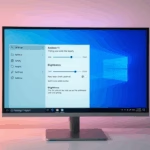
You can turn on or off HDR video streaming in Windows 11 directly from your Display settings.
HDR (High Dynamic Range) video offers much better brightness and color than Standard Dynamic Range (SDR). HDR content displays a wider spectrum of light and color, letting you see more detail in both the brightest highlights and the darkest shadows at the same time.
This makes colors look more vibrant and lifelike, with improved contrast for more realistic scenes. Enabling HDR can transform your viewing experience for compatible content on your Windows 11 PC.
You need a display that is HDR-optimized to take advantage of this feature. You’ll find managing this setting quite simple in Windows 11.
Was this guide helpful?

About the Author
Richard
Tech Writer, IT Professional
Richard, a writer for Geek Rewind, is a tech enthusiast who loves breaking down complex IT topics into simple, easy-to-understand ideas. With years of hands-on experience in system administration and enterprise IT operations, he’s developed a knack for offering practical tips and solutions. Richard aims to make technology more accessible and actionable. He's deeply committed to the Geek Rewind community, always ready to answer questions and engage in discussions.


No comments yet — be the first to share your thoughts!