How to Enable or Disable Always Show Scrollbars in Microsoft Edge

You enable or disable always-on scrollbars in Microsoft Edge by adjusting a specific setting within the browser’s appearance options.
Microsoft Edge, built on the Chromium engine and the default browser for Windows 11, allows you to control whether scrollbars permanently appear or auto-hide.
By default, Edge uses auto-hiding scrollbars, which only become visible when you move your mouse over them. This setting is typically enabled for a cleaner look.
You can choose to keep scrollbars always visible if you prefer direct visual cues for page navigation.
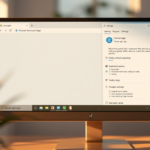
Go to Edge Settings, then Appearance. Toggle the “Always show scrollbars” option to enable or disable them.
Can you customize the scroll bar?
You can customize the width of the scrollbar as required. You can also customize the color of the scrollbar track, which is the background of the scrollbar, and the color of the scrollbar thumb, which is the draggable handle of the scrollbar.
How do I turn off custom scrollbars in edge?
Go to Edge Settings > Appearance > Browser behavior and features, then turn on “Turn off custom scrollbars.”
How to make a custom scrollbar show in all browsers?
Making a custom scrollbar work across all browsers needs a bit of extra work, since not all browsers support them directly.
How do I customize the toolbar in Microsoft Edge?
Open the Settings and more menu by selecting … in the upper-right corner of your Microsoft Edge browser or Alt+F. From the dropdown menu, select Settings. In the Settings window, navigate to Appearance from the sidebar on the left. Navigate to Customize toolbar.
Was this guide helpful?

About the Author
Richard
Tech Writer, IT Professional
Richard, a writer for Geek Rewind, is a tech enthusiast who loves breaking down complex IT topics into simple, easy-to-understand ideas. With years of hands-on experience in system administration and enterprise IT operations, he’s developed a knack for offering practical tips and solutions. Richard aims to make technology more accessible and actionable. He's deeply committed to the Geek Rewind community, always ready to answer questions and engage in discussions.


No comments yet — be the first to share your thoughts!