How to Sign In and Out of Phone Link on Windows 11

You sign in and out of the Phone Link app on Windows 11 to manage your phone’s connection to your PC.
Phone Link, formerly known as Your Phone, lets you use your Android or iPhone’s calls, texts, notifications, and apps directly from your Windows 11 desktop. This integration is powered by your Microsoft account, ensuring a secure link between devices.
To successfully sign in and out, you need Windows 11 and the Phone Link app installed on your PC. Ensure you have access to the same Microsoft account for both your computer and the companion app on your phone, like the “Link to Windows” application.
Sign in to Phone Link by opening the app, clicking Continue, and authenticating with your Microsoft account. To sign out, open Settings, select Devices, and click the Sign out link. This manages your phone-to-PC connection.
Sign in to the Phone Link app
Signing in to the Phone Link app on Windows 11 lets you easily connect your phone to your PC, allowing you to access its features right from your computer.
- Open the Phone Link app on your Windows 11 PC.
- Click the “Continue” button. This assumes you are logged in to your Windows PC with your Microsoft account.
- Choose your mobile device (Android or iPhone) and log on to your Microsoft account to authenticate.
Next, select your mobile device, whether it’s an Android or iPhone. Then, log into your Microsoft account to verify it’s you.
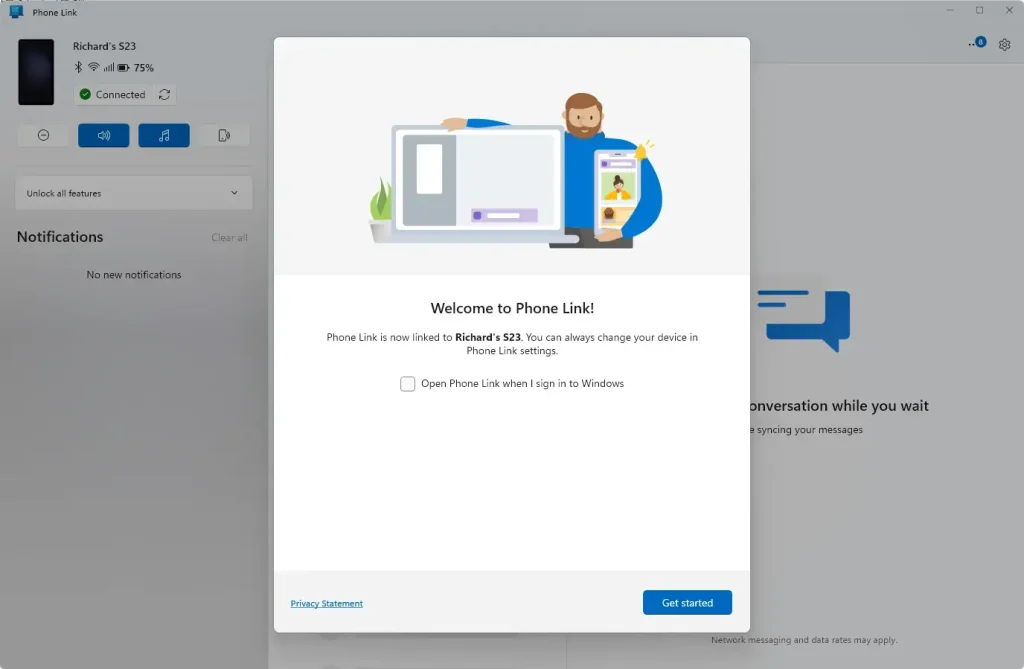
What happens next? Once you authenticate, you will be signed into the Phone Link app on Windows.
Sign out of the Phone Link app
Signing out of the Phone Link app on your Windows 11 computer is straightforward and disconnects your phone from your PC when you no longer need the connection.
- Click the Settings (gear) icon at the top right corner.
- Select Devices.
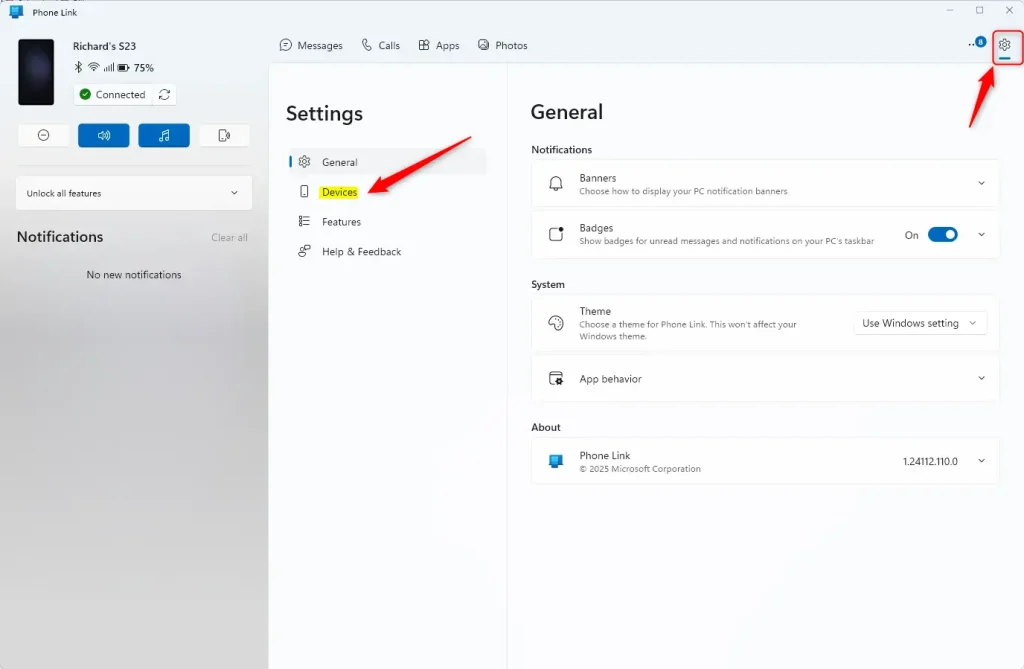
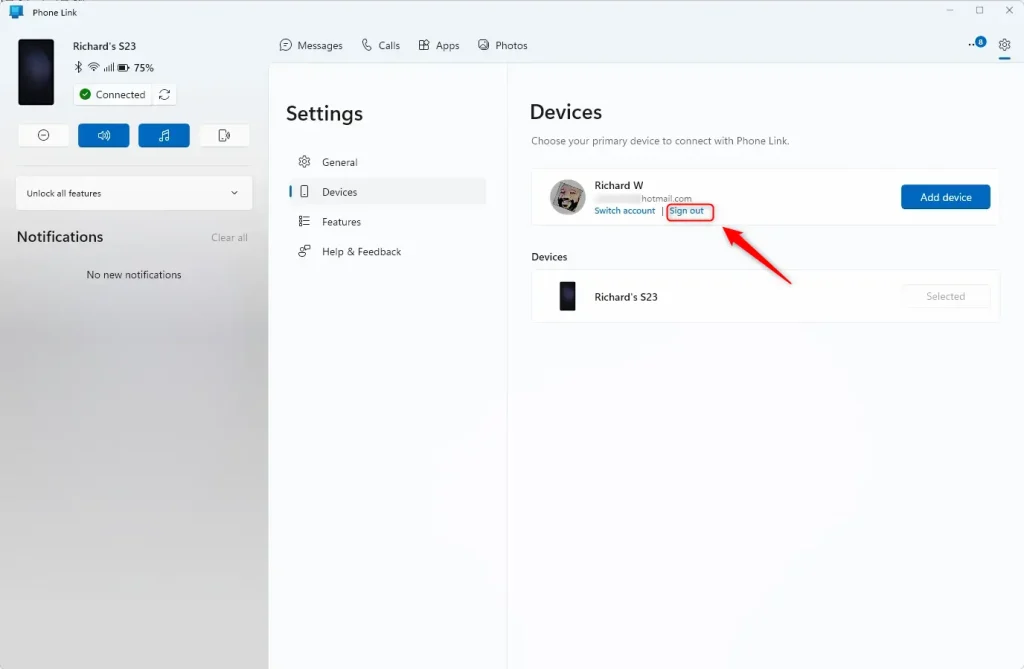
- Click on the “Sign out” link under your name to sign out of the app.
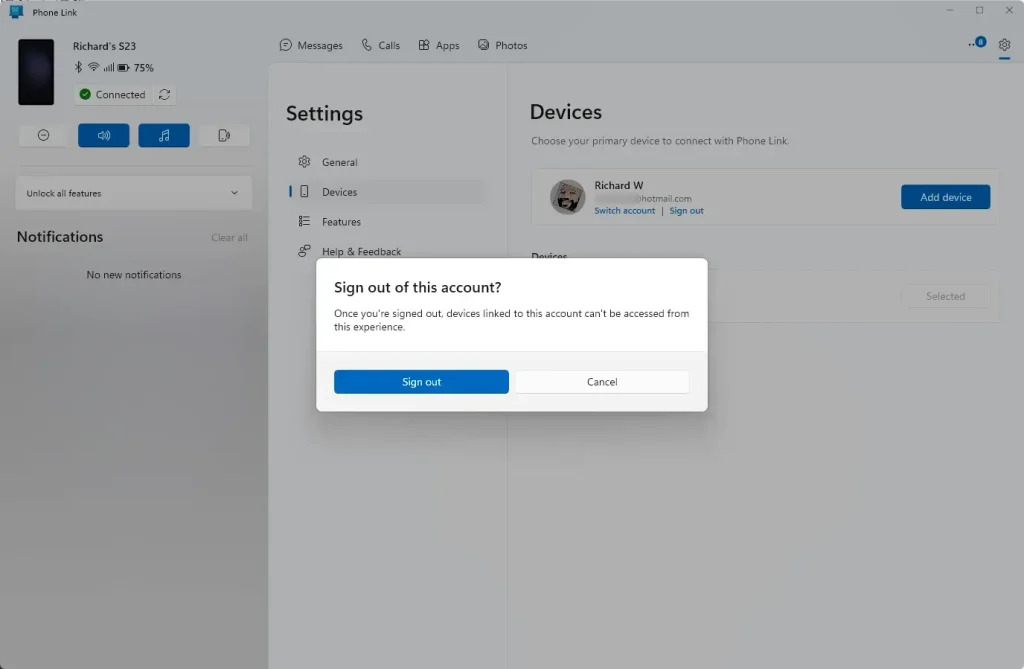
What happens next? You will be signed out and disconnected from the Phone Link app.
Summary
You’ve learned how to sign in and out of the Phone Link app on Windows 11, which connects your phone to your PC so you can use its apps and data from your computer.
- The Phone Link app lets you access your phone’s apps and data from your Windows PC.
- You need a Microsoft account and the Link to Windows app on your phone to connect.
- To sign in, open Phone Link, click Continue, and authenticate with your Microsoft account.
- To sign out, go to Settings, select Devices, and click the Sign out link.
- Signing in and out helps you stay secure and manage your device connection.
Does Phone Link come with 🪟 Windows 11?
Yes, the Phone Link app is preinstalled on most Windows 11 and Windows 10 computers, so you can usually find it right away.
Was this guide helpful?

About the Author
Richard
Tech Writer, IT Professional
Richard, a writer for Geek Rewind, is a tech enthusiast who loves breaking down complex IT topics into simple, easy-to-understand ideas. With years of hands-on experience in system administration and enterprise IT operations, he’s developed a knack for offering practical tips and solutions. Richard aims to make technology more accessible and actionable. He's deeply committed to the Geek Rewind community, always ready to answer questions and engage in discussions.



No comments yet — be the first to share your thoughts!