How to Install Matrix Synapse on Ubuntu

This guide explains how to install the Matrix Synapse chat server on Ubuntu Linux in 2026.
Why: Matrix is an open-source, real-time platform for internet communication. It supports encryption, voice calls, and connecting different chat networks. Synapse is the main Matrix home server used to run your own private Matrix space.
What happens when done: You will have a private, secure chat server that you control, allowing you to message others without relying on big tech companies.
General
You can install Synapse directly on your Ubuntu system using the steps below. Alternatively, if you prefer a containerized approach, you can install Synapse using Docker Compose. Docker Compose is often easier for managing updates and keeping your system clean.
Install prerequisite packages
First, update your system and install the necessary tools to download the software.
sudo apt update
sudo apt install curl wget gnupg2 apt-transport-https
Add Matrix package repository
Synapse is not in the default Ubuntu list. You must add the official repository first.
Run these commands to add the security key:
sudo wget -qO /usr/share/keyrings/matrix-org-archive-keyring.gpg https://packages.matrix.org/debian/matrix-org-archive-keyring.gpg
Add the repository file:
echo "deb [signed-by=/usr/share/keyrings/matrix-org-archive-keyring.gpg] https://packages.matrix.org/debian/ $(lsb_release -cs) main" | sudo tee /etc/apt/sources.list.d/matrix-org.list
Now, install the server:
sudo apt update
sudo apt install matrix-synapse
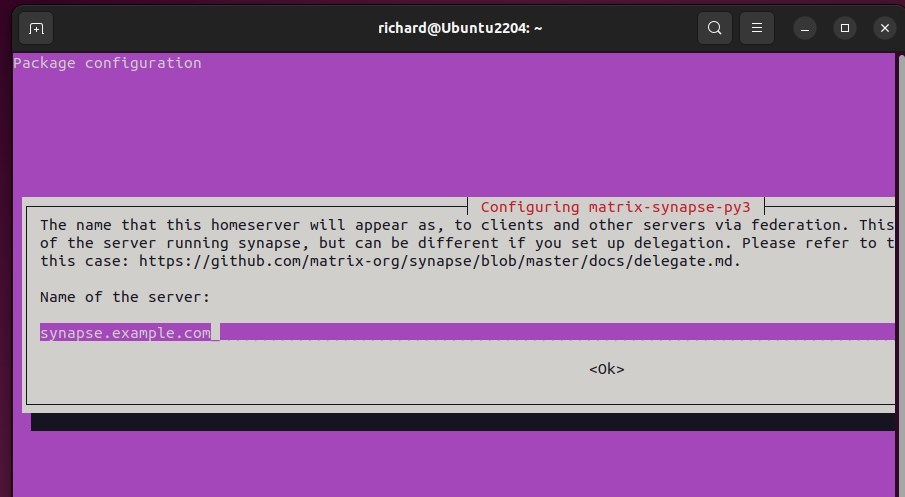
Configure Matrix Synapse
To keep your data safe, we will use a PostgreSQL database instead of the default file-based storage.
Install PostgreSQL:
sudo apt install postgresql postgresql-contrib
Log in to the database and create a user and database for Synapse:
sudo -u postgres psql
CREATE DATABASE synapse;
CREATE USER synapse WITH PASSWORD 'your_secure_password';
GRANT ALL PRIVILEGES ON DATABASE synapse TO synapse;
\q
Next, configure Nginx as a reverse proxy. This allows your server to use standard web ports (80/443) and manage SSL certificates.
sudo apt install nginx certbot python3-certbot-nginx
Create an Nginx configuration file for your domain and use Certbot to enable HTTPS:
sudo certbot --nginx -d yourdomain.com
Edit the Synapse configuration file to point to your new database:
sudo nano /etc/matrix-synapse/homeserver.yaml
Update the database section to use your PostgreSQL credentials and ensure enable_registration is set to false to prevent strangers from joining your server.
Create Matrix Synapse super user
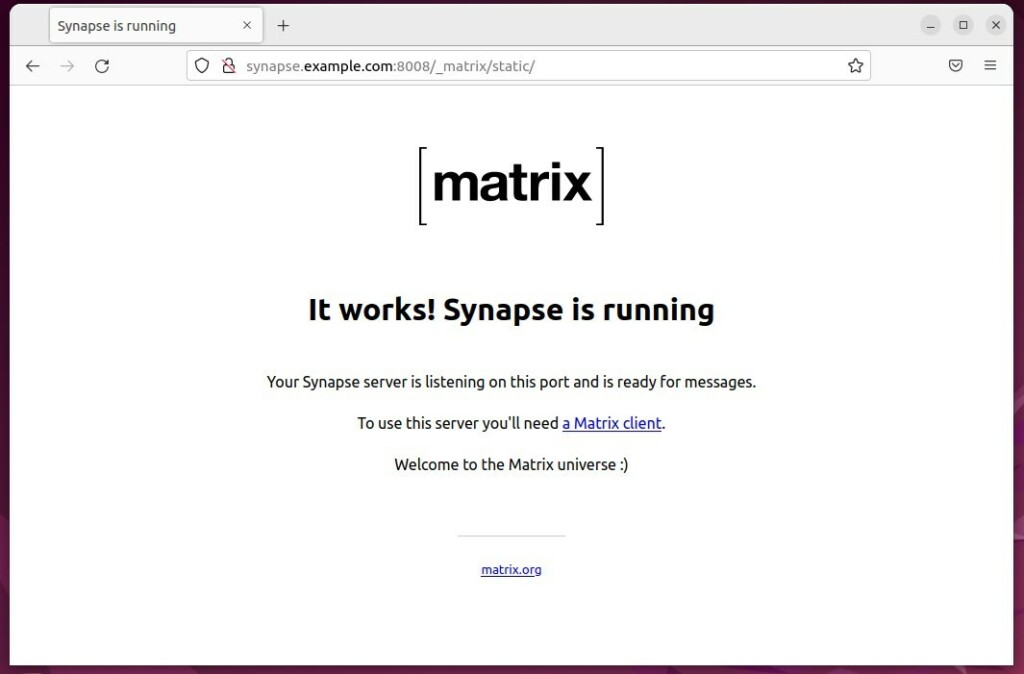
Once the server is running, create an admin account to manage your settings.
Run this command:
sudo register_new_matrix_user -c /etc/matrix-synapse/homeserver.yaml http://localhost:8008 --admin
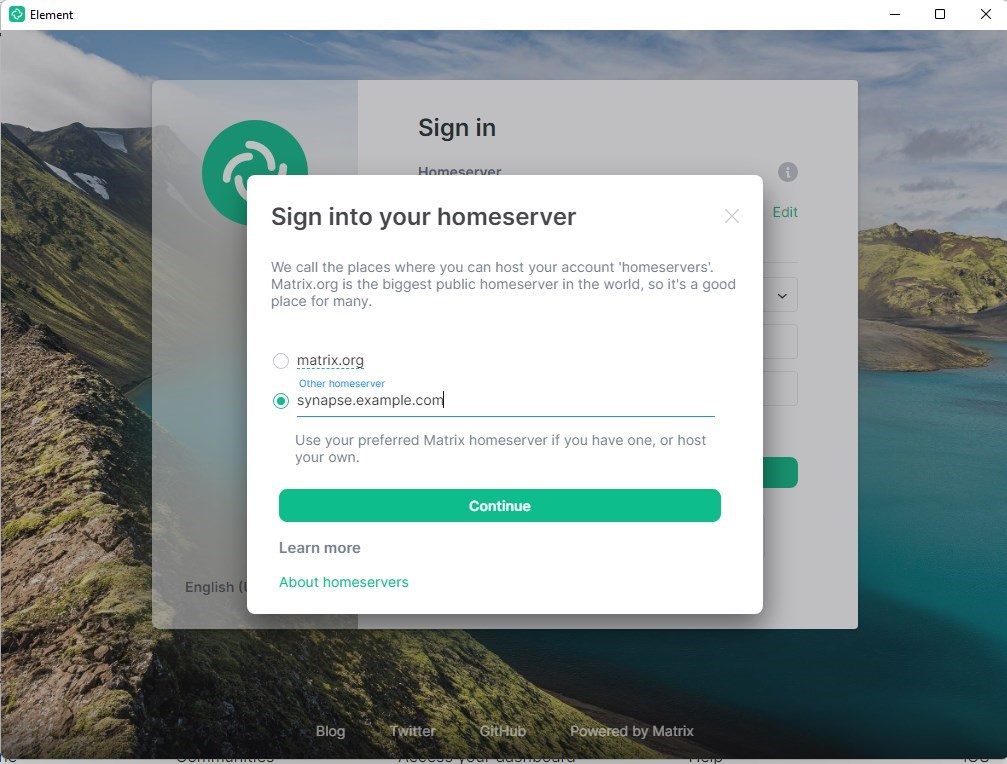
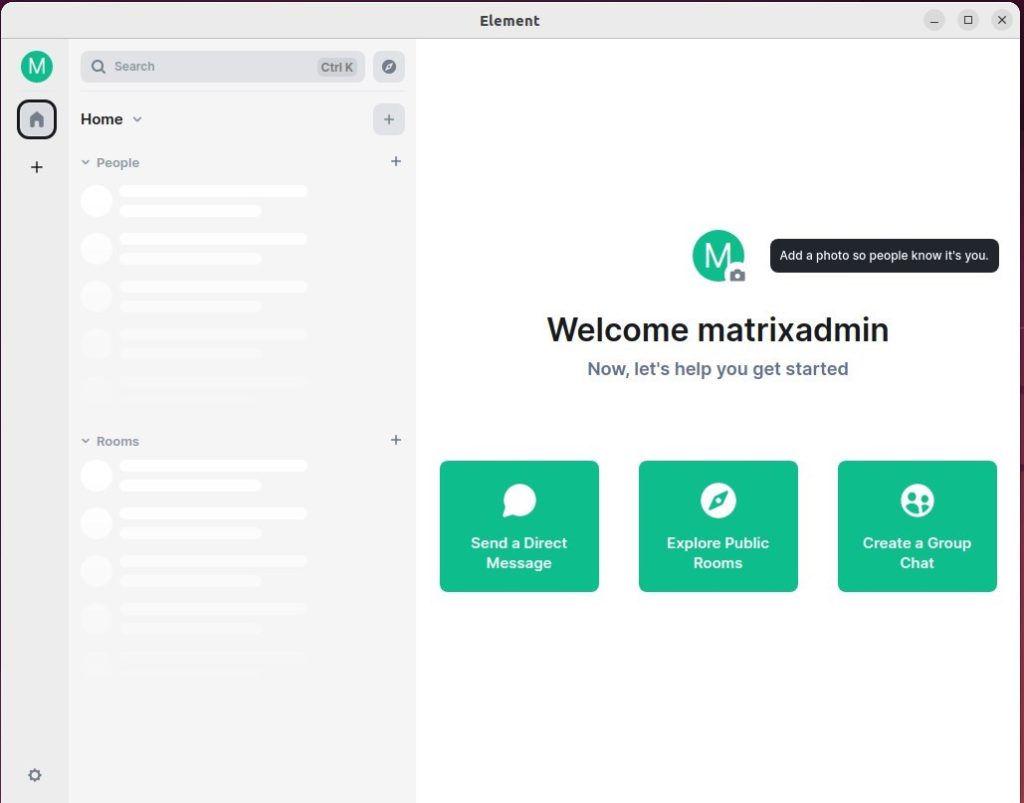
Follow the prompts to set your username and password. Once finished, you can use any How to set up a reverse proxy with Nginx to log in to your new server.
[signed-by=/usr/share/keyrings/matrix-org-archive-keyring.gpg]
[client, federation]
[richard]
[no]
Was this guide helpful?

About the Author
Richard
Tech Writer, IT Professional
Richard, a writer for Geek Rewind, is a tech enthusiast who loves breaking down complex IT topics into simple, easy-to-understand ideas. With years of hands-on experience in system administration and enterprise IT operations, he’s developed a knack for offering practical tips and solutions. Richard aims to make technology more accessible and actionable. He's deeply committed to the Geek Rewind community, always ready to answer questions and engage in discussions.




No comments yet — be the first to share your thoughts!