Aero Shake is a neat feature in Windows 11 that helps you quickly clean up your screen. When you click and hold a window’s title bar (the top part of the window) and shake it with your mouse, all other open windows will minimize (get out of the way). Shake it again, and those windows come back!
What is Aero Shake?
Aero Shake was first introduced in Windows 7. It lets you focus on one window by minimizing all the others with a quick shake of your mouse. This is useful if you have many windows open and want to quickly see just one.
How to Use Aero Shake
- Click and hold the top bar (title bar) of the window you want to keep open.
- Move your mouse quickly back and forth (“shake” the window).
- All other windows will minimize.
- To bring those windows back, shake the same window again.
How to Turn On or Off Aero Shake in Windows 11
If Aero Shake is not working for you or you want to turn it off, follow these simple steps:
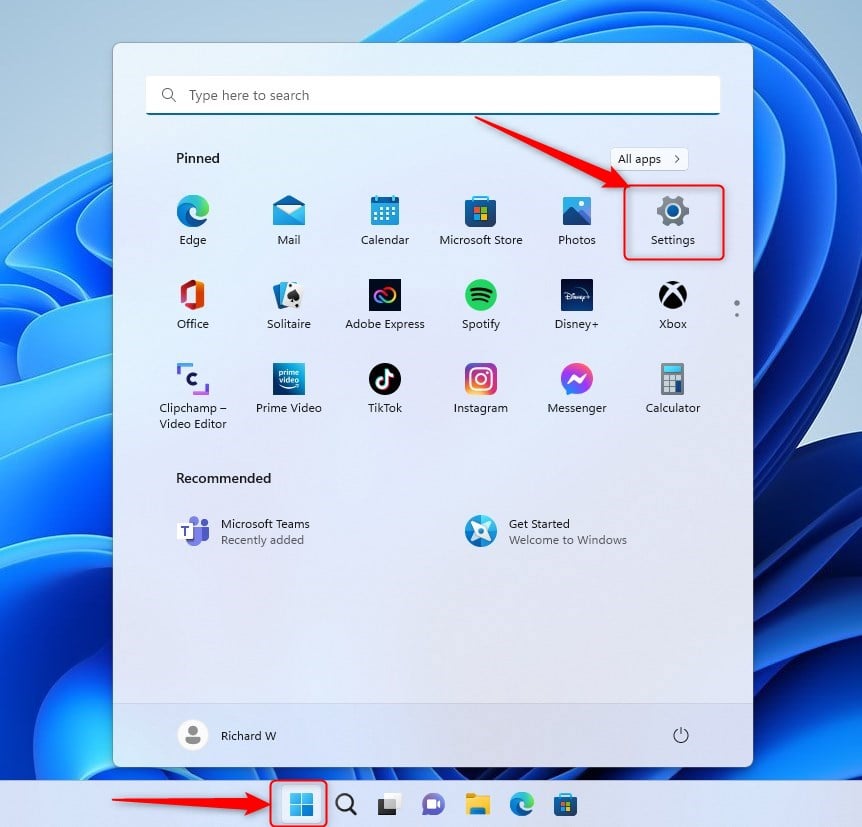
Step 1: Open Windows Settings
– Click the Start menu (the Windows icon at the bottom left) and select Settings,
OR
– Press Windows key + I on your keyboard to open Settings quickly.
Step 2: Go to System Settings
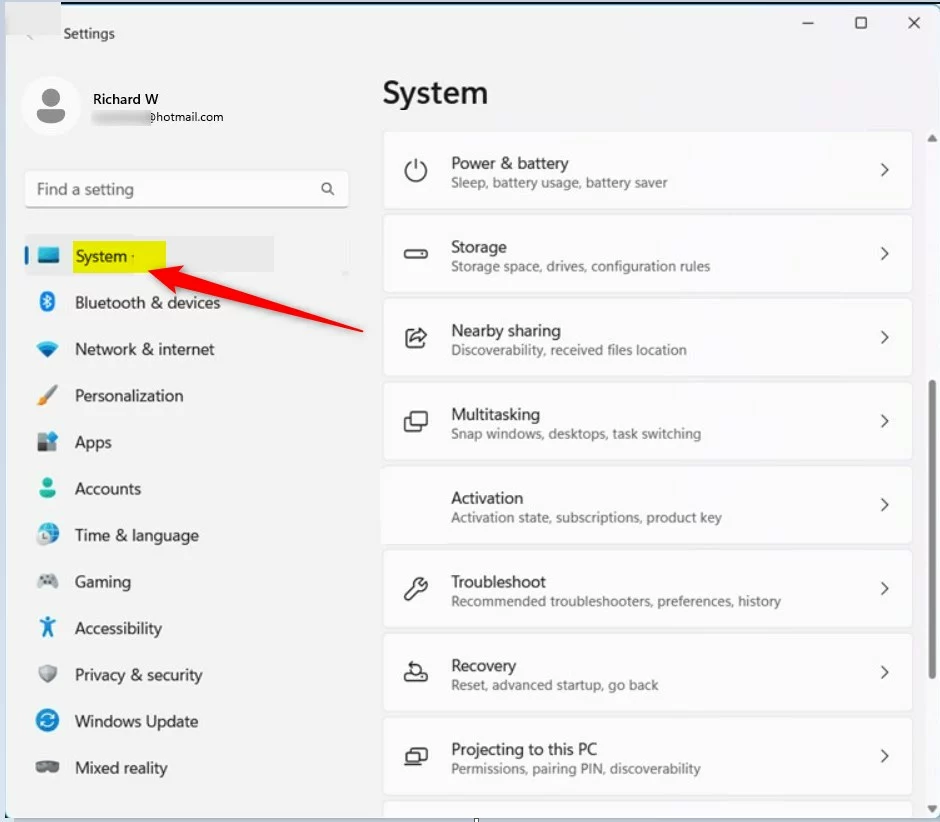
On the left side of the Settings window, click System.
Step 3: Open Multitasking Settings
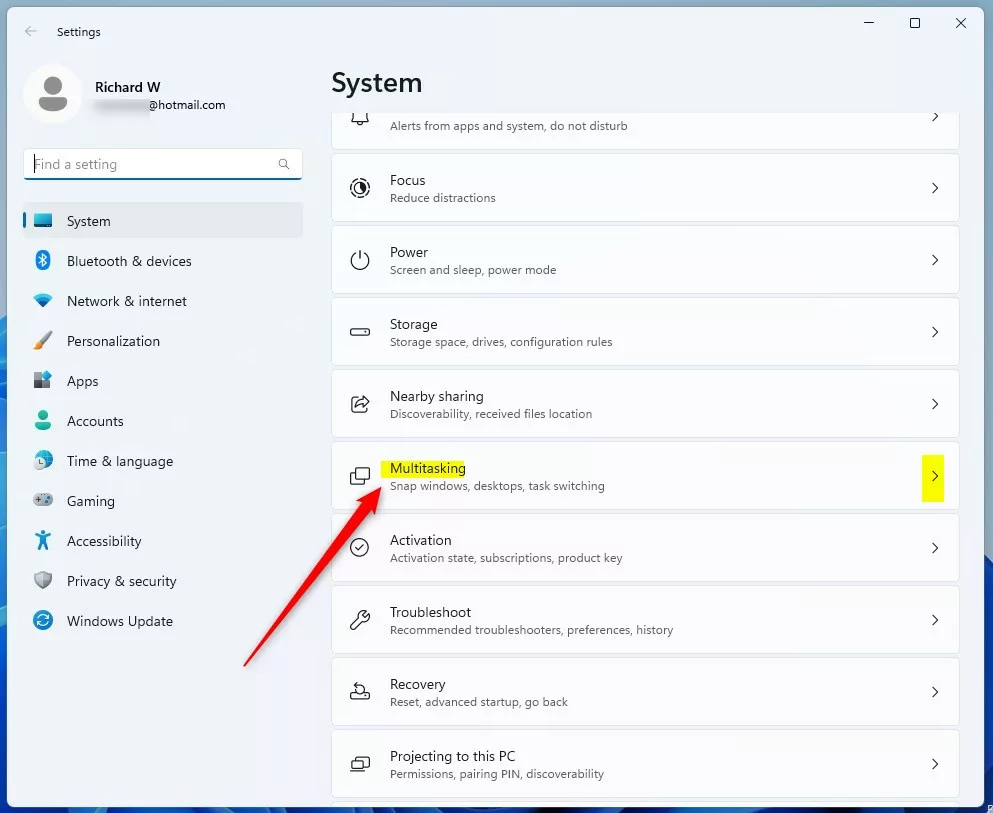
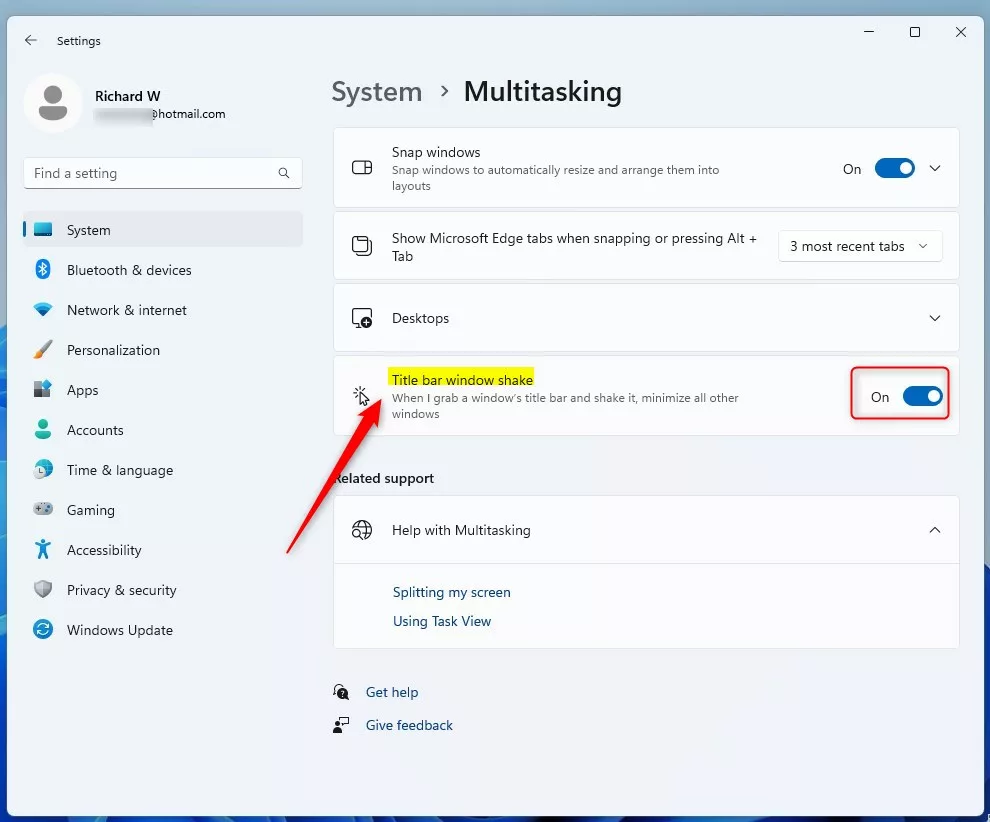
On the right side, find and click the Multitasking section to open it.
Step 4: Enable or Disable Aero Shake
Look for the option called “Title bar window shake”. Use the switch to turn it on or off:
- Turn the switch On to enable Aero Shake.
- Turn the switch Off to disable Aero Shake.
That’s It!
You have now turned Aero Shake on or off in Windows 11. Try shaking a window’s title bar to see it in action!
Summary
- Aero Shake helps you quickly minimize all windows except the one you want to focus on.
- To use it, click and hold a window’s title bar and shake it with your mouse.
- Turn Aero Shake on or off through the Settings app under System > Multitasking.
- This feature is easy to enable and disable, so you can choose what works best for you.
For more Windows 11 tips, visit Geek Rewind.
Leave a Reply