

This article explains how to change the Microsoft Edge browser’s default font or text size.
The Microsoft Edge browser is the default browser in Windows 11. However, users can switch to their preferred or favorite browser anytime. Edge is based on Chromium, similar to Google Chrome and other Chromium-based browsers today.
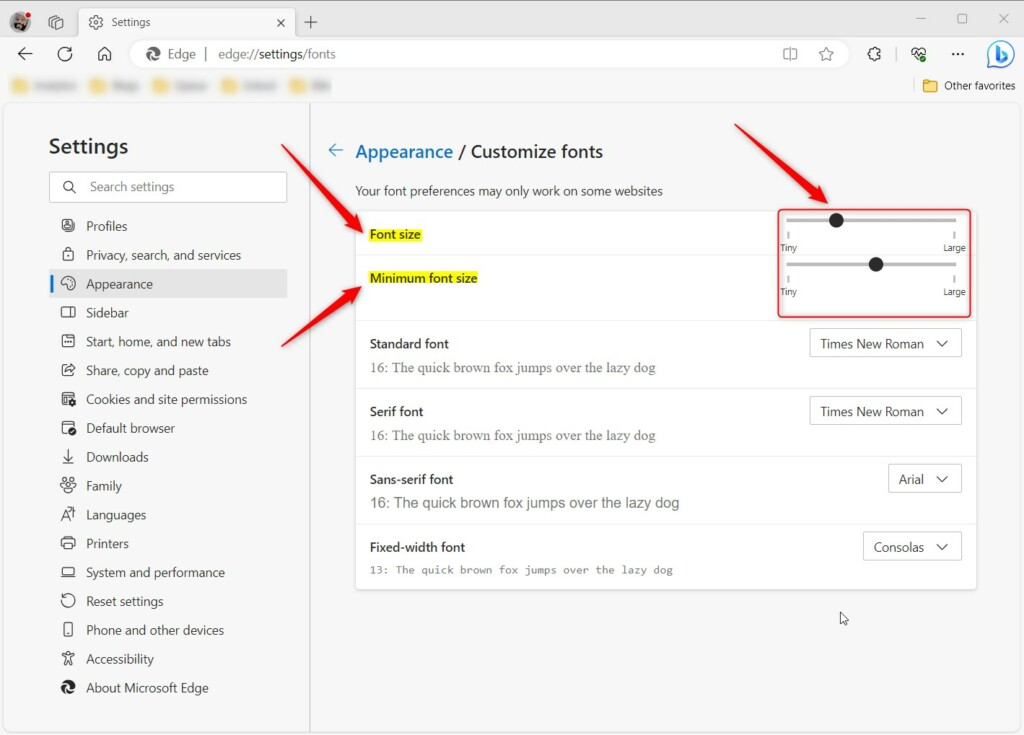
You can change the font size in the Microsoft Edge browser. You can also customize the size and style of fonts used in Microsoft Edge by selecting Customize fonts on the same page.
This can be done by selecting Settings and more > Settings > Appearance. Then under Fonts, choose a font size.
Change the text size in Microsoft Edge
As mentioned, users can change the text size in the new Microsoft Edge. Below is how to do that.
First, open the Microsoft Edge browser.
Then click on Setting and more (Alt+F) 3 horizontal dots button on the top right corner and select Settings.

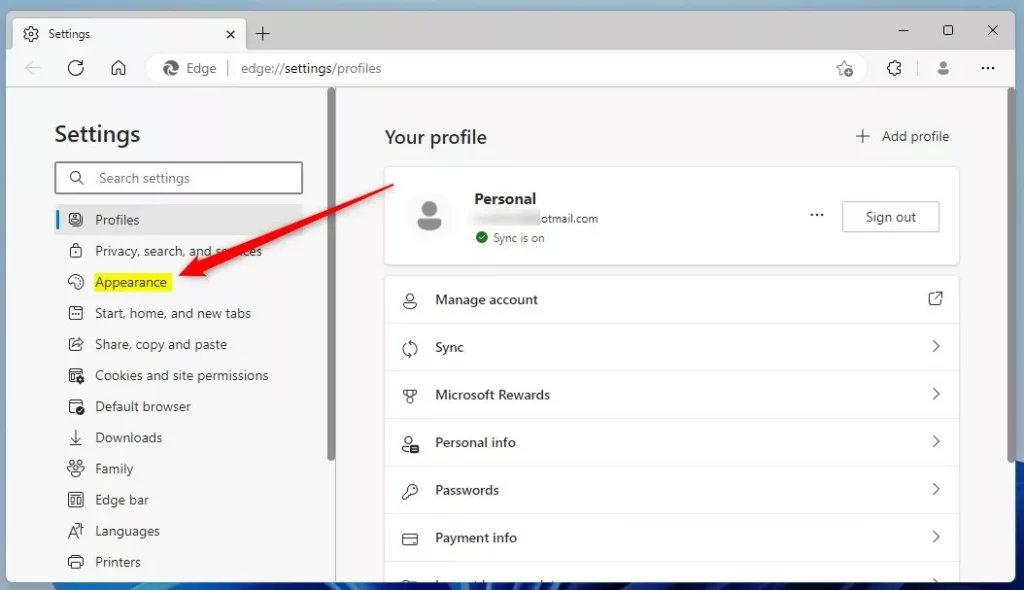
On the Settings page on the left panel, click Appearance.
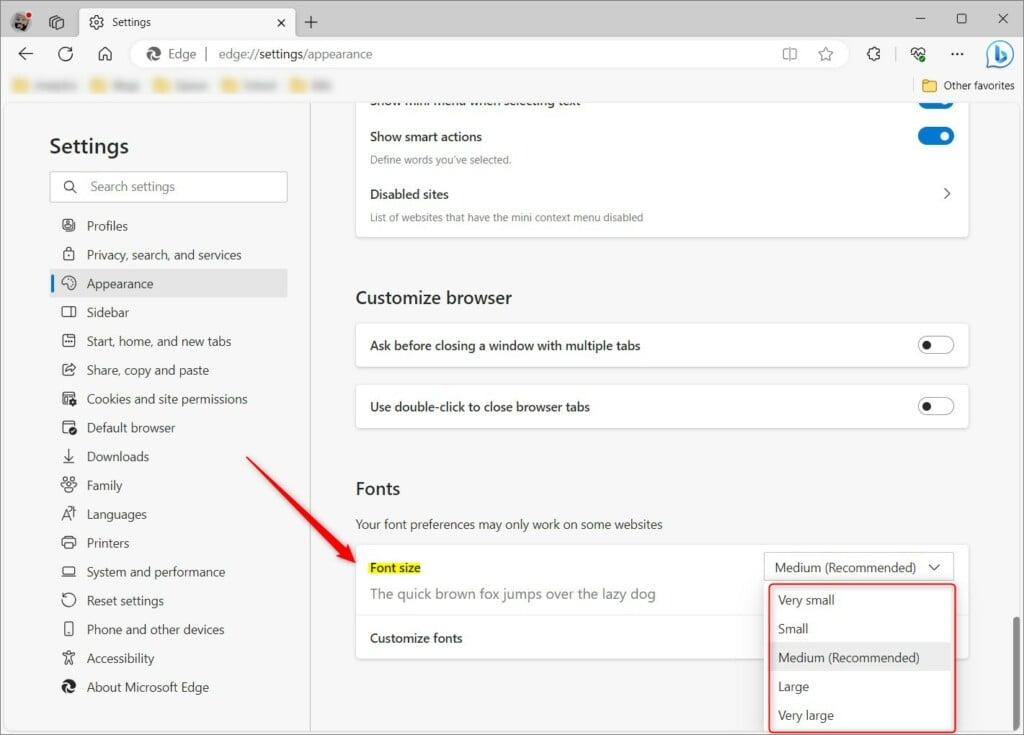
At the bottom of the middle section, under Font, click the Font size tile, then choose one of the following sizes.
- Very small
- Small
- Medium (Recommended)
- Large
- Very large
Customize Font in the Microsoft Edge browser
If the pre-defined font/text sizes above don’t fit your screen or aren’t what you want, you can customize the sizes even further.
To do that, go back to the Setting and more (Alt+F) 3 horizontal dots button on the top right corner and select Settings.
Then the Appearance label on the left panel and select Customize fonts tile to expand it.
There, adjust the size of the fonts the way you want it.
That should do it!
Reference:
Conclusion:
- This post outlined how to change the Microsoft Edge browser’s default font or text size.
- Users can easily customize the font size and style within Microsoft Edge to enhance their browsing experience.
- Please utilize the comments section below the article for further details or to contribute to this guide.
Leave a Reply Cancel reply