








How to Add Members to Your Microsoft Family Group
You add members to your Microsoft Family group by sending them an email invitation that they accept. A Microsoft Family group allows you to…
Step-by-step guides for Windows, Linux, networking and everything tech — written by experts, verified for accuracy.
Most recently published
You add members to your Microsoft Family group by sending them an email invitation that they accept. A Microsoft Family group allows you to…

Setting up a Microsoft Family Safety group helps you manage your family's digital life and ensure safer online experiences for your children. Microsoft Family…

Microsoft Edge's Password Monitor is a security feature that alerts you if your saved passwords appear in known data breaches, allowing you to turn…
Enabling secure DNS in Microsoft Edge on Windows 11 encrypts your domain name lookups, preventing eavesdropping and man-in-the-middle attacks when you browse the web.…
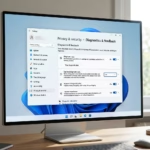
You change your diagnostic data setting in Windows 11 to control how much information your PC sends to Microsoft. Diagnostic data is information that…
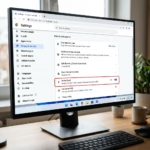
You can turn the "Show frequent sites on Windows taskbar" feature on or off in Microsoft Edge on Windows 11 to control whether your…

You can move open applications between virtual desktops in Windows 11 using the Task View feature. Task View allows you to manage multiple virtual…

You can create and close virtual desktops on Windows 11 to organize your tasks and improve focus. A virtual desktop acts like a separate…