How to Change Outlook Notifications for Documents and Edits

You can change Outlook notifications for documents and edits by adjusting settings within the new Outlook for Windows 11.
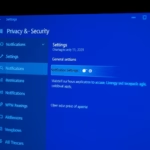
To change Outlook notifications for documents and edits, go to Settings > General > Notifications. Under the “Notifications in Outlook” section, find the Documents tile and toggle the switch to Off or On to disable or enable alerts for document changes.
This allows you to fine-tune the alerts you receive for document comments, edits, and mentions, ensuring you only get notified about what matters most to you.
The new Outlook is a refreshed version of the familiar email application, designed with a cleaner interface and enhanced features for better inbox and schedule management.
For instance, you can easily manage subscriptions, forward emails, and even set your default From address directly within this updated application, which often uses version 1.2023.1026.408.0 for its releases.
Was this guide helpful?

About the Author
Richard
Tech Writer, IT Professional
Richard, a writer for Geek Rewind, is a tech enthusiast who loves breaking down complex IT topics into simple, easy-to-understand ideas. With years of hands-on experience in system administration and enterprise IT operations, he’s developed a knack for offering practical tips and solutions. Richard aims to make technology more accessible and actionable. He's deeply committed to the Geek Rewind community, always ready to answer questions and engage in discussions.


No comments yet — be the first to share your thoughts!