How to Share Wi-Fi Password using QR Code on Windows 11

You can easily share your Wi-Fi password using a QR code directly from Windows 11.
This built-in Windows 11 feature, available from version 24H2 onwards, generates a scannable QR code that holds your Wi-Fi network’s SSID and password.
Instead of having your guests manually type a complex password, they simply scan the QR code with their phone. Their device then automatically connects them to your network.
This makes giving Wi-Fi access to friends or visitors quick and error-free.
Generate a QR code for your Wi-Fi password by opening Settings, navigating to Network & internet, then Wi-Fi, and clicking Show next to your network’s password. Your guests can then scan this code with their phone to connect automatically.
How to Share Your Wi-Fi Password with a QR Code
Sharing your Wi-Fi password using a QR code on Windows 11 is simple and lets friends connect to your network without needing to type the password.
- Open the Settings app. You can do this by clicking the Start menu and selecting Settings. Or press Windows key + I on your keyboard. Windows Settings Settings app
Wi-Fi tile in the Settings app - Click on Network & internet on the left side.
- Click on the Wi-Fi section on the right to expand it.
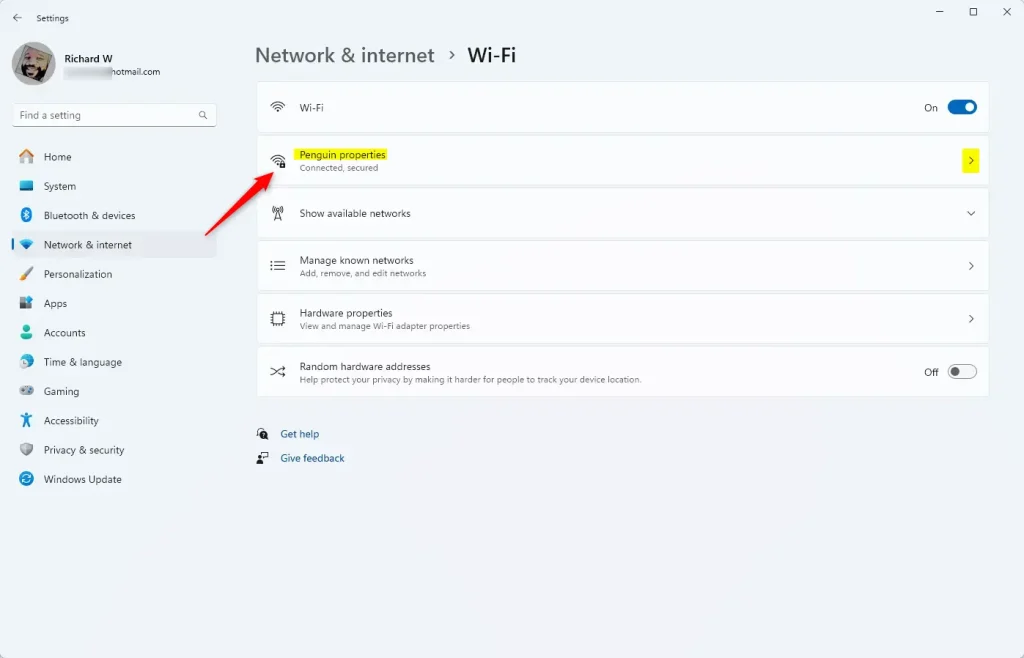
Wi-Fi properties tile - Find the Wi-Fi network you’re connected to. Click on it to see its properties.
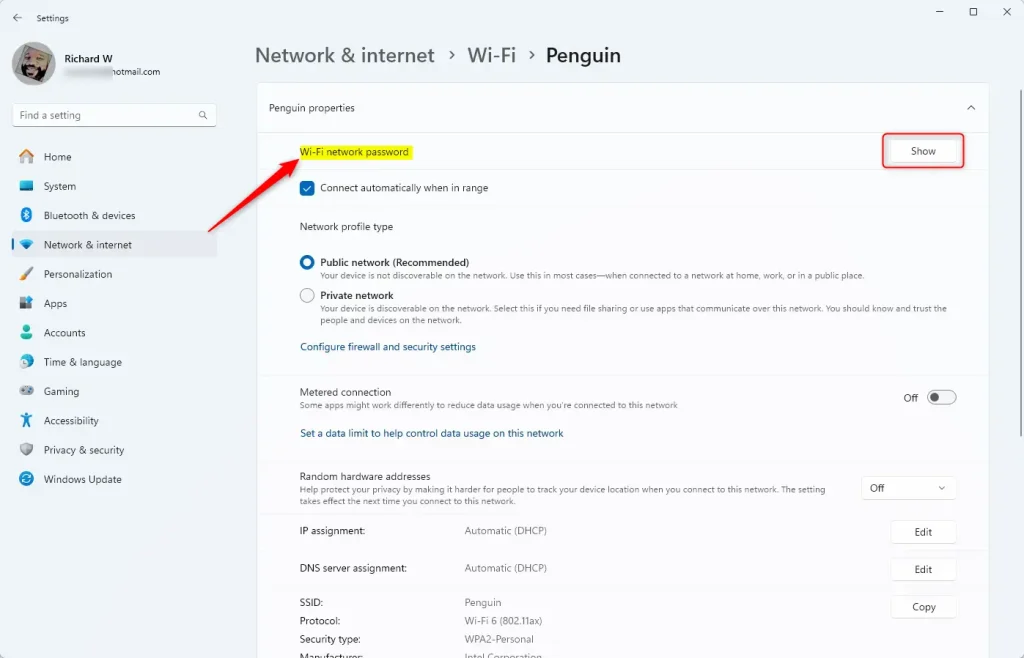
Wi-Fi properties show password - Look for the Wi-Fi network password section. Click the Show button.
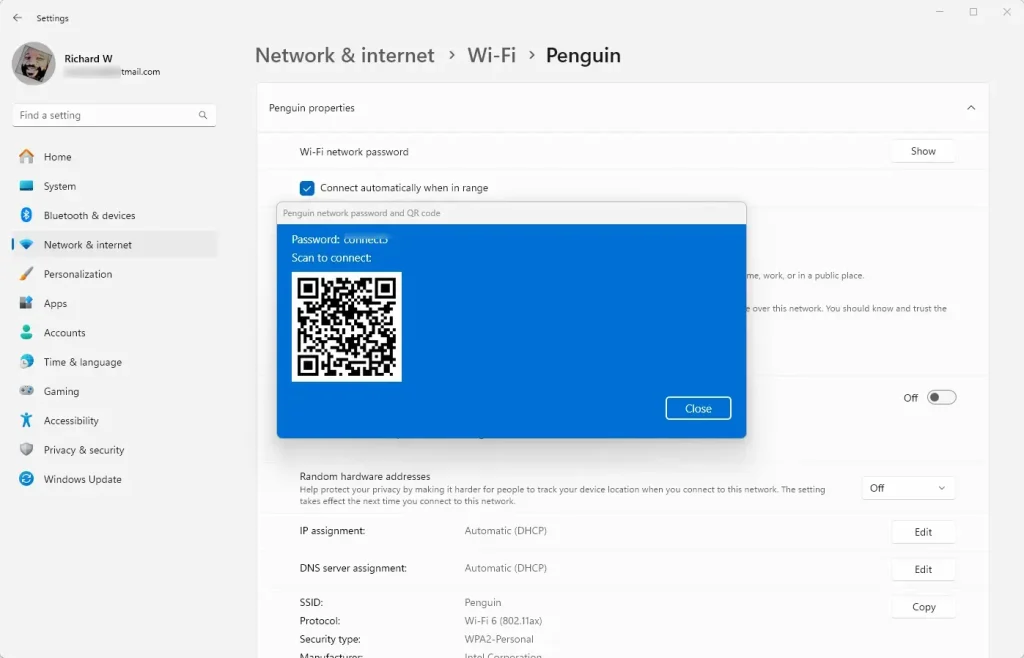
Wi-Fi properties page showing password and QR code in Windows 11 - A QR code will appear on your screen. Ask your guests to scan this code with their phone camera or QR code scanner app.
- Close the Settings app when you’re finished.
Summary
Windows 11 makes sharing your Wi-Fi password via a QR code easy, letting friends connect instantly without needing to type the password.
How to get QR code for WiFi password?
App for this. And I'm going to tap onto Wi-Fi on the side. Here. At this point you'll see any Wi-Fi network that your phone knows about so anything you've connected to in the past.
Is a WiFi QR code free?
Free QR Code WiFi Generator. Provide effortless network access using the WiFi QR code generator on Canva. Generate, customize, share, and print a scannable QR code for your WiFi, all in one platform.
How to find a WiFi password?
And then if you click on. Share. It will first ask you to log in if it's a secured device then it will show your Wi-Fi password in this case it's the very insecure my sample password for this Wi-Fi.
Was this guide helpful?

About the Author
Richard
Tech Writer, IT Professional
Richard, a writer for Geek Rewind, is a tech enthusiast who loves breaking down complex IT topics into simple, easy-to-understand ideas. With years of hands-on experience in system administration and enterprise IT operations, he’s developed a knack for offering practical tips and solutions. Richard aims to make technology more accessible and actionable. He's deeply committed to the Geek Rewind community, always ready to answer questions and engage in discussions.

No comments yet — be the first to share your thoughts!