How to Install PHP on Google Cloud Server

- The latest version of Google Chrome
- Firefox
- Microsoft Edge
- Microsoft Internet Explorer 11 and later
- Safari 8 and later. Note that Safari is not supported in private browser mode.
Virtual machine configurations
- All Linux VM images are natively available in Google Cloud.
Google Cloud offers all Linux VM images right out of the box, so you won’t need extra software or browser extensions. Log into your Google Cloud Console and navigate to Menu ==> Compute Engine ==> VM instances.
From there, click the SSH button next to the instance you want to connect to.
You can also open an SSH connection to an instance by clicking its name and then selecting SSH from the instance details page.
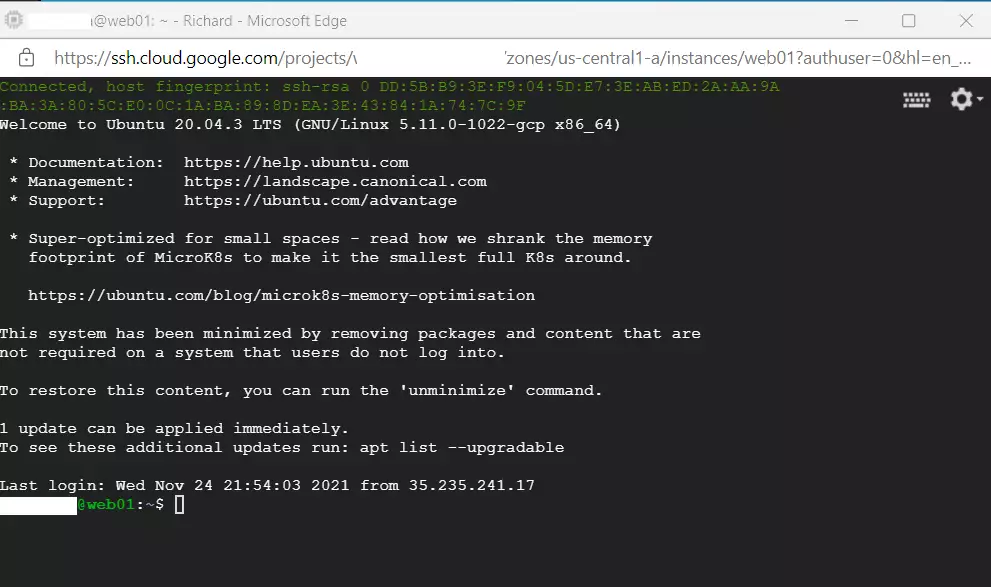
An SSH terminal window with the Ubuntu Linux instance you created in the series’s second post will open.
You should now be able to run commands in Ubuntu Linux on your Google Cloud server.
How to install PHP on Ubuntu Linux on Google Cloud Server
Installing PHP on Ubuntu Linux is the same whether it’s on Google Cloud or a local VM instance.
PHP packages are available in Ubuntu’s default repositories. You can use the apt-get commands to download and install PHP on Ubuntu Linux.
A detailed post with help installing PHP on Ubuntu Linux is below. Click on it to learn more about installing and managing PHP on Ubuntu Linux.
How to install PHP on Ubuntu Linux
With PHP installed, your domain name should now be able to bring up a default web server PHP test page when anyone browses your domain name, followed by /phpfinfo.php.
First, create a test PHP file called phpnfo.php in the web server’s default home directory.
sudo nano /var/www/html/phpinfo.php
Then copy and paste the line into the file and save it.
<?php phpinfo( ); ?>
Save the file and exit.
Restart your web server (Nginx or Apache).
Next, go and type your domain name in your browser, and you should see an example page similar to the one below:
http://example.com/phpinfo.php
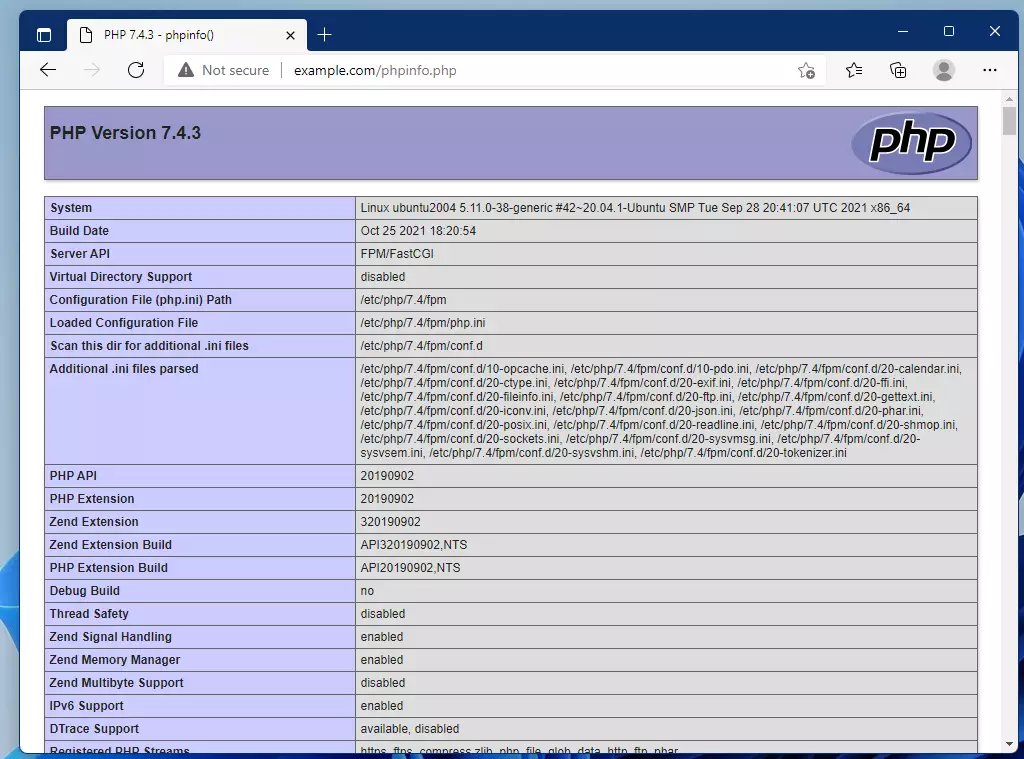
If you installed the Nginx web server with PHP-FPM, then you should see a page similar to the one below.
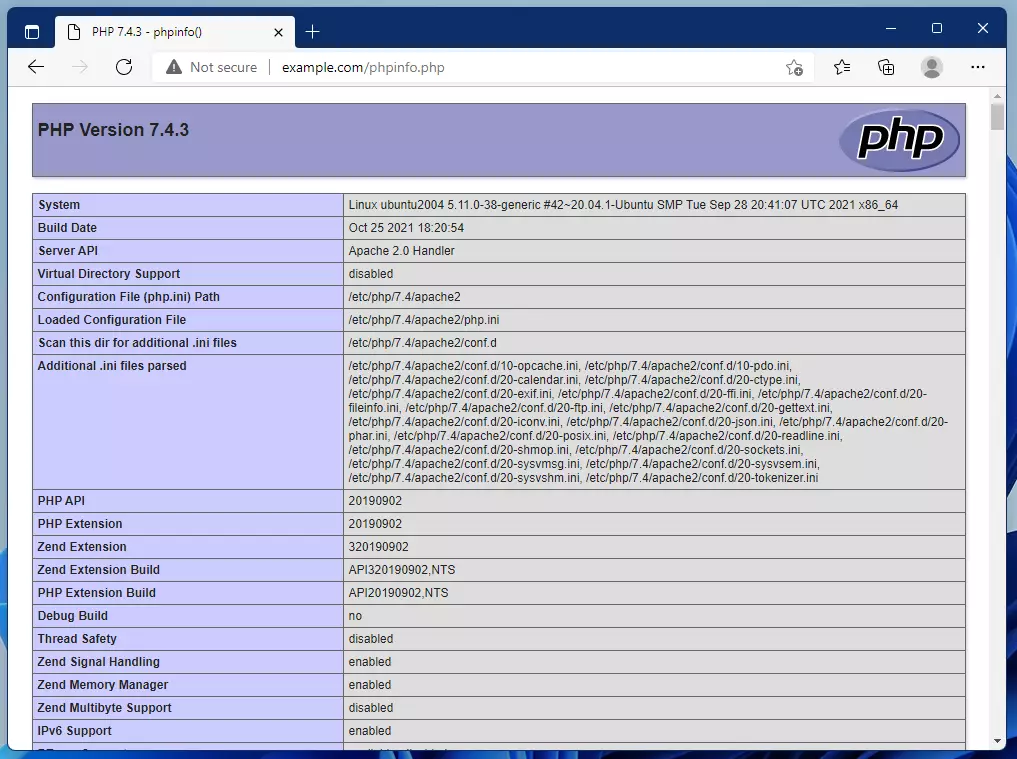
If you installed the Apache web server with PHP, you should get a page similar to the one below instead.
As you can see, your server hosted on Google Cloud is now resolving your domain name and serving web content with PHP.
We’ll continue to add other servers and software so you can run a functional website online.
Conclusion:
This post demonstrated how to install PHP on a Google Cloud server running Ubuntu Linux. Here are the key points to remember:
- Connecting to your Google Cloud server can be easily accomplished using SSH from the Google Cloud Console.
- Installing PHP on Ubuntu is straightforward with the use of apt-get commands.
- A test page can be created to verify that PHP functions correctly on your web server.
- Both Nginx and Apache web servers can successfully serve PHP content.
- This process lays the foundation for building and running dynamic websites on your Google Cloud server.
As you progress through this series, you will gain more skills and knowledge about effectively setting up and managing your web presence.
You install PHP on your Google Cloud server running Ubuntu Linux to enable server-side scripting for dynamic websites.
PHP is an open-source scripting language essential for creating interactive, database-driven web applications. Installing it on your Google Cloud instance allows your server to process PHP files.
This process is key after setting up your server and domain, especially for beginners launching their first site. You’ll typically need PHP version 7.4 or higher to support modern web development features.
With PHP installed, you can manage user inputs, connect to databases like MySQL, and serve personalized content to your visitors.
Connect to your Google Cloud server via SSH. Open your terminal and run sudo apt update followed by sudo apt install php to install PHP on your Ubuntu instance.
How to connect to the Google Cloud server
Your Google Cloud server, which is part of Compute Engine, lets you connect to your virtual machine (VM) instance through your browser using SSH. This is all managed within the Google Cloud Console.
SSH from the browser supports the following:
Web browsers
- Web browsers
- The latest version of Google Chrome
- Firefox
- Microsoft Edge
- Microsoft Internet Explorer 11 and later
- Safari 8 and later. Note that Safari is not supported in private browser mode.
Virtual machine configurations
- All Linux VM images are natively available in Google Cloud.
Google Cloud offers all Linux VM images right out of the box, so you won’t need extra software or browser extensions. Log into your Google Cloud Console and navigate to Menu ==> Compute Engine ==> VM instances.
From there, click the SSH button next to the instance you want to connect to.

establish ssh connection to vm instances You can also open an SSH connection to an instance by clicking its name and then selecting SSH from the instance details page.
An SSH terminal window with the Ubuntu Linux instance you created in the series’s second post will open.
You should now be able to run commands in Ubuntu Linux on your Google Cloud server.
connect to google cloud instance host
How to install PHP on Ubuntu Linux on Google Cloud Server
Installing PHP on Ubuntu Linux is the same whether it’s on Google Cloud or a local VM instance.
PHP packages are available in Ubuntu’s default repositories. You can use the apt-get commands to download and install PHP on Ubuntu Linux.
A detailed post with help installing PHP on Ubuntu Linux is below. Click on it to learn more about installing and managing PHP on Ubuntu Linux.
How to install PHP on Ubuntu Linux
With PHP installed, your domain name should now be able to bring up a default web server PHP test page when anyone browses your domain name, followed by /phpfinfo.php.
First, create a test PHP file called phpnfo.php in the web server’s default home directory.
sudo nano /var/www/html/phpinfo.php
Then copy and paste the line into the file and save it.
<?php phpinfo( ); ?>
Save the file and exit.
Restart your web server (Nginx or Apache).
Next, go and type your domain name in your browser, and you should see an example page similar to the one below:
http://example.com/phpinfo.php
If you installed the Nginx web server with PHP-FPM, then you should see a page similar to the one below.
If you installed the Apache web server with PHP, you should get a page similar to the one below instead.
As you can see, your server hosted on Google Cloud is now resolving your domain name and serving web content with PHP.
We’ll continue to add other servers and software so you can run a functional website online.
Conclusion:
This post demonstrated how to install PHP on a Google Cloud server running Ubuntu Linux. Here are the key points to remember:
- Connecting to your Google Cloud server can be easily accomplished using SSH from the Google Cloud Console.
- Installing PHP on Ubuntu is straightforward with the use of apt-get commands.
- A test page can be created to verify that PHP functions correctly on your web server.
- Both Nginx and Apache web servers can successfully serve PHP content.
- This process lays the foundation for building and running dynamic websites on your Google Cloud server.
As you progress through this series, you will gain more skills and knowledge about effectively setting up and managing your web presence.
Was this guide helpful?

About the Author
Richard
Tech Writer, IT Professional
Richard, a writer for Geek Rewind, is a tech enthusiast who loves breaking down complex IT topics into simple, easy-to-understand ideas. With years of hands-on experience in system administration and enterprise IT operations, he’s developed a knack for offering practical tips and solutions. Richard aims to make technology more accessible and actionable. He's deeply committed to the Geek Rewind community, always ready to answer questions and engage in discussions.



No comments yet — be the first to share your thoughts!