
You can turn the Copilot new tab page on or off in Microsoft Edge on Windows 11. This controls whether AI (Artificial Intelligence)-powered search and chat features show up when you open a new tab.
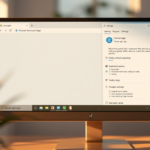
To enable or disable the Copilot new tab page, open Edge settings, navigate to Appearance, and toggle the “Show Copilot button” option. This setting controls whether the AI chat interface appears on your new tab page.
This Copilot new tab page turns your default screen into an interactive AI hub where you can chat directly with Microsoft’s AI for search and help. This feature integrates right into your browsing, offering smart suggestions and a cleaner interface.
When you turn this feature on, your usual new tab page switches to the Copilot interface. This gives you an AI chatbot you can access right from your browser. Turning it off brings back the classic Microsoft Edge new tab page.
Was this guide helpful?

About the Author
Richard
Tech Writer, IT Professional
Richard, a writer for Geek Rewind, is a tech enthusiast who loves breaking down complex IT topics into simple, easy-to-understand ideas. With years of hands-on experience in system administration and enterprise IT operations, he’s developed a knack for offering practical tips and solutions. Richard aims to make technology more accessible and actionable. He's deeply committed to the Geek Rewind community, always ready to answer questions and engage in discussions.

No comments yet — be the first to share your thoughts!