

Do you use the Touch Keyboard on Windows 11? Here’s a useful feature you should know about. You can make the keyboard add a period (.) automatically when you tap the spacebar twice quickly. This guide shows you how to turn this feature on or off.
What is the Touch Keyboard?
Touchscreen devices that don’t have a physical keyboard use a virtual keyboard called the Touch Keyboard. It helps you type on the screen.
When you tap a text box or any place where you can type, Windows 11 will often open this Touch Keyboard automatically.
Why Use Double Tap Period?
You can make typing faster by turning on the option that adds a period when you double tap the spacebar on this keyboard. This saves you time because you don’t have to tap the period key separately.
How to Turn On or Off the Double Tap Spacebar Period Feature
Follow these easy steps to enable or disable this feature:
- Open Windows Settings:
- Click the Start menu (Windows icon) and select Settings, or
- Press
Windows key + Ion your keyboard.
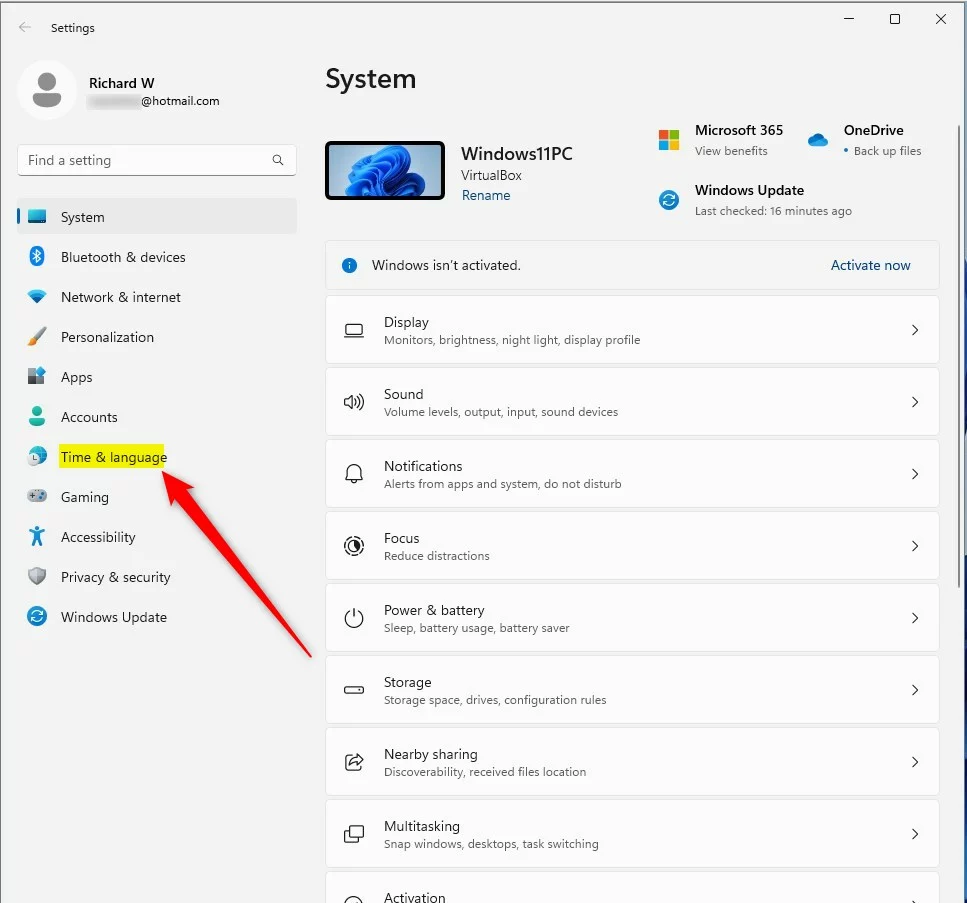
- In Settings, click Time & language on the left side.
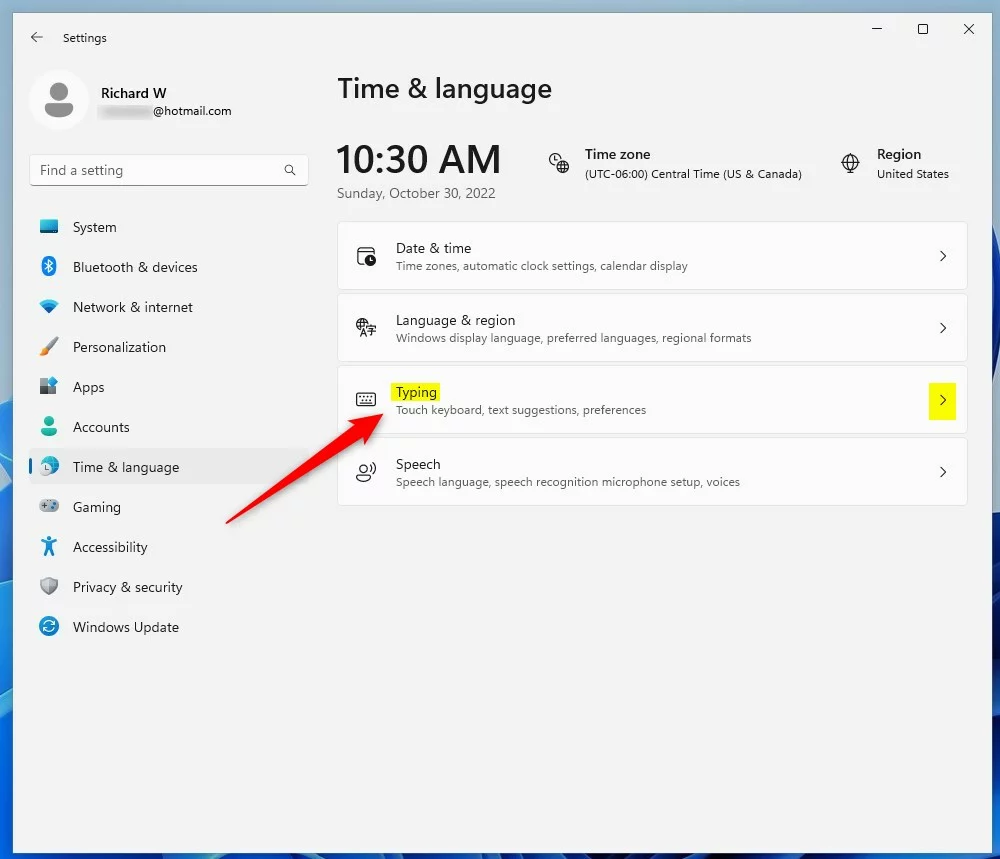
- On the right side, click on Typing to open typing options.
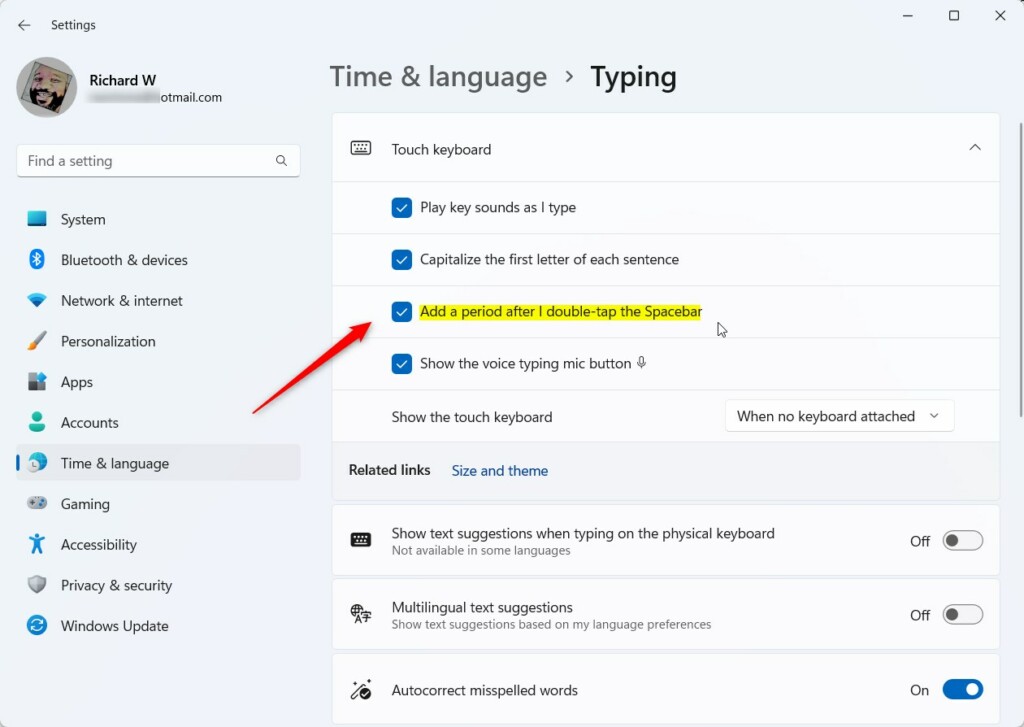
- Scroll down and find the Touch keyboard settings section. Click to expand it.
- Check the box next to “Add a period after I double-tap the Spacebar” to turn on the feature. Uncheck it if you want to turn it off.
How to Enable or Disable Double Tap Period Using the Registry Editor (Advanced)
If you’re comfortable with Windows advanced settings, you can also turn this feature on or off by editing the Registry.
Warning: Changing the Registry can cause problems if not done correctly. Please follow carefully or ask for help.
- Open the Registry Editor:
- Press
Windows key + R, typeregedit, and pressEnter. - If prompted, click Yes to allow changes. ⚠️ Admin privileges required
- Press
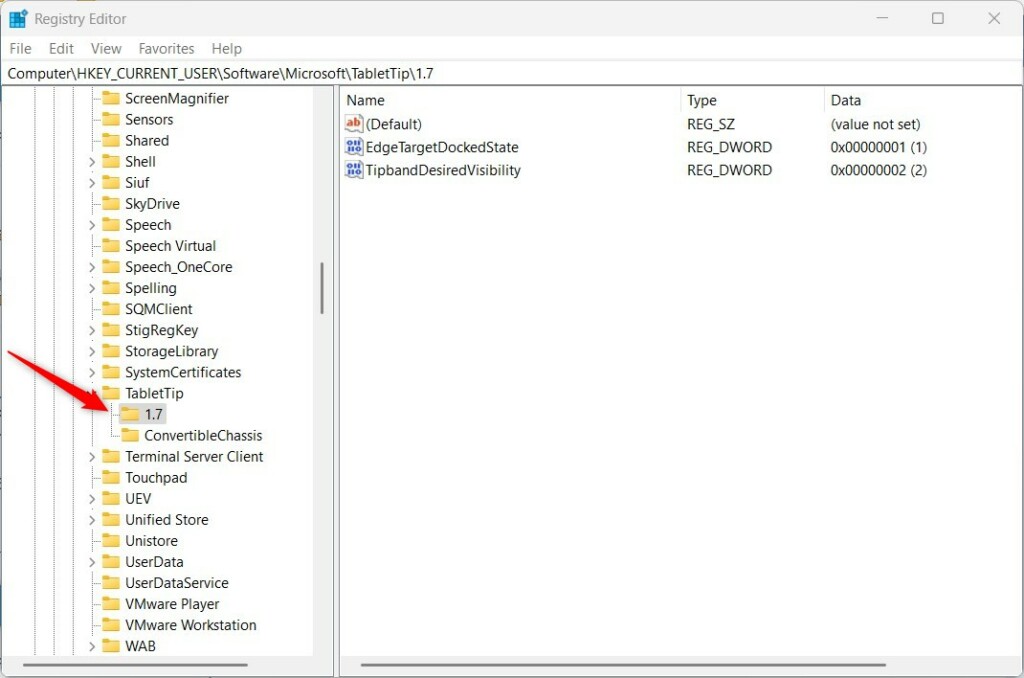
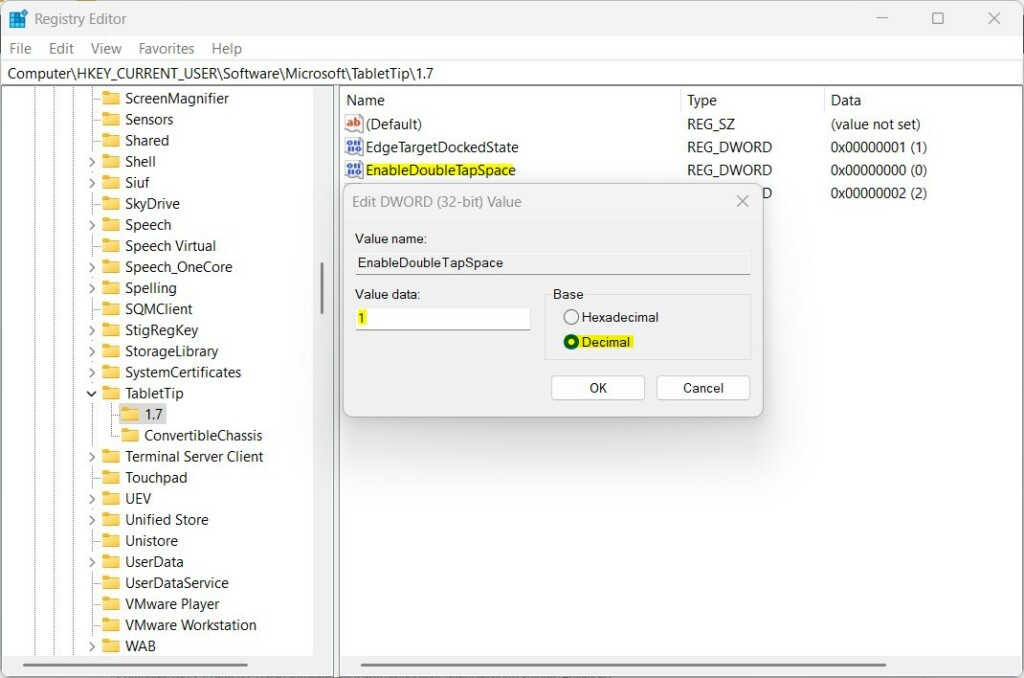
- In Registry Editor, go to this folder (key):
HKEY_CURRENT_USER\Software\Microsoft\TabletTip\1.7- If you don’t see the 1.7 folder, right-click on TabletTip, choose New > Key, and name it
1.7.
- If you don’t see the 1.7 folder, right-click on TabletTip, choose New > Key, and name it
- Click the 1.7 folder. On the right side, right-click on an empty area and choose New > DWORD (32-bit) Value.
- Name the new value
EnableDoubleTapSpace. - Double-click
EnableDoubleTapSpaceand set:- Base: Decimal
- Value data: 1 to enable or 0 to disable
- Click OK, close the Registry Editor, and restart your computer.
Summary
You can easily enable or disable adding a period by double tapping the spacebar on the Windows 11 Touch Keyboard.
Use the Settings app for a simple method, or the Registry Editor if you want more control.
These options help you type faster and make your Touch Keyboard experience better.
If you have any questions or want to share tips, feel free to use the comments below!


Leave a Reply Cancel reply