
Do you want to make sure your Windows 11 computer is protected from certain attacks? A good first step is to check if LSA Protection is turned on. Let’s walk through how to do that.
What is LSA Protection?
Why should you care about LSA? LSA stands for Local Security Authority. It’s a part of Windows that keeps your computer’s security information safe. This includes things like your passwords and login details.
LSA Protection adds an extra layer of security. It runs this important part of your computer in a special protected mode. This makes it much harder for hackers or bad software to break in and tamper with it.
Windows also has another protection called Core Isolation, which works in a similar way to keep your PC safe.
How to Check if LSA Protection is On
You can check if LSA Protection is working by looking at your computer’s event logs. We’ll use a tool called Event Viewer. Here’s how:
- Open Event Viewer: Click the Start button, type
eventvwr.msc, and press Enter.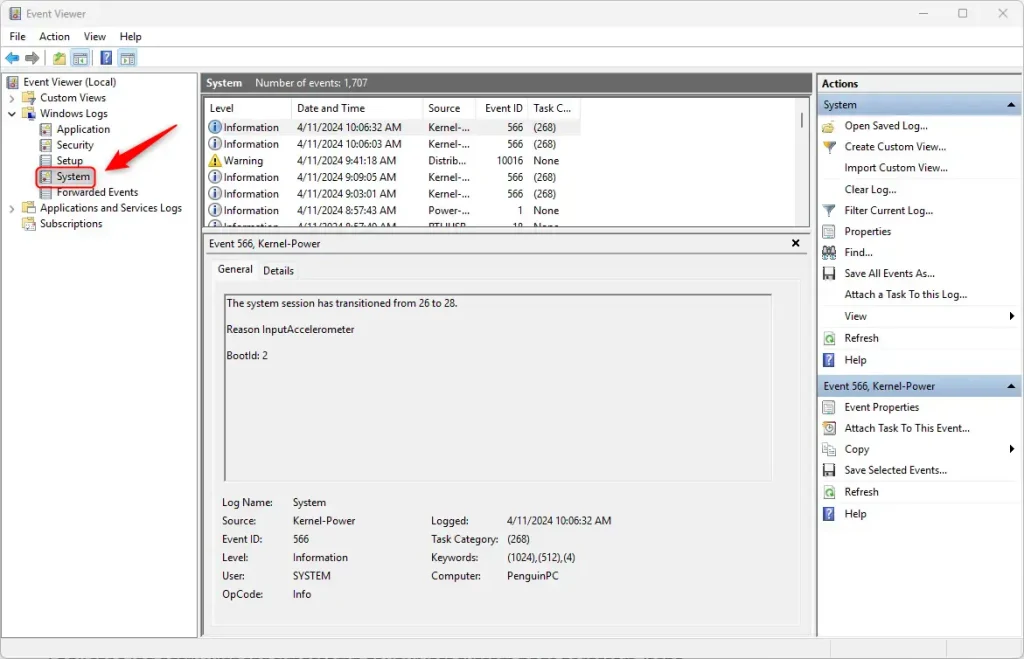
- Find System Logs: In the left panel, click the arrow next to Windows Logs to expand it. Then click on System.
- Filter the Logs: Right-click on System and choose Filter Current Log…
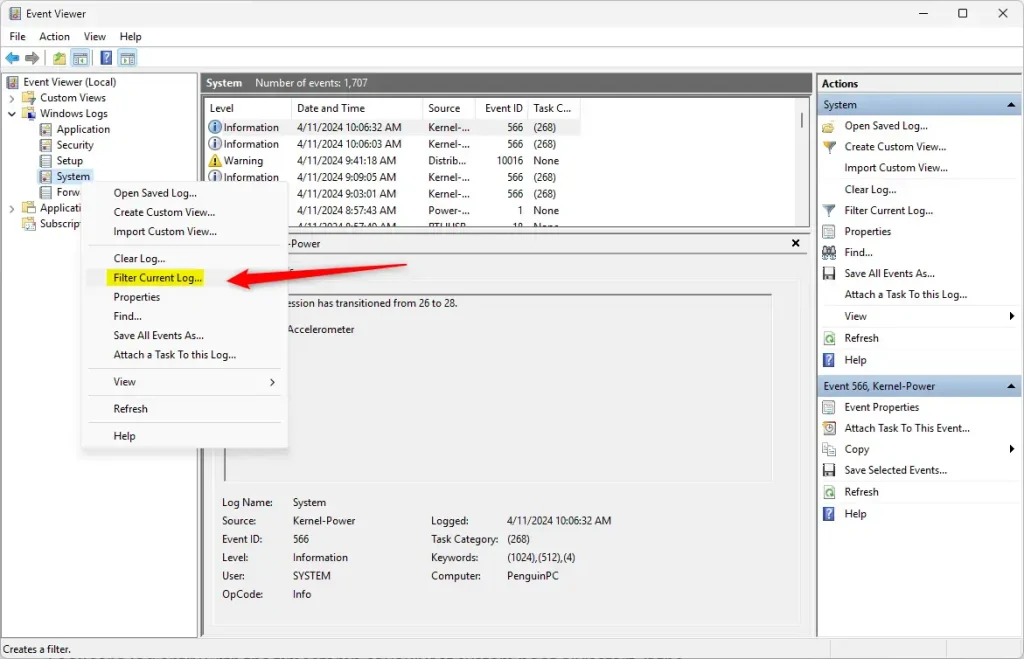
- Enter Filter Details: In the filter box, type
12in the Event IDs box. Then click the dropdown for Event sources and select Wininit. Click OK.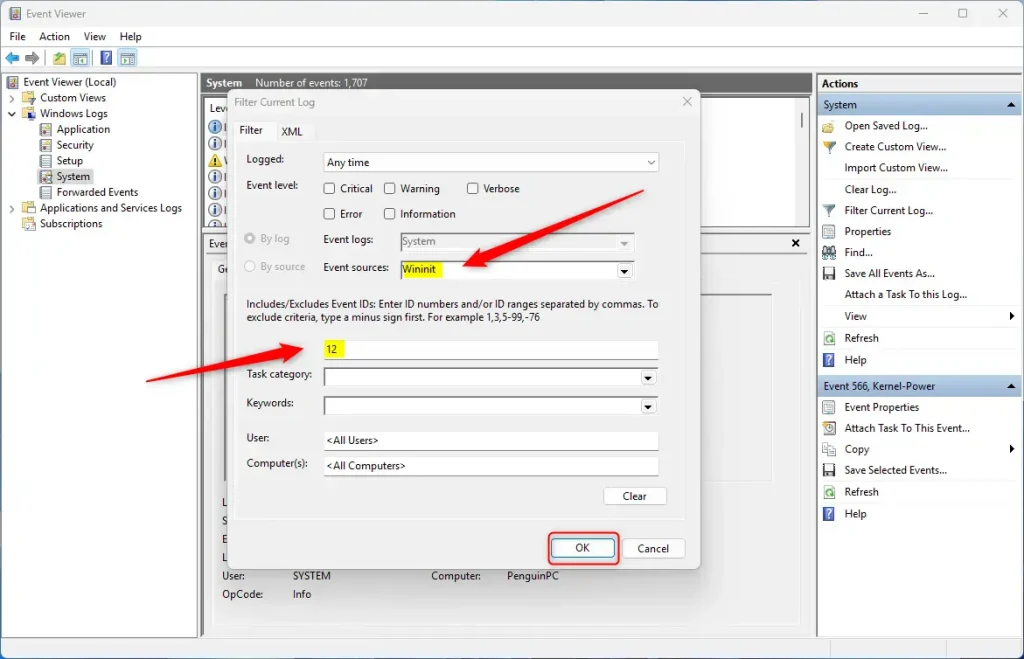
- Check the Log Message: Look for a message that says: “LSASS.exe was started as a protected process with level 4”. This message means LSA Protection is active on your PC.
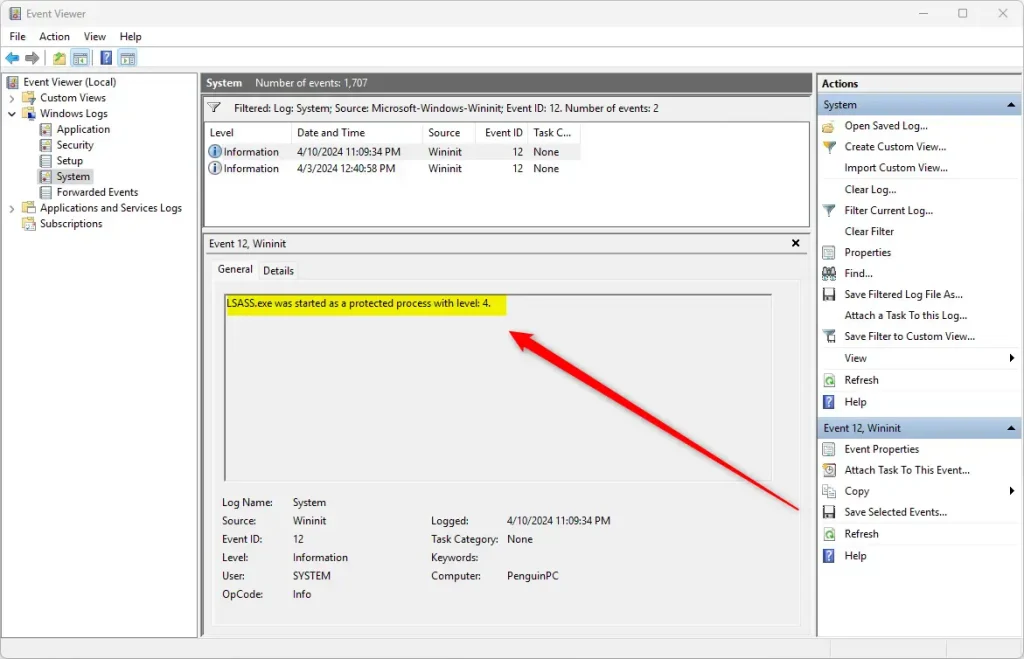
That’s it! If you see that message, your computer is better protected against attacks that target the security process.
Why Does This Matter?
What happens when LSA Protection is on? Your computer’s security information stays safer from hackers who try to break in.
Checking this yourself gives you peace of mind that your PC is secure. It’s a good habit to check security features regularly to stay protected.
If you want to learn more about Windows security features, check out this guide on Core Isolation.
Summary
LSA Protection is a Windows security feature that keeps your passwords and login details safe. You can check if it’s working by opening Event Viewer, filtering for Event ID 12 from the Wininit source, and looking for the message about LSASS.exe running as a protected process. Taking a few minutes to verify this protection gives you confidence that your computer has an extra layer of security against hackers.
Leave a Reply Cancel reply