Customize Microsoft Edge: Show or Hide the Sidebar Button

You can easily show or hide the Microsoft Edge sidebar button directly from your toolbar.
The Edge sidebar provides instant access to helpful tools like Copilot, Search, and Collections without interrupting your browsing. If you’re running Microsoft Edge version 117 or newer, you’ll see this dedicated sidebar button, typically positioned on the right side of your toolbar.
Keeping the sidebar button visible is great if you frequently use its features, streamlining your workflow. However, hiding it offers a cleaner browser interface, especially if you prefer navigating with keyboard shortcuts.
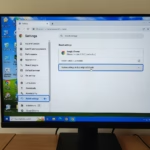
To show or hide the sidebar button in Microsoft Edge, go to Settings, then Sidebar. Toggle the “Show sidebar button” option on or off under the “Customize sidebar” section. This setting is available when the Copilot button is turned off.
Show or hide the sidebar button on the toolbar in Edge
You can easily choose to show or hide the Microsoft Edge sidebar button right on your toolbar.
Here’s how to do it.
Open Microsoft Edge and click the ellipses icon (…) in the top-right corner.
Choose “Settings.”
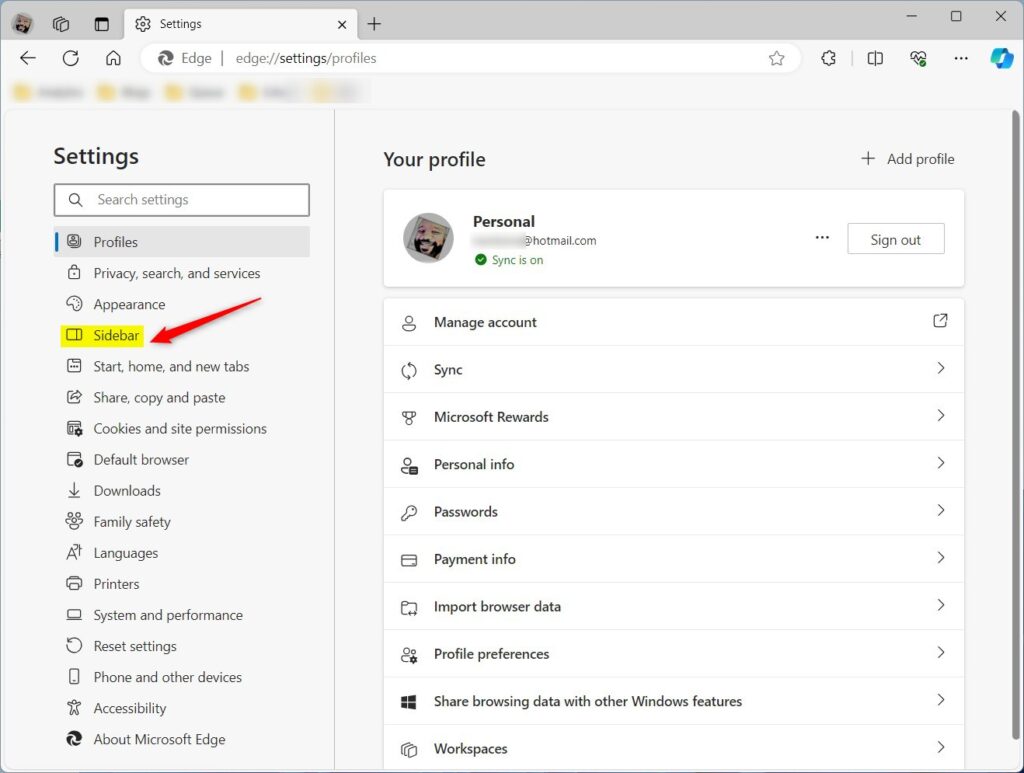
Next, click on the Sidebar in the left panel.
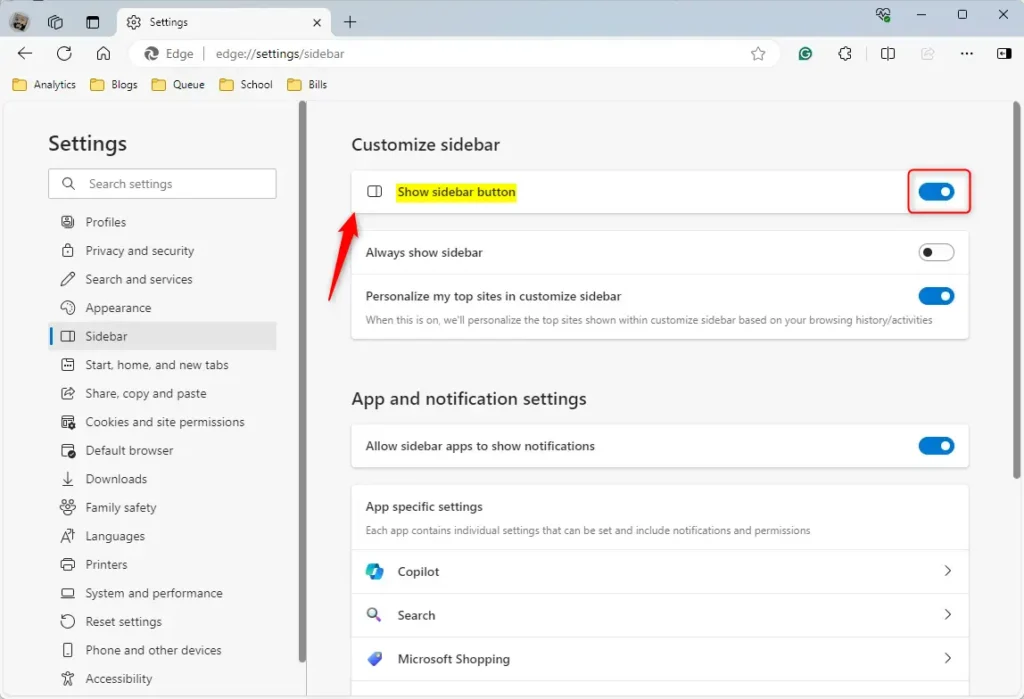
Find the “Show sidebar button” option under the ‘Customize Sidebar‘ section on the Sidebar settings page, and then flip the switch to ‘On‘ to enable it.
To turn it off, simply flip the switch to the ‘Off‘ position.
Just a heads-up: the ‘Show sidebar button’ option only appears if you’ve turned off the Copilot button in Edge.
Your changes should apply immediately.

Exit and restart Microsoft Edge.
That should do it!
Conclusion:
- The tutorial provides clear, step-by-step instructions for showing or hiding the sidebar toolbar button in Microsoft Edge.
- Users can customize their browsing experience based on personal preferences and usage patterns.
- Comments and feedback are welcome to improve the content and address potential errors.
Is Edge removing the sidebar?
Technically, the Sidebar will still exist, but in a different form. Microsoft is removing the ability to add apps to the Sidebar, and a future update to Edge will remove any apps users have already added. But the core experience provided by the Sidebar is being retired.
Was this guide helpful?

About the Author
Richard
Tech Writer, IT Professional
Richard, a writer for Geek Rewind, is a tech enthusiast who loves breaking down complex IT topics into simple, easy-to-understand ideas. With years of hands-on experience in system administration and enterprise IT operations, he’s developed a knack for offering practical tips and solutions. Richard aims to make technology more accessible and actionable. He's deeply committed to the Geek Rewind community, always ready to answer questions and engage in discussions.

No comments yet — be the first to share your thoughts!