

This article explains how to sign out of your Microsoft account on all devices everywhere.
A Microsoft account is a single sign-on account provided by Microsoft that allows users to sign in to websites, services, and devices using one set of credentials. You can access various Microsoft services such as Outlook.com, Skype, Office 365, OneDrive, Windows, and more.
If you think someone might have unauthorized access to your account, you can protect it by signing out of your trusted devices.
Within 24 hours, you will be signed out of browsers, apps, and anywhere else your account is used to sign in, except an Xbox console.
Sign out of Microsoft account everywhere
As mentioned, users can sign out of their Microsoft account on every device by logging in to their account and clicking the “Sign out everywhere” link.
Here’s how to do it.
First, sign in to your Microsoft account and go to the Advanced security options page.
Next, scroll down to the Sign out everywhere section and click the “Sign out everywhere” link.
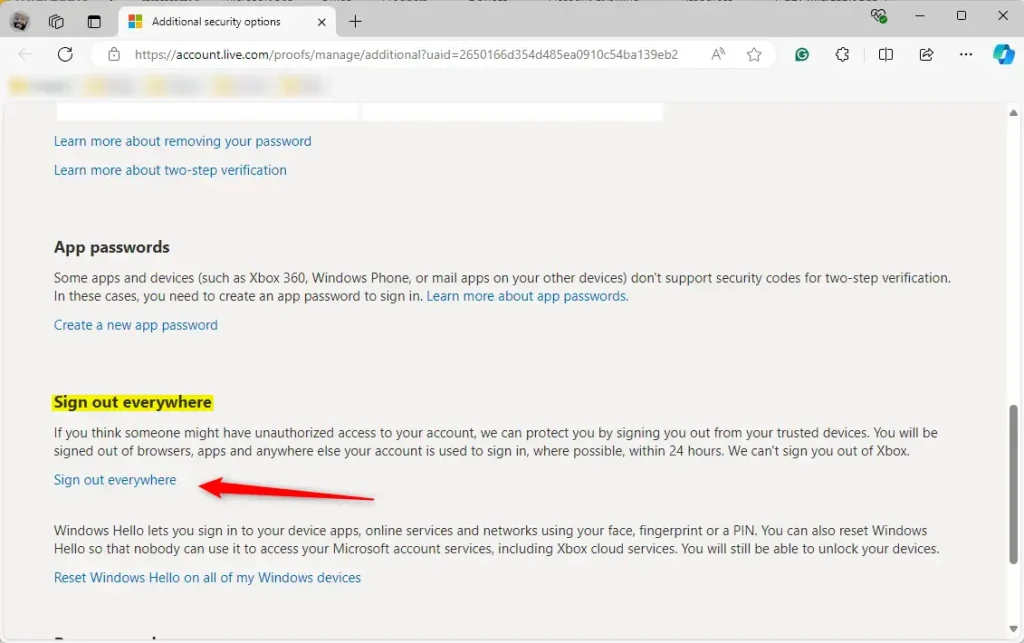
When prompted, click the “Sign out” button.
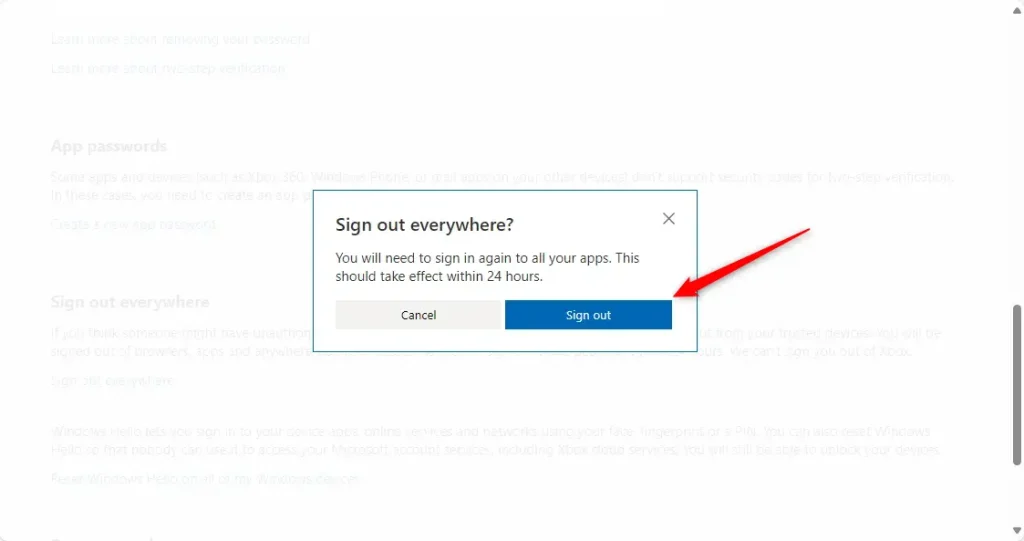
That should do it!
Reference:
Conclusion:
- Always ensure the security of your Microsoft account by signing out of all devices if you suspect unauthorized access.
- The “Sign out everywhere” feature helps you quickly secure your account across multiple devices and services.
- Regularly review your account security options to stay updated on the latest security features and best practices.



Leave a Reply Cancel reply